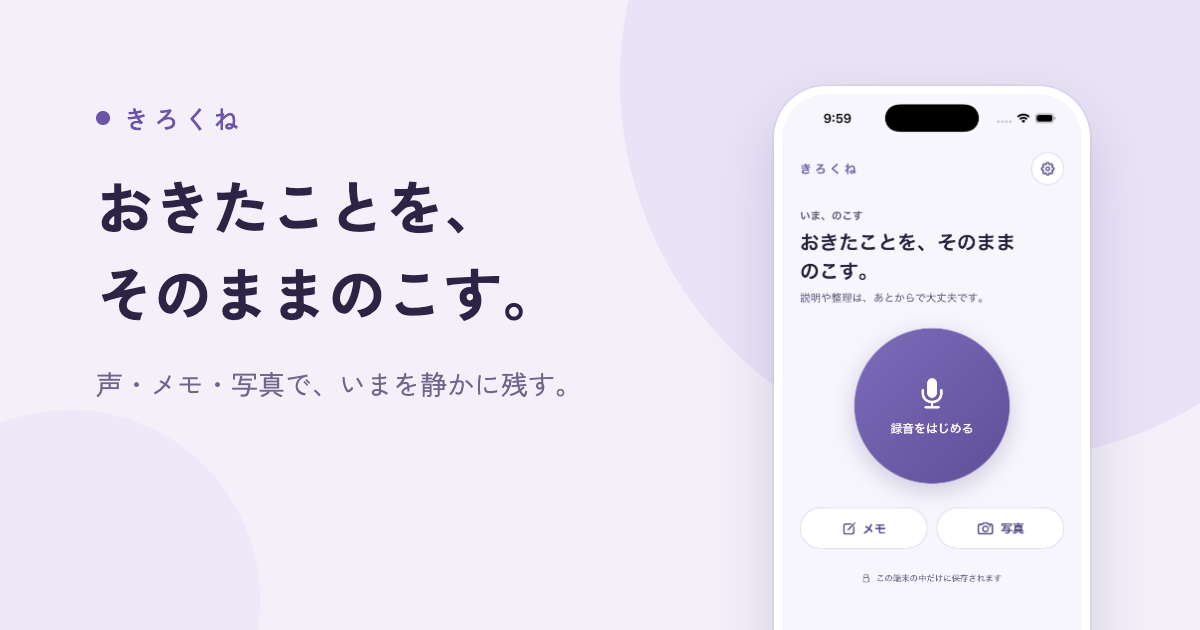
Kirokune is an iPhone app for logging work and personal incidents. It lets you capture what happened in your own words — through a short note, a voice recording, or a photo — and keeps that record on your iPhone, organized into a timeline inside a private case. The app is designed for people who have been told to document everything but have no simple, private place to do it. Unlimited records in one case are free, and no account is required to start; you open the app and begin. Kirokune also offers a free workplace incident log template and example on its website, so you can start documenting even before you install anything.
Everyone says document everything, but the practical question of where to write it down rarely gets answered. Work and personal incidents often happen at moments when you have neither the energy nor the time to sit down and compose a careful written account. Details fade, exact wording is lost, and the sequence of events blurs together. Kirokune addresses that gap by lowering the effort of capture to almost nothing: one tap starts a recording, and a photo or a quick note works just as well. The record you create while it is fresh stays on your iPhone until you decide what, if anything, you want to do with it — you do not have to let it go just to get through the day.
The core of Kirokune is capturing what happened while it is fresh. A short note written in your own words is enough to begin, and a single tap starts an audio recording for the moments when you cannot bring yourself to type. Photos can be saved alongside notes and recordings, so a visual detail sits with the written account rather than in a separate camera roll. All of these record types live together in the same place, which means you are not choosing one format at the expense of another. The app does not require any setup before you start — you open it and immediately begin a note, a recording, or a photo.
Once records exist, Kirokune organizes them rather than rewriting them. Events are shown in time order — dates, times, and exact words — and the timeline is reviewed alongside your original notes. Critically, nothing you already wrote gets changed; the app keeps your own record organized and that is all. Records are grouped into cases, and the free plan allows unlimited records inside one case. Kirokune Plus adds unlimited cases, so people who are tracking more than one situation can keep each one separate. Sorting happens later, when you have the energy, rather than at the moment of capture.
Kirokune can also save a chat export as a record. You choose a supported export file from Apple Messages, Messenger, or Instagram — without connecting your chat accounts to the app. Kirokune keeps the file's whole original text alongside the messages it can display, so the original wording stays attached to the record. Because the app does not connect to those services, the guidance suggests choosing the conversation and date range before exporting, where the service allows it. This makes it possible to fold a written conversation into the same private case as your notes, recordings, and photos.
The workflow Kirokune describes has three steps. First, get it down: open the app and start a note, a recording, or a photo, with no setup first. Second, sort it later: when you have the energy, group what you saved into a private case. Third, look back: everything is in order, exactly the way you wrote it. Underneath that workflow is a deliberate approach — the app stores records on your device and requires no account. Nothing leaves the app unless you export it yourself. Kirokune states plainly that it does not decide what happened, does not diagnose, and does not give legal advice; it keeps your own record organized.
The benefit is that you won't have to go from memory. When you decide to talk it through — with someone you trust, HR, a lawyer, or a support service — having it written down in your own words helps you explain what happened. Because capture takes one tap or one short note, you can document something at the moment it happens instead of reconstructing it weeks later. Because records stay on your iPhone, privacy is the default rather than a setting you have to find. And because you can name the other person however you like — initials or a nickname you would recognize later — you are never forced to record a name you don't want to write.
Typical uses follow the situations the app was built for. Someone documenting a workplace incident notes the date, the time, where it happened, what was said, and who was there, as soon as they can, and Kirokune keeps all of that together in one private place in time order. Someone who wants a record in the moment but cannot type taps record instead. Someone preparing for a conversation looks back at what they saved, at their own pace, and pulls it into a summary they can walk someone through. Someone with a written chat conversation exports it and saves the file as a record so the original text stays with it. The free worksheet on the website lets anyone start this practice without an app at all.
Kirokune is for iPhone users running iOS 17 or later. There is no Android app; the website's free worksheet can be saved and used in your own notes without installing anything or creating an account. The app is available in the United States and India, with English, Japanese, Traditional Chinese, Korean, and Spanish interfaces. Kirokune is a free download with in-app purchases: the free plan covers unlimited notes, recordings, photos and other records organized in one case, with no account required. Optional Kirokune Plus adds unlimited cases, detailed reviews, PDF export, and removal of ads, available as monthly, yearly, or one-time lifetime purchases, with local price and renewal terms shown in the purchase screen.
Two practical notes appear in the app's own guidance. Rules about recording and sharing a conversation vary by place and by situation, so Kirokune suggests considering letting the other person know and checking the rules where you are; the app cannot tell you whether a recording is lawful or how it would be treated. Also, Restore Purchases checks access to your paid plan and does not restore a backup of your records, because records are stored on your device and the app currently provides no automatic sync or cloud backup — so keep your own copies before deleting the app. The takeaway is simple: Kirokune is a private place to write down what happened, on your iPhone, until you decide to talk to someone.
Publisher
A
admin
Launch Date2026-09-14
Platformmobile
Pricingfreemium