Keepfold is an app for people who save posts, reels, videos, places, recipes, workouts and web pages but rarely see them again. It puts everything saved on Instagram, TikTok, YouTube, Reddit, X and the web in one place. Each save is sorted for the user, given a clear title and a short note, filed in a collection, and brought back when it can be used. Keepfold says it works from any app with a Share button, and it can bring in old saves as well. It is available as a mobile app for iOS and Android and as a browser extension for Chrome and Firefox.
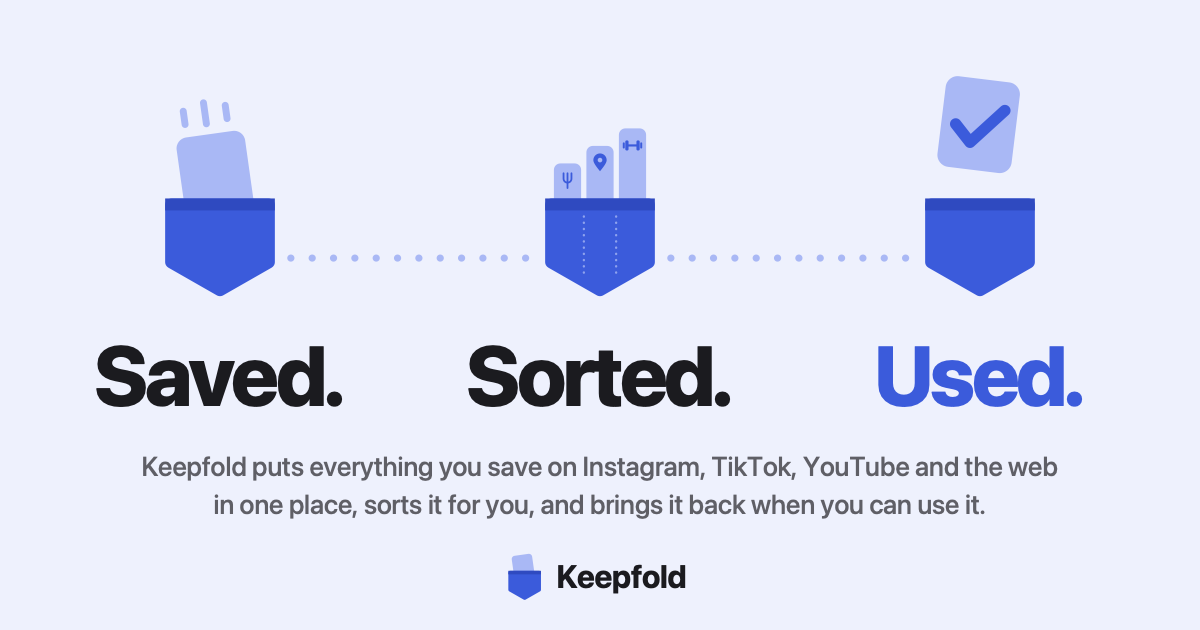
The product starts from a simple problem: 'You save it. You never see it again.' Saving is easy, but saved items are scattered across social apps and the web, so they are hard to find and easy to forget. Keepfold addresses that by collecting saves in one library, sorting them automatically, and resurfacing them at moments when they are useful. The website frames this as three steps: Saved, Sorted and Used. A save should not end as a forgotten bookmark; it should come back as a reminder near a café, as cook mode for a recipe, or as a Start button for a workout.
Saving begins with the Share button. If a user spots a café in a reel, they tap Share, then Keepfold. The website says this takes a second and works from any app with a Share button. The same flow covers content from Instagram, TikTok, YouTube, Reddit, X and the web. Keepfold also supports older saves: the latest 50 old saves can come in on every plan. The content mentions imports from Instagram, TikTok, YouTube, Facebook or Reddit for old saves. This means a user can start with a new save or bring in a small set of existing saves without changing how they already use social apps.
After saving, Keepfold sorts the item right away. The user does not file anything. Keepfold gives each save a clear title and a short note, puts it in the right collection, and pins places on the map. The sorting is based on what the post shows: caption, title, creator and preview. Collections are named in the user's language. The website names Recipes, Travel, Fitness and Wishlist as examples, and it shows Food & drink as a collection with a place pinned on the map in Lisbon. Every save is summarized and sorted by AI, and the plan sets how many saves a month are available. This sorting step is what turns a raw share into an item that can be found and used later.
Keepfold brings saves back when they can be used. Places can send a reminder when the user walks past a saved place, even with the app closed; the website states that location never leaves the phone. Recipes have a cook mode with one step per screen, and the display stays on. Workouts have a Start button, with sets and reps up front, so the user can follow the workout. For everything else, a few saves come back each morning and the app says why, or the user can tap Remind me. These are different resurfacing modes for different kinds of saved content, and they are all part of the app's core Saved, Sorted, Used flow.
Keepfold also lets users see what they actually did. They can finish cook mode or a workout, answer 'Were you at…?' after a visit, or mark a save cooked, visited or done. Only the user sees this activity. The website shows an October example with 13 saves used, including 4 recipes cooked, 2 places visited and 7 other things done. This progress view is presented as a way to see actual use rather than just a growing list of saves. It closes the loop between saving something and acting on it.
Friends are part of the product. The website says what friends actually saved is different from a group chat or an AI answer. Keepfold offers shared collections for a trip or a dinner party, up to 10 people. If a user is going to a city, they can ask friends for tips, and friends pick from what they saved there. When a group cannot agree, everyone picks their top three from the saves. Shared collections and these friend features are free on every plan. The point is to surface the places and ideas that people you know really kept, not just a generic answer.
On a laptop, Keepfold works through a browser extension for Chrome and Firefox. A user can save something in two clicks or with one shortcut, and look through saves beside what they are reading in the side panel. The website names Alt+Shift+S as the shortcut to save without opening the extension. It says the extension only ever reads the tab you save, when you save it. The browser extension is part of Pro and is free in the first 30 days. This extends the same save-and-sort habit from mobile to web reading.
The app also includes quiet helpers around saves. Search by meaning lets a query like 'quick dinner with eggs' find the shakshuka. This week is for planning meals and workouts, with one shopping list. Remind me can be set for tonight, this weekend, or a time the user picks. Your old saves can bring in the latest 50 from Instagram, TikTok, YouTube, Facebook or Reddit. These helpers are not separate products; they sit around the library and make saved items easier to find, plan with and return to. They support the same goal of making saves usable rather than forgotten.
Keepfold has a free plan and a Pro plan. Free costs €0 and includes 30 saves a month, every feature in the app, and 50 imports from old saves. Pro costs €2.99 a month or €19.99 a year and includes 500 saves a month, the browser extension for Chrome and Firefox, and everything in Free. The first 30 days are Pro, free, with no card and nothing to cancel. One-time packs are available for more capacity and never expire: extra saves add +100 for €0.99, +500 for €2.99 or +2,000 for €7.99, and extra imports add +200 for €1.49, +500 for €2.99 or +1,000 for €4.99. Every save is summarized and sorted by AI, and the plan sets how many a month; extra saves are used once the month's run out, and extra imports add to the 50. Subscriptions and packs run through the App Store or Google Play. The website also states no ads, never sold, location stays on the phone, and export or delete anytime.
Keepfold's value is in the full loop: save from any app, let the app sort and file the item, and get it back when it can be used. It combines cross-app saving, AI sorting, place reminders, cook and workout modes, shared collections and a browser extension in one product. For people who save often but rarely return to their saves, Keepfold is designed to turn a forgotten collection into something that is actually used.
Publisher
A
admin
Launch Date2026-11-28
Platformmobile
Pricingfreemium