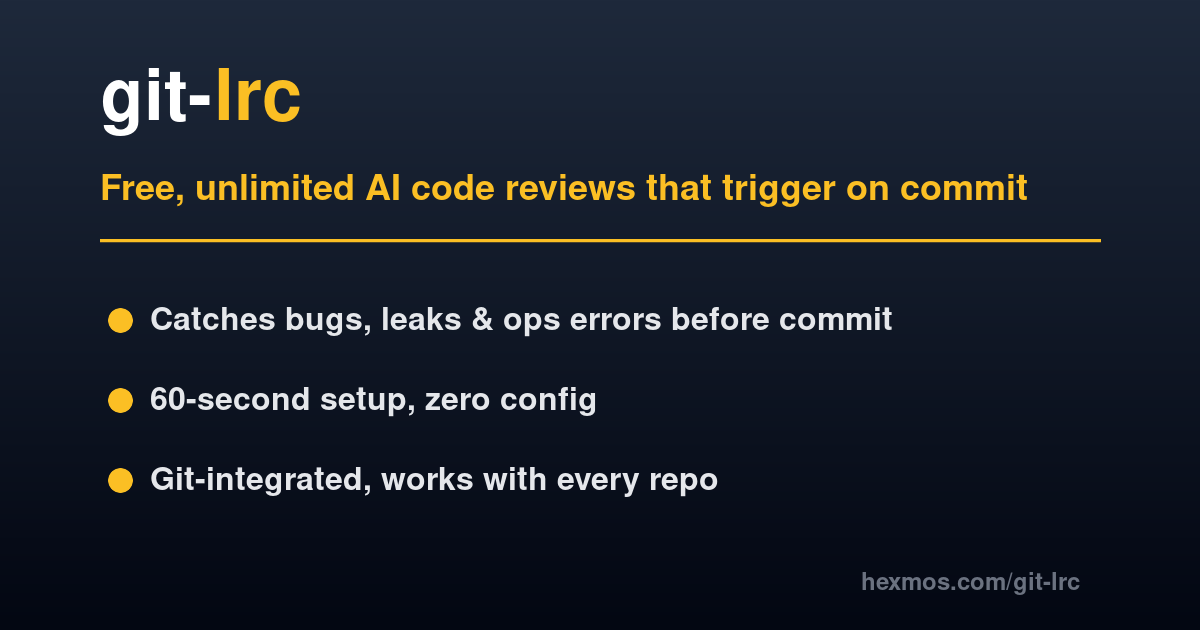
git-lrc is a free AI code review tool that integrates directly into the git commit workflow, acting as a pre-commit review system for every code diff. It is designed for developers and engineering teams who rely on AI coding assistants like Cursor, Windsurf, or Copilot to generate large blocks of code rapidly. The core value proposition is to catch critical issues such as leaked credentials, removed logic, expensive cloud calls, and unintended behavioral changes before they become permanent in the repository. By running an AI review at the moment of commit, git-lrc serves as a "braking system" for AI-generated code, ensuring that speed does not compromise code quality or security. This pre-emptive approach turns every commit into a micro review opportunity, promoting what the product calls "commit hygiene."
The concrete problem git-lrc solves is the silent introduction of defects by AI agents. When developers use AI to generate code, the output can remove existing logic, relax constraints, introduce expensive cloud service calls, or inadvertently leak sensitive data like credentials into the codebase. These issues are difficult to catch because they often appear logically correct but have subtle side effects. In traditional workflows, such problems are only discovered during pull request review or, worse, in production, leading to outages, security breaches, and costly on-call incidents. git-lrc addresses this by applying an automated AI review at the commit boundary—the earliest point where developers can fix mistakes cheaply without affecting the team. This ensures that no bad code enters permanent git history, reducing technical debt and operational risk.
One major feature group is the structured Issue Navigator, which transforms raw AI comments into a filterable, ranked view across 10 risk categories and over 100 failure patterns. These categories include Reliability, Correctness, Performance, and Scalability, each containing subcategories like Error Handling, Logic Errors, Database Efficiency, and Horizontal Scaling. The Issue Navigator allows developers to filter findings by severity (Critical, Warning, Info), by risk category, and by area type (Bug, Code Smell, Reliability, Security). This structured approach helps prioritize the most dangerous issues first, rather than scrolling through a wall of inline comments. Additionally, developers can copy visible issues or send them directly to an AI agent like Claude to fix them, creating an iterative feedback loop. Built-in thumbs up/down feedback on each finding further trains the model, improving signal-to-noise over time.
admin
Another core feature is the Summary Deck, which automatically generates a short slide deck after every completed review. This deck provides a 60-second narrative of what changed, why, and what risks were flagged, presented in plain English rather than a raw diff. Security, cost, and reliability issues are highlighted on separate slides with red markers when they matter most. Technical highlights such as new configuration, new endpoints, and new data flows are isolated for quick review. This feature pairs with Git Log Tracking, which appends a review status line to each commit's git log message—showing whether the commit was "ran" (with iteration count and coverage percentage), "vouched" (with coverage), or "skipped". Together, the Summary Deck and Git Log Tracking create institutional memory for the team, allowing anyone to understand past changes without re-reading diffs, and with no manual changelog maintenance required.
git-lrc also offers Repository Rules through a .lrc directory that can be placed in any repository. This directory contains an ignore file using gitignore syntax to exclude generated code or vendored dependencies from review, and a rules folder with markdown files such as INSTRUCTIONS.md, security.md, and style.md. The INSTRUCTIONS.md file is read first every review, providing team-specific context like preferred patterns or off-limits dependencies. For Claude Code users, git-lrc bundles claude-lrc, which exposes review, vouch, and skip as slash commands directly within the Claude Code chat interface—no separate installation needed. These capabilities allow teams to codify their coding standards and integrate AI review seamlessly into their existing AI agent workflow, ensuring that the reviewer always understands the team's unique preferences and constraints.
The overall workflow of git-lrc is designed to fit naturally into a developer's existing habits. After installing the tool using a one-command curl pipe and running a two-step browser setup (LiveReview API key and free Gemini API key), every git commit triggers an automatic AI review. Alternatively, developers can manually run `git lrc review` before committing, giving them control over when review occurs. The review cycle involves generating code with an AI agent like Cursor or Copilot, staging the changes, running git-lrc review, fixing flagged issues, and repeating until the developer vouches for the commit (using `--vouch`) or commits directly. Each review iteration is tracked in the git commit message with an iteration count and coverage percentage. The review UI provides a GitHub-style diff view with inline AI comments, severity badges, a staged file list, and one-click copy of issues to feed back to the AI agent. After review, developers can choose to commit, commit and push, or skip the commit to fix issues first.
Concrete use cases for git-lrc include catching leaked credentials such as API keys or secrets before they are committed to git history, preventing expensive cloud API calls from being introduced by AI agents that may not understand cost implications. Developers also use git-lrc to detect silent logic removal—where an AI assistant deletes essential validation checks or error handling—as well as to ensure that new code adheres to team-defined performance and reliability patterns. For teams using AI agents extensively, git-lrc significantly reduces time spent in pull request review because issues are caught early when diffs are small and cheap to fix. The outcome is cleaner PRs, fewer production incidents, and stronger confidence in AI-generated code. Senior engineers at companies like FourKites, Antino, and Repcard have adopted git-lrc to maintain high code quality while still benefiting from the speed of AI-assisted development.
The target users of git-lrc are senior engineers and teams that ship at scale, particularly those working with AI coding assistants that generate large code blocks quickly. It is built for developers using any git-based workflow, on Linux, macOS, or Windows, and is editor-agnostic because it hooks into git rather than an IDE. The tool is free for individuals up to 30,000 lines of code per month, with a Premium plan starting at $32 for 100,000 LOC, and an Enterprise option with self-hosting, SSO, and custom domain support. git-lrc is available as a standalone CLI tool and also powers the LiveReview suite for team dashboards and policies. In summary, git-lrc acts as a braking system for AI-generated code, enabling developers to accelerate safely by ensuring every commit is reviewed before it lands, thus preventing outages, breaches, and technical debt without slowing down the development velocity.
git-lrc is built for senior software engineers, engineering leads, and DevOps teams who ship code at scale and value code quality, security, and reliability. It is especially relevant for teams using AI coding assistants such as Cursor, Windsurf, or GitHub Copilot to accelerate development while needing safeguards against AI-induced defects. The tool serves developers working in any git-based environment on Linux, macOS, or Windows, and is editor-agnostic. Enterprise teams requiring self-hosting, SSO, and custom domain support will find the Premium and Enterprise plans suitable. The product is trusted by companies like FourKites, Antino, and Repcard, and is loved by engineers who need to prevent outages and technical debt without sacrificing development speed.