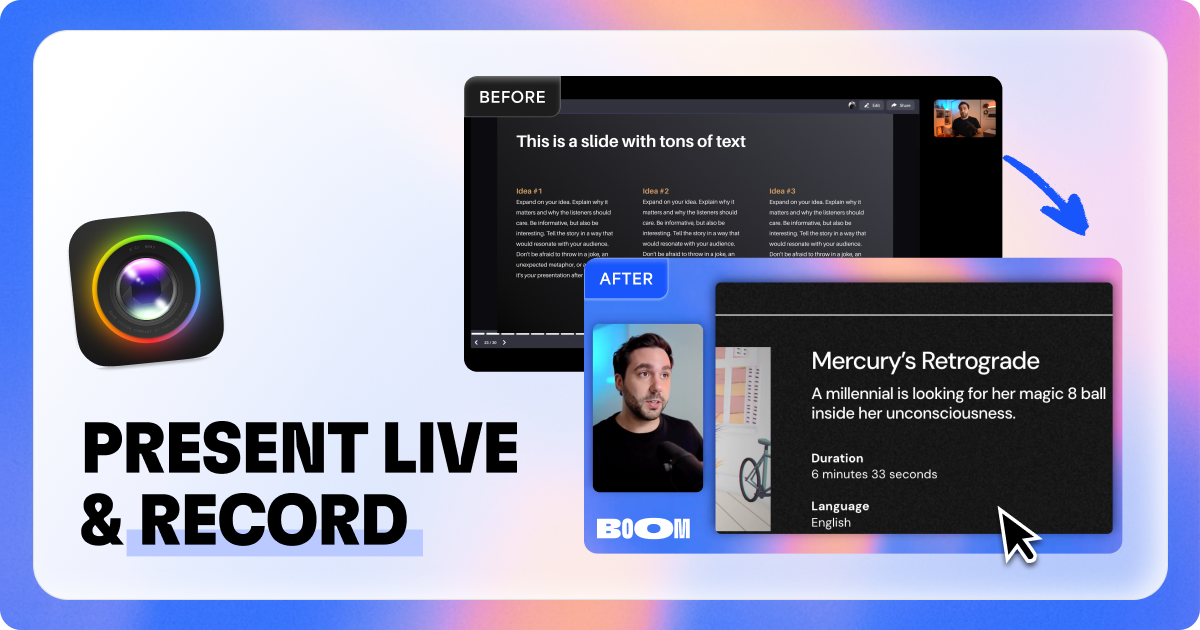
Boom is a video app for serious presenters that enables live presentations and screen recordings with professional layouts. It works with Zoom, Meet, Teams and other video apps without requiring editing or post-production.
Boom for Mac is a specialized video application designed for serious presenters who need to deliver professional live presentations and screen recordings. This tool enables users to create content with polished layouts directly, integrating seamlessly with popular video conferencing platforms like Zoom, Google Meet, and Microsoft Teams. Its core value lies in eliminating the need for complex editing or post-production work, allowing presenters to focus on their delivery and message. By providing professional-grade visual framing and composition in real-time, Boom for Mac empowers users to produce high-quality video content effortlessly, making it an essential asset for anyone who regularly communicates via video.
Traditional video presentations often require significant time and technical skill for editing, which can be a major pain point for professionals who are not video experts. Boom for Mac addresses this by allowing users to achieve professional results without any post-production. This matters because it saves valuable time and reduces the barrier to creating engaging video content, enabling presenters to maintain a polished image without investing in extensive training or software. The frustration of dealing with complex editing suites or outsourcing video production is eliminated, streamlining the workflow for busy professionals who need to communicate effectively and efficiently through video.
One of the major feature groups of Boom for Mac is its ability to enable live presentations with professional layouts. This works by providing users with pre-designed or customizable visual templates that frame their screen or camera feed in a polished manner during live sessions. The usefulness stems from instantly elevating the production quality of any video call or presentation, making the presenter appear more credible and engaging. By integrating these layouts directly into the live workflow, users can maintain a consistent and professional aesthetic without switching between applications or performing manual adjustments, which is particularly valuable for impromptu meetings or recorded sessions where time is of the essence.
Another key feature is its screen recording capability with professional layouts. This function allows users to capture their screen activity while automatically applying the same professional visual framing used in live presentations. The benefit is that recorded videos immediately look polished and ready for sharing, without any additional editing steps. This is especially useful for creating tutorials, demos, or asynchronous presentations that need to convey expertise and clarity. By combining screen capture with built-in layout tools, Boom for Mac ensures that every recording maintains a high standard of visual quality, which enhances viewer engagement and comprehension.
Publisher
A
admin
Launch Date2026-01-10
Platformdesktop
Pricingfreemium