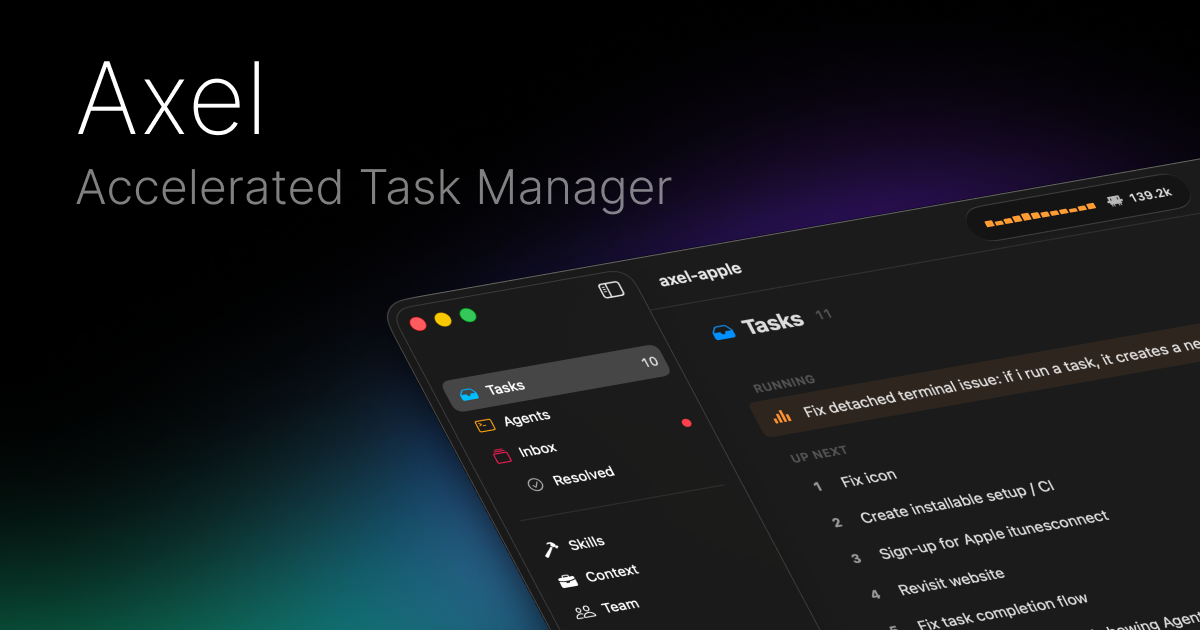
Axel is an accelerated task manager for Mac that helps you run AI agents and keep them fed. Queue up work, dispatch to the right agent, and approve or deny actions from one inbox.
Axel is an accelerated task manager for Mac specifically designed for developers who work with multiple AI coding agents such as Claude, Codex, OpenCode, and Antigravity. It provides a centralized task queue where users can add jobs, assign them to the most suitable agent, and monitor their execution in parallel. The core value of Axel lies in unifying the fragmented workflows of different AI agents into a single, keyboard-driven interface that reduces context switching. By eliminating the need to switch between separate agent tools and approval systems, Axel helps maintain focus and accelerates development velocity. The app is natively built with SwiftUI for macOS, with support for iOS and visionOS, allowing users to keep tabs on their tasks from any Apple device. This cross-platform capability makes it a versatile tool for developers on the go.
Developers using multiple AI agents often encounter pain points: each agent comes with its own approval system, skill configuration, and user interface. This fragmentation leads to constant context switching, wasted time, and increased mental overhead. Manual management of permissions for file edits, command executions, and API calls across agents can become chaotic. Axel directly solves these problems by providing a single inbox where all agent requests are visible. Users can see full context—file paths, diff previews, and command arguments—before approving or denying. Additionally, Axel standardizes skill management via portable skill files, ensuring agents are consistently configured without duplication. This unified approach saves time and reduces errors.
The Task Queue is the foundational feature for organizing work in Axel. Users can add tasks to a queue, then select which agent should handle each task—for example, Claude for code generation, Codex for testing. Tasks can be reordered by dragging, and priorities are adjustable even while tasks are running, without requiring a restart. Execution happens in parallel across agents, maximizing throughput. Keyboard shortcuts are available for every action: new pane, dispatch, reorder, and kill, allowing users to maintain a mouse-free workflow. This feature significantly boosts productivity by batching work and letting developers trust that the right agent will execute each assignment at the right time. The queue works with any supported agent, giving flexibility.
Portable Skills address the challenge of replicating agent configurations across different projects. Users define skill files in `~/.config/axel/skills`, and when an agent is launched, Axel symlinks these skills to the agent’s expected location. This ensures that a skill written once works identically with Claude, Codex, OpenCode, or Antigravity. A concrete example is the command `axel -w feat/auth`, which spawns a git worktree and a tmux session for that branch. An AXEL.md file defines the layout, including panes, skills, and grid positions via YAML frontmatter. Sessions persist even after closing the terminal, enabling developers to reattach later without losing context. This portability simplifies sharing and version control of agent workflows.
Publisher
A
admin
Launch Date2026-02-08
Platformdesktop
Pricingfree
Tech Stack
#SwiftUI
Domain Authority
Ahrefs DR3/100