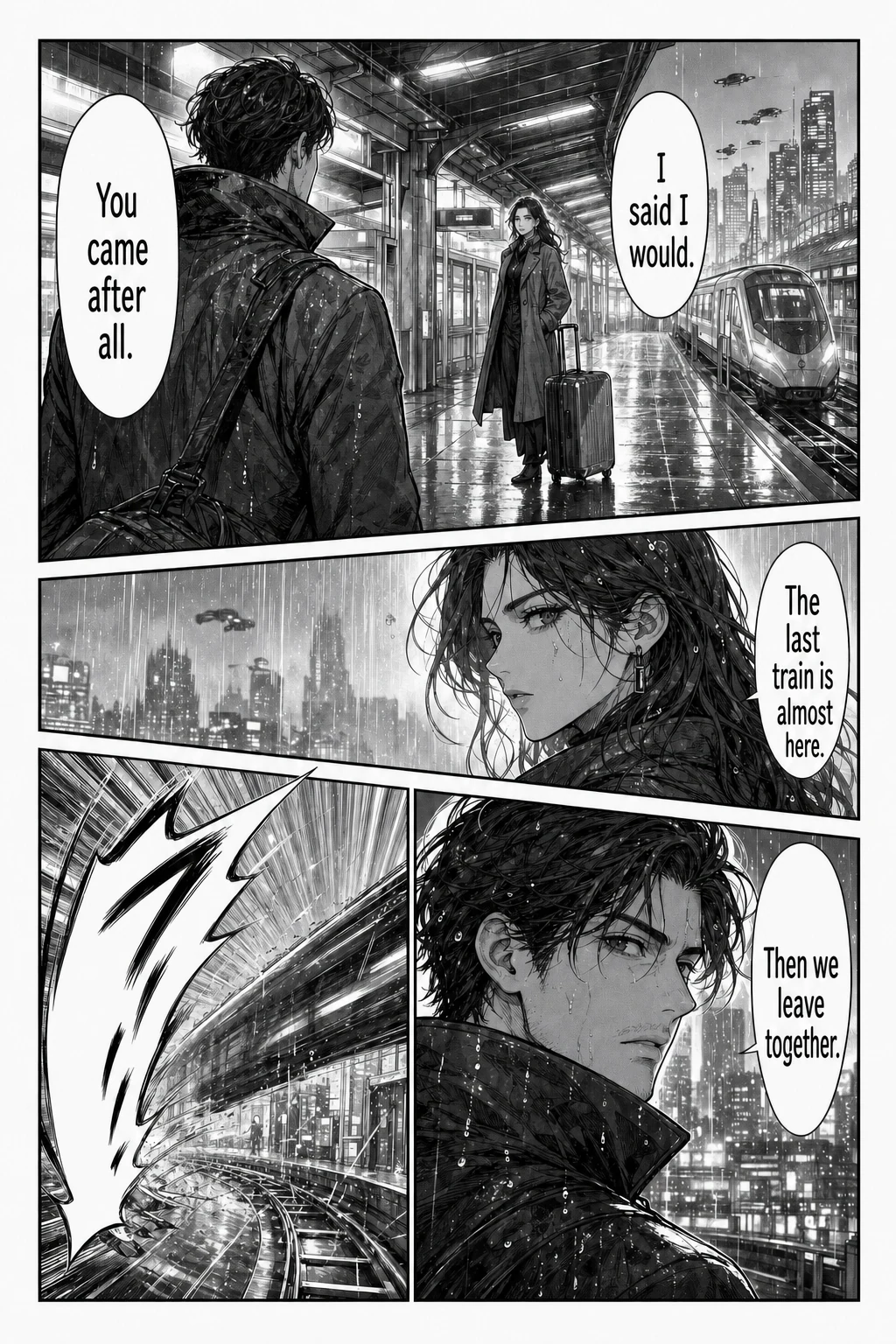
AI Manga Translator is an online tool at aimangatranslate.org that translates the text inside manga, manhwa and manhua page images and returns a translated page image. It detects speech bubbles and captions, erases the original lettering, and places the translation back onto the artwork, so readers follow the dialogue next to the panels instead of copying lines into a separate translator. It is built for people reading raw Japanese manga, Korean manhwa or Chinese comics who want the scene kept in view while they read.
The alternative is taking a screenshot, copying a line, and then finding your place on the page again — work that only tells you what happens next after several manual steps. Copying dialogue line by line also means cropping every speech bubble by hand, and reading translations in a separate window makes it easy to lose track of who said what. Repeating the same steps across a chapter compounds the friction. Short replies are especially awkward, because the speaker, expression and previous panel may explain more than the words alone, and that context disappears once the text is pulled away from the artwork.
The core single-page translator accepts a whole PNG, JPG, JPEG or WebP page up to 15 MB. You choose the reading language and upload the complete page rather than cropping individual bubbles; the returned image replaces the source lettering and aims to keep the panel art and layout. You can review the text and artwork before downloading. The website tools offer 133 reading languages, including English, Simplified Chinese, Japanese, Korean, Spanish, French, German and Portuguese, with the full list in the language selector. A local preview of a chosen file is available before you sign in, and the homepage recommends starting with a page that has ordinary speech bubbles and enough dialogue to judge whether the result is useful.
The batch translator handles up to 20 separate page images at 15 MB each. You add the pages together, pick one target language once, and start the queue; you do not set up every page separately. Pages process in queue order, and you can open a finished translation while later pages are still processing, so you can start reading before the batch finishes. If a page fails, it shows its own error message and can be retried without losing the pages already completed — there is no need to restart the chapter. Completed pages download as separate images, and the browser may ask for permission for multiple downloads.
For chapters that already exist as an archive, the CBZ translator takes one CBZ or ZIP of up to 100 MB containing up to 50 supported images, with a 15 MB per-image and 200 MB extracted-total limit. It sorts numbered filenames naturally, and once all selected pages finish, paid users can export an ordered CBZ or ZIP. Original archive metadata is not retained. A separate manga URL translator lets you paste links and import up to 20 pages without saving files first, which suits image URLs and plain webpages. PDF, CBR/RAR and EPUB are not supported directly, so documents and archives need to be organised into page files before upload.
The Chrome extension covers manga you are already reading on a webpage. It works in Chrome and compatible Chromium desktop browsers: you install from the Chrome Web Store listing, sign in to the website with your account, choose a language, and translate accessible images already loaded on the page using your website account credits. Installation is free, translation uses credits and requires an internet connection. The extension offers 25 reading languages, compared with 133 in the website tools. Because it works on images already loaded on the page, nothing has to be downloaded and re-uploaded first.
The Manga Cleaner is a related utility that does not translate. It accepts up to 20 images at 15 MB each and removes either bubble text or all detected text, exporting PNG or WebP files or a ZIP. That is useful when you intend to reletter a page yourself. Across these tools there is no built-in text editor for correcting or re-lettering translations after they are generated, no editable glossary, no OCR correction screen and no human proofreading, so corrections happen in your own editing tool.
Every workflow uses the same page translation service. An account and sufficient credits are required to start a translation; each page costs 1 credit, and credits for failed pages are refunded automatically. Trial credits and free-account limits depend on the current account offer, and there is no unlimited free plan. Downloading translated images, cleaned images or archives requires a purchased one-time credit pack, starting at USD 4.99. There is no subscription, and purchased credits do not expire. Source images and translated results are stored for your signed-in account history, so returning to completed work does not depend on an unfinished local queue — and refreshing a running queue is discouraged.
The tool returns a translated image to review and download; it does not promise that every word or piece of artwork will be unchanged. AI translation can misread names, miss context, or struggle with vertical text and stylized sound effects, and fine details or text over busy backgrounds may change. Clear images help, but no page is guaranteed to be error-free, and terminology is not guaranteed to stay consistent across a chapter. The comparison images on the homepage are illustrative examples of the interface, not live translation results, and the site recommends checking a page you know first and comparing important lines, names and tone against the original.
Typical scenarios follow the sources the site lists. You have reached the latest chapter of a raw manga and the dialogue is still in Japanese, so you translate the page to follow what happens next. You have a whole chapter as image files or a CBZ or ZIP and want the pages back in order. You read on manga websites in Chrome and want pages translated without downloading them first. You have a link to an image URL or a plain webpage and want to import it directly. Or you need the text removed from a page so you can reletter it yourself.
The site frames the product as a good fit if you want to read a raw manga, manhwa or manhua page with the translation placed on the artwork; if you have a chapter as images or a CBZ or ZIP and want the pages back in order; or if you read on manga websites in Chrome and want to translate pages without downloading them. It suggests looking elsewhere if you need direct PDF, CBR/RAR or EPUB import, a text editor for correcting or re-lettering translations after generation, offline processing, or unlimited free use without an account.
In short, AI Manga Translator keeps the page and the dialogue together: you upload a page or a queue of pages, choose a reading language, and receive a translated image with the translation lettered back into the bubbles, priced per page with failures refunded and one-time packs that never expire. It is a reading aid rather than an edition-ready localisation pipeline, and the site is explicit that results should be reviewed against the original.
Publisher
A
admin
Launch Date2026-11-02
Platformweb
Pricingpaid