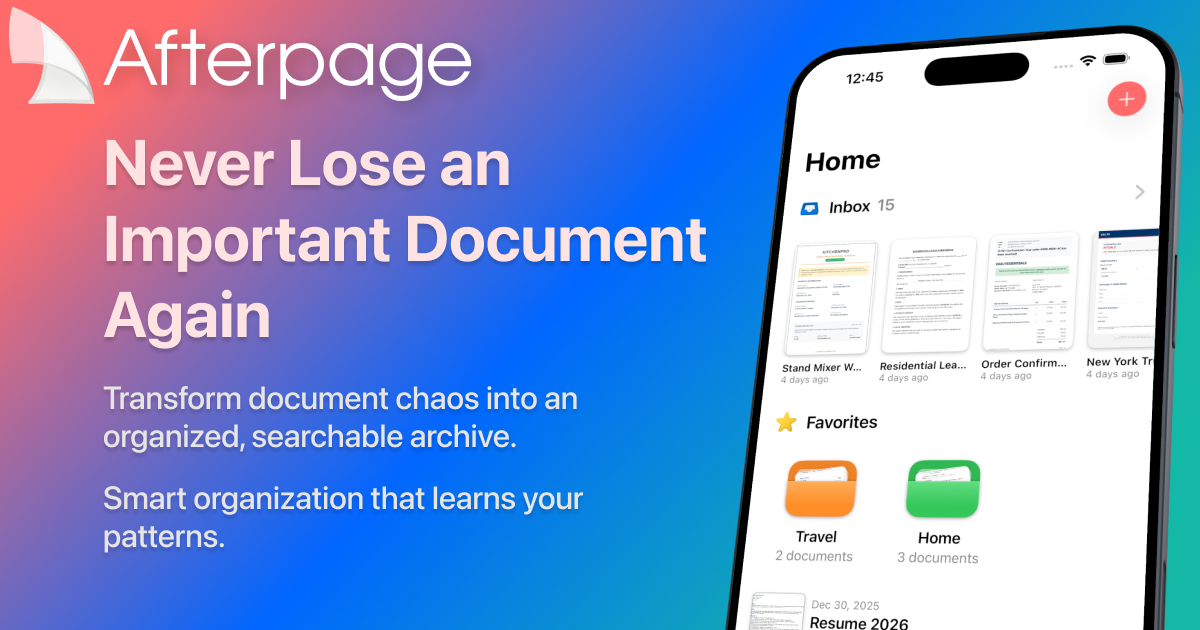
Afterpage is an intelligent document archive designed for iPhone and iPad that transforms scattered papers into a searchable, organized library. Built for individuals overwhelmed by receipts, contracts, and tax forms, it learns your filing habits to suggest tags, types, and contacts automatically. Unlike traditional scanning apps, Afterpage processes everything on your device using Apple’s Vision framework, keeping your data private and under your control. With just a few taps, you can scan, organize, and retrieve any document by its textual content, making paper chaos a thing of the past. This intelligent document archive ensures that every important file is always at your fingertips, no matter how long ago you archived it. From receipts to contracts, Afterpage provides an all-in-one hub that adapts to the way you work, ensuring document retrieval is always effortless.
The modern document dilemma is real: receipts stuffed in drawers, contracts buried in email threads, tax forms scattered across multiple devices. When you urgently need an important document, the frantic search often leads to stress and wasted time. Afterpage solves this pain point by centralizing all your documents in one intelligent archive that’s instantly searchable. It doesn’t just store files—it extracts and indexes text, so you can locate a receipt by merchant name or a contract by a client’s name in seconds. This approach eliminates the anxiety of document disorganization and replaces it with a sense of control and efficiency, making daily life smoother for anyone who handles paperwork. By merging scanning, OCR, and smart metadata, Afterpage ensures that no piece of paper ever gets lost again.
Smart Organization is the core intelligence engine of Afterpage. It observes how you manually tag and categorize documents—by type, contact, or custom labels—and then begins suggesting these attributes automatically. As you archive more items, its on-device AI refines its recommendations, so a receipt from a specific store might automatically get tagged as ‘Business Expense’ with the store’s contact. This learning process not only saves time but also reduces human error. By understanding your unique patterns, Smart Organization turns a rote filing task into a seamless, almost invisible act, allowing you to focus on more important things while your archive remains impeccably organized. The more you use Afterpage, the more accurate these suggestions become, creating a truly personalized document management experience that fits your life.
Afterpage leverages Apple’s Vision framework to perform on-device OCR (Optical Character Recognition) on every document you import. This means the full text of scanned receipts, contracts, and forms is instantly indexable without any internet connection. The powerful search feature then lets you type a keyword—like a vendor name, an invoice number, or a date—and Afterpage retrieves the document in a flash, highlighting the matched text. Because everything happens locally, your sensitive information never leaves your device. Combined with filters for tags, document types, and contacts, this search capability ensures that no document is ever truly lost, giving you a fast and private retrieval system that rivals professional document management tools. Even handwritten notes become searchable, thanks to Apple’s advanced on-device intelligence, further blurring the line between paper and digital convenience.
admin
Document capture in Afterpage is versatile: scan multi-page documents with your iPhone camera, import from Photos or the Files app, or share directly from Mail. All incoming documents land in a dedicated Inbox, allowing you to scan now and organize later—ideal for busy moments. The Inbox workflow supports quick triage, where you can assign tags, set document types (e.g., invoice, receipt, contract), and associate contacts before archiving. This method mirrors natural habits: collect things in a pile and sort when convenient. Even without immediate organization, Smart Organization can suggest how to file the item, reducing the cognitive load and ensuring your archive grows organized without friction. The flexibility of input methods means you’ll never miss a document, no matter where it originates.
Afterpage transforms document chaos through a simple three-step process. First, Import: bring documents in via camera scan, photo import, or Mail share—multi-page support handles everything from single receipts to lengthy contracts. Next, Organize: in your Inbox, quickly add metadata like tags, type, and contacts; Smart Organization will often suggest these based on your history, making the step almost effortless. Finally, Find: use the full-text search to locate any document by its content, then filter further by the metadata you’ve applied. This workflow ensures that the moment a document enters Afterpage, it becomes a searchable asset, and future retrieval is just a few keystrokes away. The process is privacy-focused, running entirely on your device, leveraging Apple’s on-device intelligence for a seamless experience.
Consider a freelancer preparing for tax season. They scan every business receipt into Afterpage, tagging them ‘Tax 2025.’ When it’s time to file, they search for ‘tax 2025’ and instantly pull up all qualifying expenses, export them as a searchable PDF for their accountant. A contractor juggling multiple clients can assign each contract a contact and document type, then filter by client name to review terms before a meeting. Even at home, a user can digitize appliance warranties and find the exact manual by searching the model number. In every case, Afterpage eliminates frantic rummaging and replaces it with a confident, one-tap retrieval, giving users peace of mind and more time for productive work.
Afterpage is exclusively available on iPhone and iPad, syncing via iCloud so your archive stays consistent across devices. It requires no account creation, and the free tier includes 20 archived documents, full-text search, manual organization, on-device OCR, camera scanning, and iCloud sync—enough to give you a real taste of its power. The Plus tier (currently at a special launch price of $19.99/year) unlocks unlimited documents, Smart Organization AI suggestions, and batch operations, catering to power users who handle large volumes. Privacy-conscious users, busy professionals, and anyone tired of paper clutter will find Afterpage to be a game-changer. Ultimately, this intelligent document archive puts the power of a personal, searchable assistant into your pocket, ensuring you’ll never lose an important document again. It combines Apple’s robust ecosystem with thoughtful, pattern-learning AI to deliver a truly unique and indispensable tool for document management.
Afterpage is ideal for professionals who manage paperwork on the go, including freelancers tracking business expenses, contractors handling multiple client contracts, and small business owners organizing invoices. Privacy-conscious individuals who prefer on-device processing over cloud solutions will appreciate Afterpage’s reliance on Apple’s Vision framework and iCloud sync. It suits anyone with an iPhone or iPad who wants to eliminate paper clutter, from homemakers digitizing warranties to lawyers archiving case documents. Users seeking a streamlined, intelligent alternative to generic file managers will find Afterpage’s pattern-learning organization a significant productivity booster. Ultimately, it’s designed for Apple users who value efficiency, privacy, and a truly searchable personal document archive.