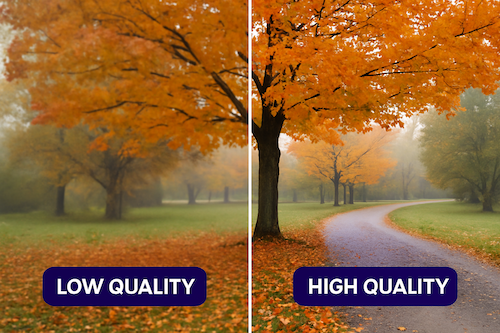
Video Quality Enhancer uses AI to upscale low-resolution videos to 4K quality while removing noise and improving clarity. It transforms blurry footage into sharp, high-resolution video automatically in seconds.
Video Quality Enhancer is an AI-powered video upscaling tool that transforms low-resolution footage into stunning 4K and 8K masterpieces. Designed specifically for content creators looking to stand out on YouTube and social media, archivists restoring precious family memories, and professional editors needing to save hours of manual cleanup, it leverages generative neural synthesis to reconstruct missing pixels at up to 600% scale. The tool removes noise, enhances clarity, and delivers natural-looking detail without the artificial "waxy" look common in other AI upscalers. Its core value proposition is making pro-grade video restoration accessible with just one click, eliminating the need for complex software or technical expertise. This combination of speed and quality is essential for anyone who needs to breathe new life into old or low-res footage.
The primary pain point Video Quality Enhancer addresses is the struggle of working with low-resolution, noisy, or unstable footage that looks unprofessional on modern displays. For content creators, uploading grainy videos to YouTube or social media results in lower engagement and a lack of polish. Archivists face the challenge of restoring decades-old family films with scratches, flicker, and faded colors. Professional editors waste countless hours manually cleaning up each frame. Traditional upscaling methods simply stretch pixels, producing blurry or blocky results. Video Quality Enhancer solves these issues by using AI to intelligently reconstruct detail, remove noise, and stabilize frame-to-frame consistency, turning unusable footage into high-quality assets ready for production. The benefit is dramatic: what used to take hours or specialized skills now happens automatically in seconds.
The first major feature is Intelligent Upscaling up to 600%. Unlike basic resizing tools that merely interpolate pixels, this feature uses generative neural synthesis to actually create new detail where none existed. The AI is trained on thousands of high-resolution video frames to understand how textures, edges, and patterns should appear. When upscaling a low-res clip, it reconstructs missing information to produce sharp, natural-looking results at 4K or even 8K resolution. The key advantage is avoiding the "waxy" or plastic appearance common in other AI upscalers. Users get genuine detail enhancement that makes footage look like it was originally shot in high definition, perfect for integrating vintage clips into modern projects.
The second major feature group is Frame Interpolation and Slow-Motion generation. This technology boosts the frame rate of standard footage to create buttery-smooth playback or enables cinematic slow-motion effects. For example, a regular 30fps clip can be converted to 60fps or higher, eliminating stutter in fast-moving scenes. The advanced temporal processing algorithms analyze motion between frames and generate intermediate frames that maintain natural movement without artifacts. This is particularly valuable for content creators who want to add dramatic slow-motion to action sequences or for archivists smoothing out old film that plays at inconsistent speeds. The result is fluid motion that meets professional broadcasting standards.
Publisher
A
admin
Launch Date2026-01-12
Platformweb
Pricingfreemium