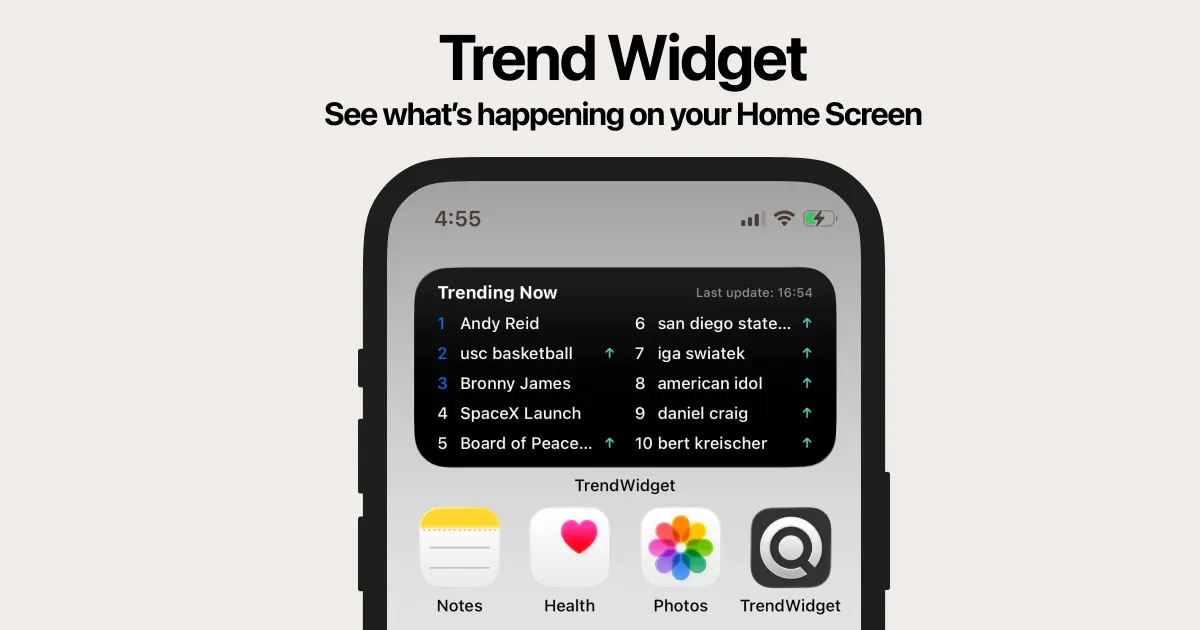
TrendWidget brings live Google and Yahoo search trends directly to your home screen with real-time AI search summaries. It provides instant access to trending keywords and explains why topics are viral through AI-powered insights.
TrendWidget is a mobile and web application that brings real-time trending keywords from Google and Yahoo directly to your home screen as a widget. Designed for anyone who wants to stay instantly informed about the hottest topics, it combines the convenience of a glanceable widget with an AI search engine that provides context. The core value is saving time: instead of manually visiting multiple trend-tracking sites, you see the top ten rising keywords at a glance and can tap any one for an immediate explanation of why it is trending. This tool is free to use, requires no sign-up, and works on iOS, Android, and desktop browsers, making it accessible to a wide audience ranging from casual news consumers to content professionals.
Traditional trend discovery often means switching between Google Trends, Yahoo Trending Now, and various news sites to understand what is popular, but this process is fragmented and lacks immediate context. TrendWidget solves that pain point by aggregating the most current keywords from both Google and Yahoo into a single, always-visible widget on your phone's home screen. It then goes a step further: when you tap a keyword, an AI-powered search engine instantly compiles news articles, videos, images, and a plain-English summary explaining why the term is surging. This eliminates the need to manually search for background information, giving you the why behind the trend in seconds – a crucial advantage for staying ahead in a fast-moving information environment.
The first major feature is the home screen widget itself, which displays the top 10 trending keywords from Google and Yahoo, updating automatically. Users can resize the widget to fit their home screen layout, ensuring it integrates smoothly without disrupting their app grid. This feature is useful because it transforms the idle act of glancing at your phone into a moment of discovery – you see what the world is searching for right now without opening any app. The widget’s low-power design means it updates frequently without draining battery, so you remain connected to trends throughout the day with minimal effort.
A second powerful feature is the AI summary that appears when you tap any keyword. Instead of merely showing a list of related search results, TrendWidget uses AI to analyze the latest news, websites, and social signals to produce a concise explanation of why the keyword is trending. For example, tapping “Toy Story 5” would generate a summary of the announcement, release date buzz, and fan reactions, pulling from multiple sources. This is useful because it delivers context in a single tap, allowing you to quickly decide if a topic is worth deeper investigation or sharing. The AI also organizes results into tabs for news, videos, websites, and images, giving you full control over the type of content you want to explore.
Publisher
A
admin
Launch Date2026-02-12
Platformweb
Pricingfree
Domain Authority
Ahrefs DR1/100