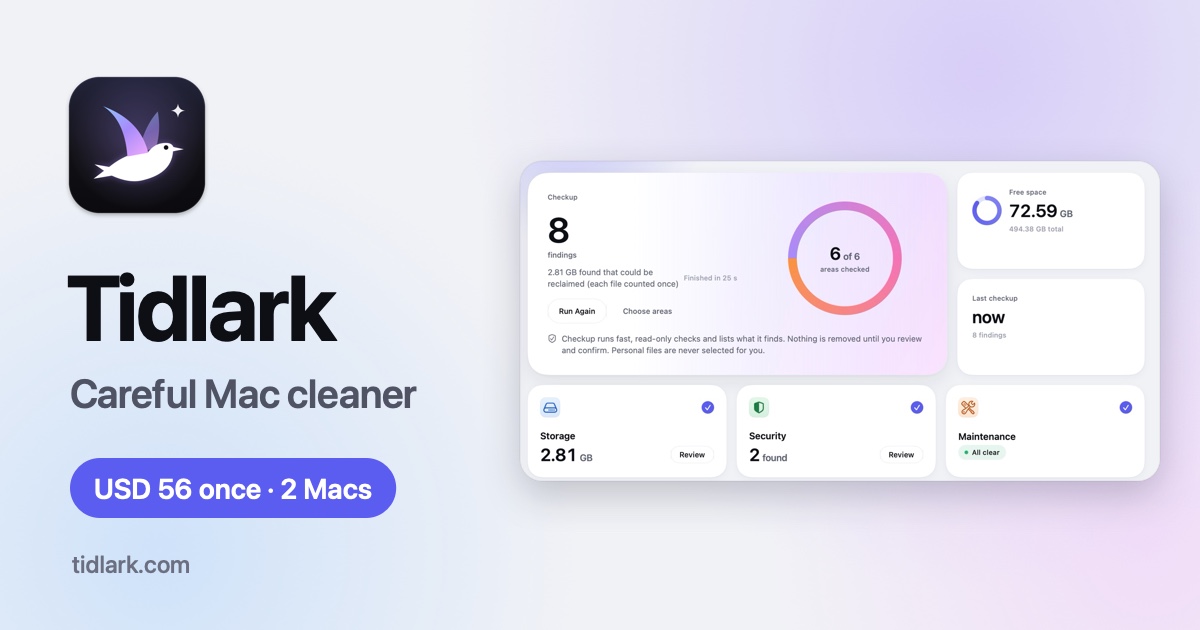
Tidlark is a Mac cleanup and maintenance app for macOS 14 Sonoma and later, running on both Apple silicon and Intel Macs. It finds the things that quietly take up space on a Mac — caches, app leftovers, large files, old installers and other clutter — explains what each item is, and removes only what the user picks. Beyond cleanup, Tidlark bundles a Checkup, an evidence-based uninstaller, app updates, login item management, maintenance tasks, a YARA-X threat check and menu bar monitoring in one app. It is built for people who want to free up disk space without the fear that comes with aggressive cleaning tools: scans only look, and nothing is removed until the list has been reviewed and confirmed.
Most Mac cleanup utilities ask users to trust a big button. They report impressive numbers, sweep files away, and leave little explanation of what was removed or whether it can be brought back. Tidlark starts from the opposite position: cleanup tools can do real damage, so the app is built around rules it does not bend. Scans are read-only and only look at the disk. Every item shows its size, location and what removing it means. Any match Tidlark cannot verify — for example an app identified by name alone — is marked unverified and left unselected. If Tidlark could not check something, it says so instead of guessing, so the numbers on screen are measured rather than estimated.
The Checkup is the entry point. One run looks at storage, a quick security check, maintenance, app updates, personal files and the Mac's health, and each area reports what it checked and which tool goes deeper. Personal files such as duplicates and large files are never selected on the user's behalf. From there, System Junk handles app and system caches and logs, old temporary files, broken login entries, older document revisions, mobile device backups, unused languages, downloaded Mail attachments and the Trash on every drive, and every category explains what removing it actually means before anything is chosen.
People who build software accumulate a particular kind of clutter, and Tidlark covers it explicitly: Xcode DerivedData, simulators, device support files and package caches for SwiftPM, CocoaPods, Gradle and npm, plus local AI models from Ollama, Hugging Face, LM Studio and others, listed with size, format, quantization and duplicate copies of the same model. For everyday files there is large-file filtering by size, kind and age, duplicate detection that confirms matches by comparing full file contents rather than names, and a Similar Photos view that looks at images in folders while never scanning or changing the Photos library. The Storage Map shows what fills a drive or folder as a proportional map with an accessible list view beside it, and totals count each file once.
The Uninstaller removes an app together with the files that can be shown to belong to it — bundle ID, developer team, installer receipts and launch entries — while matches by name alone are marked unverified and left unselected; it also finds leftovers of apps already deleted and old installers. App Updates checks installed apps against their own update feeds, Homebrew and the App Store, and installs an update only after the download's signature and developer match the installed app, handing App Store and macOS updates to Apple's own tools. Login Items brings login items, launch agents, daemons and background items into one list with who installed them, so they can be turned off or removed with guidance to undo.
Maintenance runs tasks macOS already has — flushing the DNS cache, rebuilding the Spotlight index and Launch Services, reclaiming purgeable space, thinning local snapshots and running the periodic scripts on macOS 14 — and each task says what it does, while none of them promises a faster Mac. Threat Check runs on-demand quick, standard or full scans with the YARA-X engine and signed rules for adware, stealers, miners and other Mac threats, sending findings to the Holding Area for restore or removal. Privacy clears browser history, cookies and download lists for Safari, Chrome, Edge, Brave, Arc, Vivaldi and Firefox across profiles, and covers recent items, saved Wi-Fi networks and a permissions overview.
There is also help for space tied up in the cloud and in email. Tidlark finds files downloaded to the Mac from iCloud Drive and other sync folders, where Remove Download frees the local copy while keeping the file in the cloud. Email Cleanup connects an IMAP account to group newsletters and senders, unsubscribe and bulk-delete to the mailbox's Trash, reading message headers only unless a preview is opened. Pulse in the menu bar reports storage, memory pressure, CPU, battery health and cycles, network rates and disk health with alerts the user chooses, showing values macOS does not expose as unavailable rather than guessing. The Toolbox adds a Screen Cleaning mode that pauses the keyboard and trackpad, plain-language explanations of files and startup entries, an activity history with exportable logs, and scheduled Checkups.
Every cleanup follows the same four steps. Scan performs read-only checks: Tidlark looks, it does not touch anything. Review shows each item with its size, location and what removing it means, with personal files starting unselected. Confirm presents a summary of what goes where and which items, if any, cannot be undone. Undo restores items from the Trash or from the Holding Area, and the History lists every item with its outcome. The only automatic behaviour is a schedule the user can switch on, and it applies to regenerable items only — caches, logs and temporary files — which are moved to the Trash.
The outcome is disk space recovered without the usual anxiety. Files the user owns go to the Trash, while system items that need administrator rights go to the Holding Area for 30 days, so most mistakes remain reversible. Because the app measures rather than estimates, the space figures on screen reflect what was actually found, and the app states which locations it could not read instead of filling the gap. Tidlark is equally careful about expectations: it does not promise a faster Mac, labelling the memory purge task as rarely useful and showing a measured before and after.
Common situations where Tidlark fits include a laptop that is nearly full before a macOS upgrade, where the Checkup and System Junk surface caches, old installers and temporary files. Removing a large app completely is another, with the Uninstaller showing its signature, size and the files that would go with it. A developer machine weighed down by Xcode DerivedData, simulators and package caches, or by several quantized copies of the same AI model, is a third. A Downloads folder full of duplicates and large files can be filtered by size, kind and age. It also suits anyone auditing what starts with the Mac, clearing browser history, cookies and Wi-Fi networks before handing a machine on, or tidying newsletters and senders out of an inbox.
Tidlark is for Mac users on macOS 14 Sonoma or later, on Apple silicon or Intel, who want space back without gambling on an aggressive cleaner — including developers and people running local AI models, who get dedicated categories for those files. Scanning happens locally with no analytics, telemetry or account; Tidlark connects to the internet only for license activation, its own updates, app update checks and features that need it, such as an IMAP mail account. Full Disk Access is optional: without it Tidlark cannot see caches and logs inside protected places like Mail, Safari and app containers, and it says which locations it could not read. One license is USD 56 as a one-time purchase, covers 2 Macs, requires no subscription and comes with a 30-day refund policy.
Taken together, Tidlark's proposition is narrow and deliberate: find the clutter, explain it honestly, remove only what has been confirmed, and keep the door open to undo. For Mac users who have avoided cleanup tools because they felt risky, that combination — measured results, a 30-day Holding Area and a one-time price for two Macs — is the whole point.
Publisher
A
admin
Launch Date2026-11-18
Platformdesktop
Pricingpaid
Tech Stack
#YARA-X