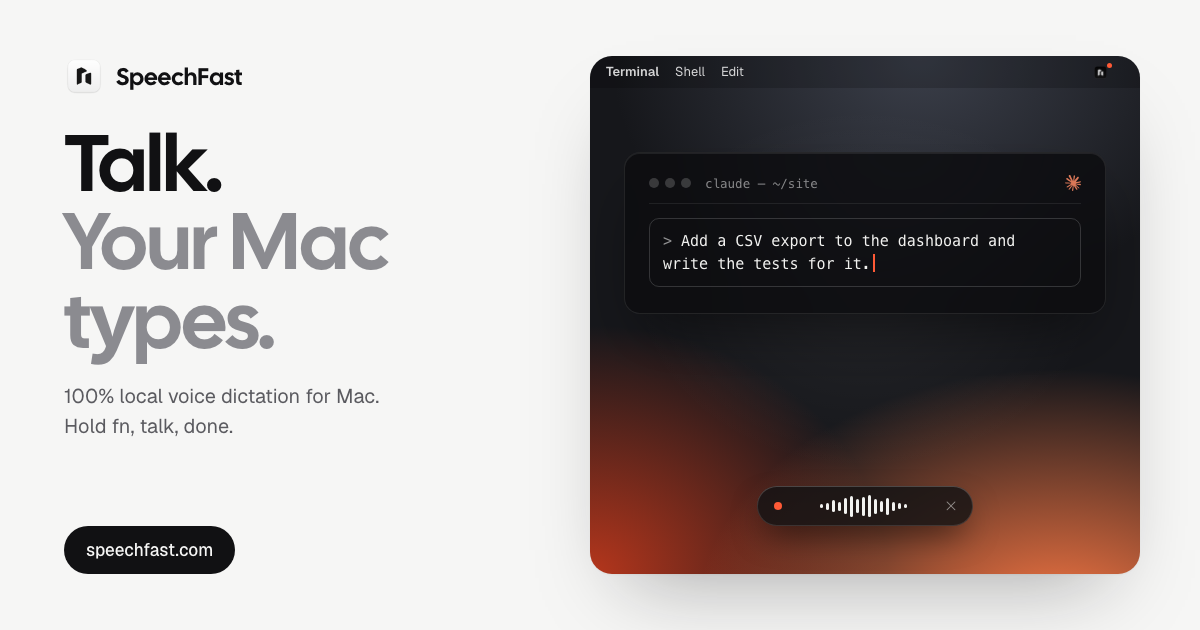
SpeechFast is a voice dictation app for Mac that turns speech into clean, ready-to-send text in any app where you can type. You hold the fn key, talk the way you normally talk, and the text lands at your cursor about a second after you let go. It works in Mail, Slack, Notion, your code editor, or anywhere else a text field accepts your keyboard. The core promise is privacy: transcription and clean-up run on the Mac itself. The speech model is downloaded once, and after that no audio and no text ever leaves your machine, so you can dictate offline, on a plane, or behind a locked-down corporate network.
The gap SpeechFast addresses is the distance between how people actually speak and what they want to send. Spoken sentences arrive with filler words, repeated words and false starts, and typing them out by hand is slow. The site shows the difference directly: a dictation that begins with 'Um, soSo for Thursday's demo, we're, we're we're almost ready. Just uh the sign-up left to finish, I think Tuesday, no wait, Wednesday morning at the latest' is presented alongside the clean text that gets typed instead. The second problem is privacy. Most dictation tools work by sending your audio somewhere else to be transcribed, which is a difficult trade for anyone handling confidential material or working on a restricted network. SpeechFast takes the opposite position, and an automated test enforces it: the test fails if transcription or clean-up makes a single network request.
The everyday interaction is built around three gestures. Holding fn starts dictation, and a pill opens at the bottom of your screen and follows your voice; when you let go, the text lands at your cursor in about a second. Pressing shift plus fn switches to hands-free mode for long messages, which keeps listening without you holding the key, and a tap on fn stops and processes what you said. Pressing esc cancels the dictation entirely, so nothing is pasted and nothing is kept. If fn is not comfortable, the right command key works as an alternative. Because the app pastes at the cursor and restores your clipboard afterwards, it fits into whatever writing you were already doing rather than asking you to move to a separate window.
SpeechFast ships with three transcription engines, all running on your Mac. You choose between speed and accuracy in Settings and can switch any time. Parakeet is the default engine: it is fast and accurate, detects the language you speak on its own, runs on the Neural Engine, covers 25 languages, takes roughly one second from release to text, and requires a one-time 600 MB download. Cohere Transcribe is the most accurate option, intended for text where every word counts, at the cost of a few more seconds per sentence; the site lists a word error rate of 1.5% in English and 1.3% in French, with a one-time 2 GB download. Apple is the on-device transcription built into macOS, installed by macOS, working in one fixed language that you pick in Settings.
Beyond raw transcription, SpeechFast cleans up what you say. Filler words, repeats and false starts are removed and punctuation is fixed, with clean-up handled by Apple Intelligence on the device. You can also keep your own vocabulary for names and jargon so that the things you say often come out spelled the way you need them. Every dictation is kept in a local history for 30 days by default, which you can shorten, turn off or erase entirely. The audio itself is never stored: your voice stays in memory just long enough to transcribe it. If no text field is selected, the text goes to your clipboard and your history, so no dictation is lost.
The overall approach is a single on-device pipeline. Transcription runs on the Neural Engine, clean-up is handled by Apple Intelligence, and everything happens on the chip. The app asks for Accessibility access so it can detect the fn key from any app and paste the text at your cursor; your clipboard is saved before pasting and restored right after. Because the model is downloaded once rather than queried over a network, the app keeps working in airplane mode, on a train, in flight, or on a locked-down corporate network. There is no account and no sign-up either, just one email at checkout to receive your key.
The benefits follow from those choices. Dictation is as fast as speech, the text does not need a second editing pass to remove the ums and the repeats, and privacy needs no extra effort because nothing is sent anywhere. Language handling is more flexible than the dictation built into macOS: with Parakeet the language is detected on its own, so you can go from English to French from one sentence to the next, whereas Apple's dictation requires switching languages from a menu next to the cursor. And because the same app accepts Apple's own engine if you prefer it, you are not locked out of the transcription you already trust.
Typical use cases map to the situations the product describes. You can dictate a long message hands-free with shift plus fn instead of holding a key. You can work on a flight, on a train, or behind a corporate network where nothing may leave the machine. You can dictate into Mail, Slack, Notion or a code editor, since any text field that accepts your keyboard accepts your voice. You can switch between English, French, German, Spanish and other languages sentence by sentence, or pick Cohere Transcribe when you are writing text where every word counts.
SpeechFast requires an Apple Silicon Mac (M1 or later) running macOS 26. Clean-up uses Apple Intelligence, and if it is turned off the app pastes the transcript as it is. It is a one-time purchase of 39.99 euros for three Macs with updates included, not a subscription; the site compares that with Wispr Flow Pro at 15 dollars a month. A 7-day free trial is available, and after the trial dictation stops and the app offers you a license while your history and settings stay put. To move to another Mac you deactivate the old one from Settings and License. The listed version is 1.0.10, signed and notarized by Apple.
The takeaway is simple: SpeechFast is a focused dictation tool that gives you clean text at your cursor in any Mac app, with the whole transcription and clean-up pipeline running on your own machine. It replaces typing and server-based dictation with one key, your voice, and an on-device model that never sends your words anywhere.
Publisher
A
admin
Launch Date2026-10-19
Platformdesktop
Pricingpaid
Tech Stack
#macOS 26#Apple Silicon#Neural Engine#Apple Intelligence#Parakeet#Cohere Transcribe