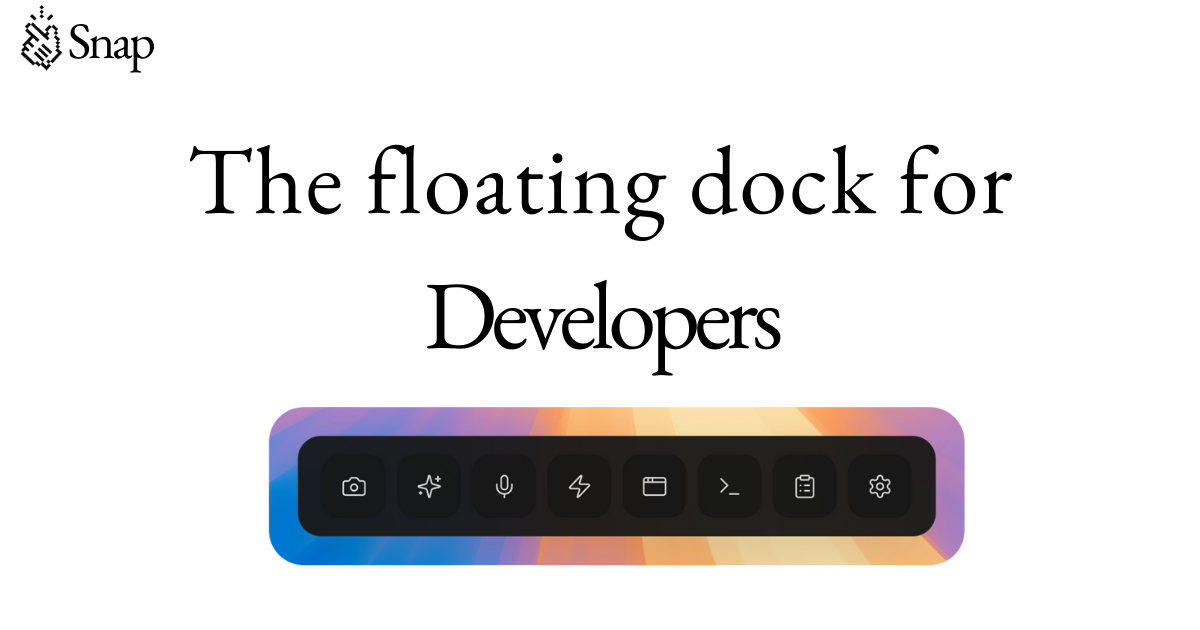
Snap is a floating developer dock specifically engineered to supercharge an AI coding workflow. Designed for software engineers who rely on AI assistants, it provides a persistent, always-accessible interface that sits atop the development environment. The dock's core value lies in streamlining interactions with AI models, offering tools like smart screenshots to capture code context, prompt optimization to refine queries, voice input for hands-free commands, and custom automation buttons for repetitive tasks. With over 10,000 engineers already using it, Snap addresses the need for a centralized hub that reduces context switching and enhances productivity. By eliminating the gaps between intention and execution, it allows developers to maintain their flow state while leveraging AI capabilities to the fullest. The floating nature ensures these features are never more than a click or voice command away, making every development session more efficient.
A common pain point in AI-assisted coding is the fragmented nature of tasks required to get optimal results. Developers must capture screen content, formulate precise prompts, and repeatedly execute similar commands—all of which interrupt the creative coding flow. This constant context switching not only wastes time but also breaks concentration, leading to reduced productivity and increased frustration. Snap's floating developer dock directly addresses these issues by providing a unified interface for these essential activities. The smart screenshots capture exactly what the developer sees without leaving the IDE. Prompt optimization refines natural language into effective AI queries, reducing guesswork. Voice input enables commands when the keyboard is occupied, and custom automation buttons eliminate repetitive manual steps. By streamlining these processes, Snap allows engineers to stay immersed in their work, achieving faster and more accurate AI guidance. This focused environment directly translates into higher code quality and quicker project completion.
Smart screenshots and prompt optimization are two of Snap's most impactful features. Smart screenshots allow developers to quickly capture areas of their screen—such as code blocks or design elements—and automatically include them in AI prompts. This eliminates the need to manually describe visual context, leading to more relevant and accurate AI responses. Prompt optimization works alongside this by analyzing the raw input and restructuring it to be more understandable for AI models. It can reformat queries, add necessary context, and remove ambiguities, resulting in higher-quality outputs. Together, these features save considerable time and improve the effectiveness of AI interactions. Developers no longer need to wrestle with prompt engineering; Snap handles the heavy lifting, making instant assistance accessible to both novice and expert users. This integration directly boosts productivity and reduces errors.
admin
Voice input and custom automation buttons expand Snap's utility beyond traditional input methods. Voice input enables developers to dictate commands, describe issues, or request code snippets without using their hands—ideal when typing is inconvenient or when multitasking. This feature leverages speech recognition to convert spoken words into text that can be fed into AI models, creating a natural and efficient interaction channel. Custom automation buttons allow engineers to record and replay sequences of actions with a single click. For example, a developer can create a button that takes a smart screenshot, optimizes the prompt, sends it to the AI, and pastes the response—all in one go. These buttons are highly configurable and can be tailored to any repetitive workflow. By reducing manual steps, voice input and automation buttons significantly accelerate the coding process and reduce cognitive load.
Snap also offers specialized tools for visual CSS editing and educational reels. Visual CSS editing allows developers to tweak styles directly through the dock, making real-time adjustments to layout, colors, and typography without navigating to a separate dev tools panel. This feature is particularly useful for frontend engineers who need to quickly iterate on design changes while maintaining code consistency. Educational reels provide short, focused video tutorials that teach specific techniques or explain Snap features. These reels are designed to be consumed in the flow of work, offering just-in-time learning that enhances a developer's skill set without leaving their coding environment. Both tools reflect Snap's commitment to integrating learning and design directly into the development workflow, saving time and keeping engineers in their productive zone.
Snap operates as a floating overlay that remains on top of the developer's workspace at all times. It can be positioned anywhere on the screen and is fully customizable in appearance and functionality. The dock monitors active windows and context, allowing smart screenshots to capture relevant content accurately. When a user triggers a voice command or clicks an automation button, Snap processes the input through its internal engine, which may involve interacting with AI services or local tools. The prompt optimization module analyzes text and applies heuristics to improve clarity and intent. All features are accessible through a unified toolbar that minimizes disruption. This design philosophy—keeping tools available without interrupting flow—is central to Snap's approach. The result is a cohesive system that feels like a natural extension of the developer's environment.
Using Snap's features together, developers can create efficient workflows that dramatically speed up tasks. For example, capturing a complex code snippet with smart screenshots and immediately optimizing the resulting prompt before sending it to an AI assistant condenses multiple steps into a seamless action. Voice input can be used to initiate this sequence without breaking concentration. Custom automation buttons can be programmed to trigger a series of actions, such as screenshot, optimize, and send, making the entire process instantaneous. Educational reels provide quick reminders on advanced techniques right when needed. The outcome is a significant reduction in time spent on auxiliary activities, allowing engineers to focus on problem-solving and coding. This leads to faster iteration cycles, more accurate AI responses, and an overall smoother development experience.
Snap is targeted at software engineers and developers who incorporate AI tools into their coding workflow, and it is already trusted by over 10,000 engineers. The floating dock operates on desktop platforms, likely supporting Windows, macOS, and Linux. Its tech stack is designed for low latency and high responsiveness to ensure real-time interaction. Pricing details are not specified, but the product is accessible via the website for download. In summary, Snap provides a comprehensive suite of features—smart screenshots, prompt optimization, voice input, custom automation buttons, visual CSS editing, and educational reels—all integrated into a floating developer dock. By addressing key friction points in the AI coding workflow, it delivers measurable productivity gains. For any developer looking to optimize their AI collaboration, Snap represents a powerful and practical solution.
Software engineers and developers who rely on AI coding assistants to improve productivity and code quality. Snap is designed for both novice and expert users, with over 10,000 engineers already benefiting from its streamlined workflow. It is ideal for frontend developers needing visual CSS editing, backend engineers automating repetitive tasks, and any developer seeking to reduce context switching in their AI interactions.