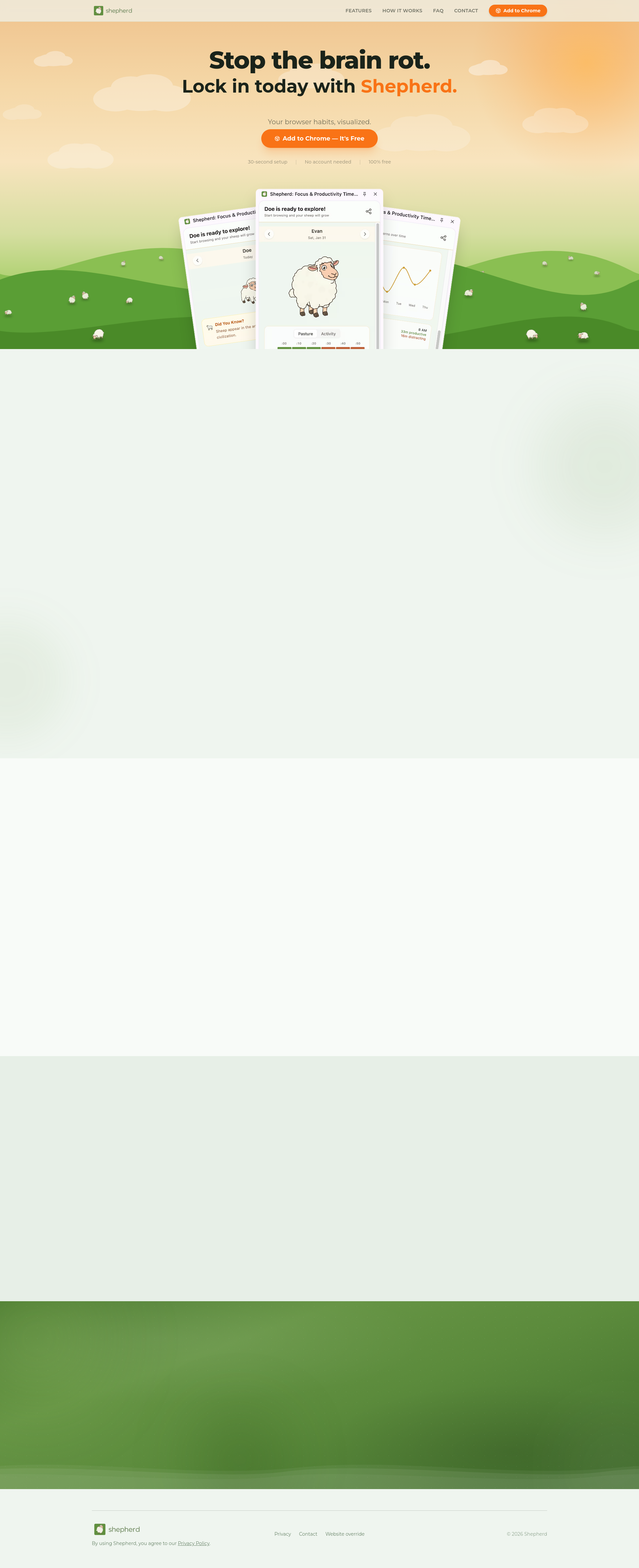
Shepherd is a free Chrome extension designed as a browsing activity tracker that records every website you visit and calculates a daily productivity score. It belongs to the category of browser-based productivity tools, specifically targeting individuals who want to understand their online behavior without the hassle of manual logging. The core value lies in its automatic categorization system, which classifies sites as productive or distracting based on predefined criteria. This allows users to see exactly how they spend their time online, from work-related tasks to mindless scrolling. By providing a clear score at the end of each day, Shepherd turns vague awareness into concrete data, empowering users to make informed decisions about their browsing habits.
The primary pain point Shepherd addresses is the lack of self-awareness regarding digital distractions. Many people waste hours on social media, video streaming, or other low-value sites without even realizing the cumulative impact. This problem matters because it directly affects productivity, mental focus, and overall time management. Users often feel guilty about their screen time but have no easy way to quantify it. Shepherd solves this by offering an objective, data-driven snapshot of daily browsing activity. It eliminates the need for guesswork or retroactive tracking, providing immediate feedback that can motivate behavioral change. The extension also helps users recognize patterns of procrastination, such as opening distracting sites during work breaks or losing track of time on rabbit holes.
The first major feature group is the Health Score system. This feature automatically categorizes every visited website into productive or distracting categories and then calculates a single health score for the entire day. The score is displayed prominently in the extension panel, offering a quick at-a-glance summary of browsing quality. Why this is useful is that it transforms raw browsing data into an intuitive metric, making it easy to compare days and track progress. Users can see at a glance whether they had a productive or unfocused day without needing to analyze hours of logs. The Health Score serves as a daily accountability benchmark, encouraging users to beat their previous scores and stay disciplined.
The second major feature group is Trends & Patterns. This feature automatically generates weekly trends, hourly patterns, and a list of top sites by time spent. It visualizes when distractions peak and which sites consume the most time. How it works is that Shepherd collects timestamps and durations for each site visit, then compiles them into easy-to-read charts and lists. Why this is useful is that it reveals behavioral habits that might otherwise go unnoticed. For example, a user might discover that they spend 30 minutes every afternoon on YouTube, or that their most productive hours are in the morning. This insight allows users to schedule high-focus work during peak productivity windows and implement guardrails during known distraction times.
admin
The third feature group is the Daily Sheep, a gamified element that adds a playful dimension to productivity tracking. Each day, users get a new sheep that evolves based on their browsing behavior. If the user maintains high productivity, the sheep grows healthier and more lively; if they indulge in distractions, the sheep appears less vibrant. This feature is actually mentioned on the site as a daily motivator. It taps into the human desire for positive reinforcement and progress visualization. The sheep acts as a nonjudgmental companion that reflects daily habits, making the abstract concept of productivity more tangible and even entertaining. Users often find themselves striving to keep their sheep happy, which indirectly encourages better browsing choices.
Shepherd works entirely passively, requiring no manual input from the user. The setup process takes just 30 seconds: users install the Chrome extension with one click, no account creation needed, and then browse normally. The extension runs in the background, automatically categorizing each website visited based on its domain and content type. At any time, users can click the extension icon to view their current day's stats, including the Health Score, top sites, and time breakdown. The panel also provides weekly trends and the daily sheep status. This zero-effort workflow is a key differentiator, as many productivity tools require manual logging or complex configuration. Shepherd's philosophy is that tracking should be effortless to be sustainable, and its design reflects that principle entirely.
Concrete use cases for Shepherd include a remote worker who wants to ensure they spend most of their browser time on work-related sites like GitHub, Google Docs, and company portals. By checking the daily score, they can identify when they veered into YouTube or Reddit and adjust accordingly. Another scenario is a student who uses the tool to track studying hours versus leisure browsing during exam prep, with the Health Score serving as a daily goal to stay above a certain threshold. Freelancers can use Shepherd to bill clients accurately by seeing how much time was spent on productive tasks versus personal browsing. The outcome for all these users is increased self-awareness, improved time management, and a tangible reduction in wasted hours. Users often report feeling more in control of their digital lives after just a few days of using Shepherd.
Target users for Shepherd are primarily Chrome users who want to improve their online focus without additional effort. This includes students, remote workers, freelancers, knowledge workers, and anyone concerned about screen time and digital well-being. The tool is 100% free and requires no account, lowering the barrier to entry. The tech stack is limited to a Chrome extension, meaning it integrates seamlessly with the browser without external dependencies. There is no mention of pricing plans beyond free, and the site emphasizes a privacy policy. The summary takeaway is that Shepherd delivers an effortless browsing activity tracker that combines automatic categorization, a health score, trends analysis, and a playful sheep companion to help users own their day and stop brain rot.
Students who want to track study versus leisure browsing, remote workers needing to stay focused during work hours, freelancers seeking accurate time tracking, knowledge workers aiming to reduce digital distractions, and anyone using Chrome who desires a free, effortless tool to visualize and improve their browsing habits. The extension is also ideal for individuals practicing digital minimalism or looking to break the cycle of mindless internet consumption.