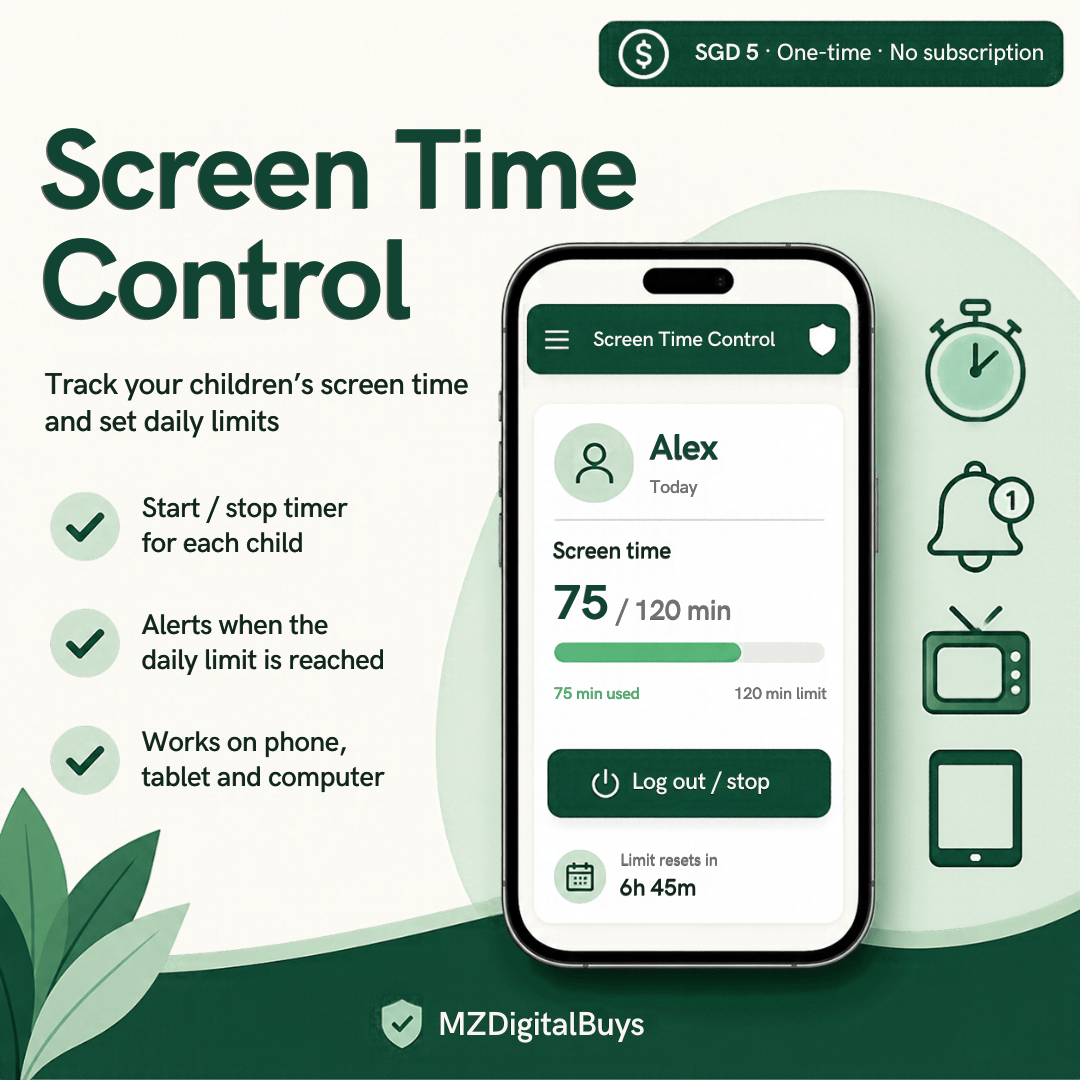
Screen Time Control is a simple web app for parents and carers who want to know exactly how long their children have been on screens — and to stop arguing about it. You add your children to the app, give each child their own daily limit, and then press Start when a screen goes on and Stop when it comes off. The app keeps the count against each child's daily limit, so the running total is always a recorded number rather than a guess. It runs in any modern browser on a phone, tablet or computer, and it can be added to your Home Screen so it opens like an app. Its stated purpose is deliberately narrow: it tracks and reminds, and it does not lock or block a child's device.
The problem the product addresses is framed on the page in the plainest possible terms: arguments over "just 5 more minutes". When nobody is measuring, every conversation about screen time turns into a negotiation about who remembers what, and the answer is usually an estimate rather than a fact. Screen Time Control replaces that estimate with a single recorded count for each child. Because the count belongs to the app rather than to any one device, it can cover a TV, a tablet, a phone, a computer or a game console under one number for that child. The page is explicit that this is a tracker and reminder tool rather than a device lock, so the parent or carer stays in charge of the decision while the app supplies the evidence behind it.
Each child gets a profile of their own with their own daily limit. A household with more than one child therefore does not have to work from a single shared allowance: each child's time is counted separately against the limit that was set for them. Today's dashboard shows time used and time left for each child, so the parent can see at a glance where everyone stands without doing any arithmetic. The dashboard is the practical centre of the app: it turns a day of comings and goings on different screens into a small set of numbers that can be checked in seconds, and it makes the remaining allowance visible before it runs out.
Every screen session is timed separately. When a screen goes on, the parent presses Start and records what kind of screen it is — TV, tablet, phone, computer or game console — along with the activity, such as video, game or educational use. The timer runs until Stop is pressed, and the elapsed time is kept against that child's daily limit. Recording both the screen and the activity means the day is not reduced to one undifferentiated total: a parent can see that time was spent watching video, playing a game or doing something educational, and on which device. That context is what makes the daily number useful when it is discussed afterwards.
Alerts are the second half of the design. A warning arrives shortly before the limit, and an alert is sent when the limit is actually reached, so there is a moment to wrap up rather than a sudden stop. Phone alerts are built to arrive even when the app is closed. When the limit is reached the timer stops itself, and a timer that has been forgotten is stopped after 3 hours — so a Start that was never followed by a Stop does not silently consume a child's whole allowance. The page sets out two practical caveats: on iPhone, phone alerts need iOS 16.4 or later with the app added to the Home Screen, and Focus modes and Scheduled Summary on the phone can silence alerts.
Getting started follows a short, stated sequence. First you pay: the product is bought on Payhip and the licence key arrives straight away, on the receipt and by email. Then you create your account by opening the app link and signing up with the email you want to keep, confirming it from the email that is sent. Next you activate: sign in and paste the licence key when asked. You only do this once, because one key works for one account. Then you add your children, set their daily limits and start timing. The shared-use arrangement is the distinctive part of the approach: parents or carers sign in with the same email and password and see the same data on their own phones, on as many phones as they like. One licence is for one account, which is one email address, and the household works from that single account instead of keeping separate tallies.
The benefits follow directly from that design. Disputes move from memory to a recorded figure, because the day's usage and the time left are both on the dashboard. The warning before the limit gives a child a fair chance to finish what they are doing, which is the moment the "just 5 more minutes" conversation usually happens. The automatic stop at the limit and the 3-hour rule for forgotten timers protect the count from drifting when nobody remembers to press Stop. The shared login keeps two parents or carers consistent, since both see the same numbers on their own phones rather than comparing notes. And the readable report and spreadsheet download mean the data can be reviewed later instead of only in the moment.
Concrete situations where the app fits are easy to trace from the page. A parent hands over a tablet and presses Start, then presses Stop when it comes back, so the time is logged against that child's limit rather than guessed at dinner time. A child moves from a game console to a phone to a TV, and each session is timed with its screen type and activity so the day's total stays complete across devices. Two parents or carers supervise on different days, sign in with the same email and password, and both see identical data on their own phones. A forgotten timer is stopped automatically after 3 hours, so an unclosed session does not wipe out the allowance. And at the end of a period, the parent saves a PDF report or downloads the CSV to look at the pattern rather than a single day.
The product is aimed at parents and carers, including households where more than one adult is responsible for supervision. It works in any modern browser on a phone, tablet or computer, and it can be added to a Home Screen so it opens like an app; on iPhone, phone alerts require iOS 16.4 or later with the app added to the Home Screen. Pricing is stated plainly: one payment of SGD 5.00 and no subscription. Children's data is stored securely online rather than on the phone, it is not sold or shared, and you can delete your account and data yourself at any time. The purchase includes a PDF file of about 85KB, the app provides a built-in user guide and a one-page Start-here guide, and support is available at support@mzdigitalbuys.com, with Terms of Service, Refund Policy and Privacy Policy linked from the page.
Screen Time Control is a small, focused tool with a clear promise: record the time, warn before the limit, and give the household one shared set of numbers to talk about instead of an argument. It does not block devices and does not pretend to; it makes screen time visible, keeps the count honest across TVs, tablets, phones, computers and consoles, and lets every carer see the same picture on their own phone for a single one-time payment.
Publisher
A
admin
Launch Date2026-11-24
Platformweb
Pricingpaid