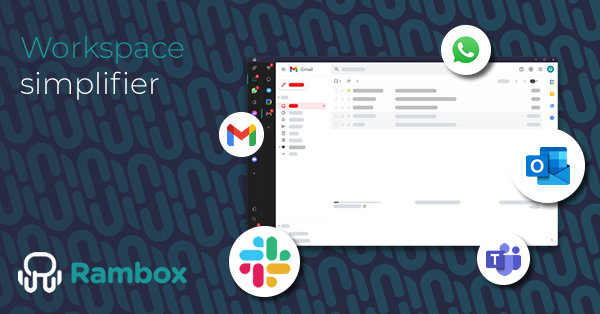
Rambox is a desktop workspace manager that keeps your apps and accounts organized in ready-to-use workspaces, so you can switch contexts and stay focused. Instead of scattering work across browser tabs, windows and logins, Rambox brings the web apps you already use into one dedicated desktop application, where each client, project or role lives in its own clearly separated space. It is designed for people who work with many tools, accounts and contexts every day, whether on their own or as part of a team, and its core premise is stated plainly on its website: browsers are for browsing, Rambox is for working.
Work today is spread across too many apps, too many accounts and too much switching. Rambox describes the challenge in four parts. Tab chaos buries important tools in a maze of browser tabs and windows. Account juggling means that moving between a work Gmail, a personal Gmail and a client Gmail forces you to log out, log back in and lose your flow. Notification noise breaks concentration throughout the day with constant alerts. And the question "where was that file?" becomes a daily puzzle when the file you need could be sitting in Slack, Jira, Notion or Drive, forcing you to search every app separately. According to Rambox, it should not take so much effort just to get back to what you were doing, and that friction is exactly what the product is built to remove. More than 80,000 users across 5,000 companies of all sizes have chosen Rambox worldwide, and its trust logos include Oracle, Amazon, Google, Atlassian and Adobe.
The first pillar of Rambox is organization through workspaces. You group apps into workspaces for each client, project or role, and then switch the entire context with one click. Rambox calls these workspaces ready-to-use because they adapt to the way you work rather than forcing you into a single fixed layout. You can open tabs while working inside an app and return to where you left off later, and you can keep different contexts clearly separated so that client work never bleeds into personal or internal work. The product page emphasizes context persistence and improved tabs as part of the workspace experience, meaning the state of your work survives the switches instead of being reset every time you move between tasks.
Rambox's second pillar is running multiple accounts without friction. The application lets you use multiple instances of the same app with different logins at the same time, so several mail accounts, messaging workspaces, social profiles or brand accounts can sit side by side. For freelancers, agencies and marketing teams this is the difference between working and continually signing in and out: rather than logging out of one account to reach another, each account gets its own instance inside the workspace it belongs to. The website frames this as perfect for managing several clients, brands or accounts side by side, and it is the feature that most directly attacks the account juggling problem described on the homepage.
Finding things is the third pillar. Rambox provides one search bar, reachable with Ctrl K, to find what you need across apps like Slack, Jira, Notion, GitHub and Google Drive, rather than searching each application separately. This Unified Search is one of the newly added capabilities highlighted in the current release, and it is joined by the Command Center, which gives you quick access to your apps and common actions without disrupting your flow. The redesigned interface supports all of this with a cleaner layout, simpler navigation and fewer clicks to get things done, reducing the number of clicks needed to move between apps, workspaces, tasks and contexts. Rambox also notes a redesigned onboarding experience that makes the product easier to set up and understand, plus improved tabs and context persistence, and faster access to what you need.
Focus is the fourth pillar, and it is where Rambox's built-in tools come together. Focus Mode and Pomodoro help you reduce distractions and organize your day into focused work sessions. You can mute everything and hide the apps you are not using, so the machine, and your attention, can breathe again instead of being pulled at by constant alerts. An AI Side Panel keeps your AI tools within easy reach while you work in your apps, so you do not have to leave your current context to use them. Desktop integration is what makes the whole approach possible: your web apps run in a dedicated desktop environment, so you are not constantly returning to the browser. The Product Hunt release notes for this major redesign add Quick View to the list of new tools alongside Unified Search, Command Center and the new focus features.
Rambox's overall approach is additive rather than disruptive. The company states directly that Rambox does not try to replace the tools you already use, it helps you bring order to them. You keep your existing apps and services; you simply add them to Rambox and keep going. Setup begins with a free download for macOS, Windows or Linux, and no credit card is required to start. From there, you organize workspaces and accounts your own way, deciding which apps belong to which client, project or role. Advanced features are available when you need more control, so the product can start simple and grow with the way you work. The result is a single desktop home for all of your work apps, where context, not just the app itself, is the unit you switch between.
The intended outcome is productivity without the noise: fewer tabs, less switching and more clarity in how you work every day. Instead of spending effort getting back to what you were doing, you spend it on the work itself. Because each workspace preserves its tabs and context, returning to a client or project restores the state you left, which reduces the mental reload cost of context switching. Because multiple accounts run side by side, you stop losing your flow to logins. Because Unified Search spans your apps, locating a message or file stops being a separate hunt through every tool. And because Focus Mode, muting and the AI Side Panel live inside the same workspace, protecting your attention does not require leaving your tools. Rambox also emphasizes that it is simple to start and powerful as you grow, with a free starting point and advanced features when more control is needed.
Rambox lists several concrete groups it is built for. Freelancers and independent professionals use it to work with multiple clients, tools and accounts without mixing everything up. Marketing, social and analytics teams use it to manage several brands, platforms and logins at the same time, with each context clearly organized. Operations, support and admin roles use it to keep daily tools organized and switch between tasks quickly, without tab overload. Developers use it to switch between repos, environments and tools without losing context, staying focused on their code. The homepage also demonstrates a Personal workspace where chats sit side by side with unread counts and filters for all, unread, favorites and groups, illustrating how one workspace can replace a pile of browser tabs for everyday messaging.
Rambox is used by people who work with many tools, accounts and contexts every day, whether on their own or as part of a team. For teams, Rambox offers a dedicated path that brings the same structure to the whole team, with shared setups and better control over apps and accounts. The application runs on macOS, Windows and Linux as a downloadable desktop workspace. Pricing follows a free-to-start model: the site repeatedly states that no credit card is required, that you can start free and upgrade later, and that advanced features unlock when you need more control. Downloads, plans and setup are handled through the official site at rambox.app.
The takeaway is straightforward. Rambox turns a scattered collection of web apps and logins into a structured desktop workspace where each client, project or role is one click away, complete with its own accounts, tabs and focus settings. It does not ask you to abandon your tools; it asks you to stop letting them run your attention. Fewer tabs, less switching and more clarity, delivered through organized workspaces, multiple accounts without friction, cross-app search and built-in focus tools, all inside one desktop environment designed for getting work done rather than browsing.
Publisher
A
admin
Launch Date2026-10-15
Platformdesktop
Pricingfreemium