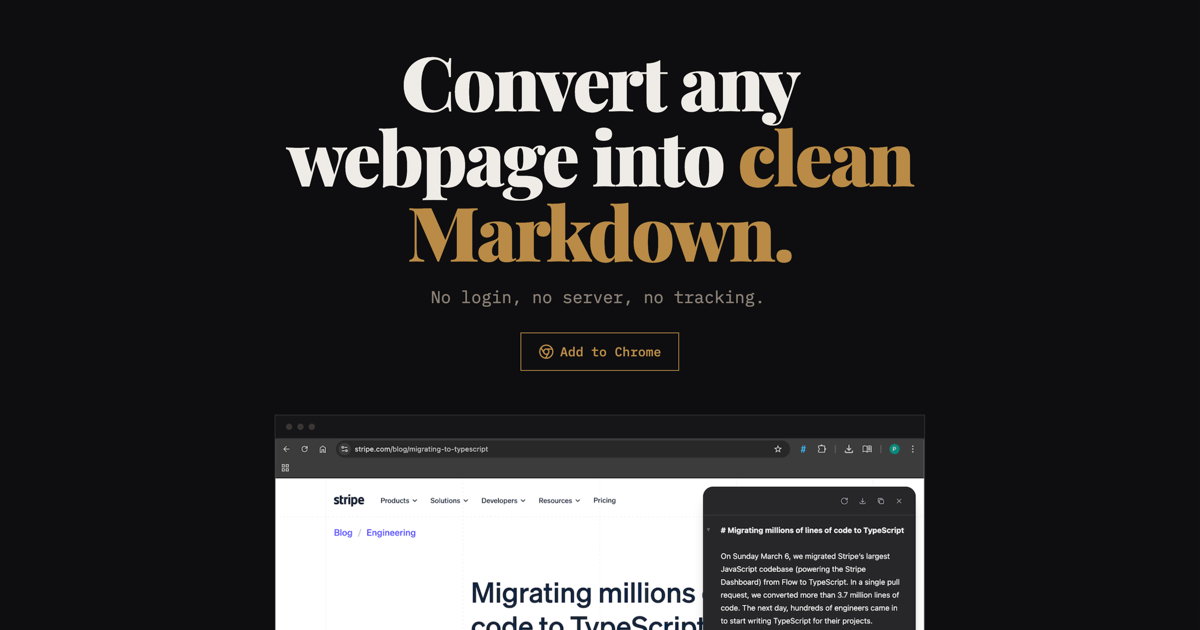
Plain Markdown is a browser extension that converts any webpage into clean Markdown with one click. It's also available as an API and is ideal for AI prompts, LLM workflows, and note-taking apps.
Plain Markdown is a browser extension that acts as a dedicated webpage to markdown converter, transforming any webpage into clean, structured Markdown with a single click. It targets researchers, note-takers, and AI users who need to extract web content without clutter. The core value lies in its simplicity and speed: no account creation, no login, and no unnecessary steps. The extension works on dynamic sites like Reddit and The Verge, preserving tables and code blocks. It runs entirely in your browser, providing a side panel for quick access and editing. This tool is built for those who value clean, structured text for notes, AI prompts, and knowledge management workflows.
The primary pain point Plain Markdown solves is the tedious process of manually cleaning web content for reuse. Copying and pasting from webpages often brings unwanted formatting, ads, and navigation elements, which requires significant manual cleanup. For users who feed web content into large language models (LLMs), messy text can degrade prompt quality and waste tokens. Plain Markdown eliminates this by extracting the core article or page content and converting it to clean Markdown, preserving tables, code, and source information. This matters because it saves time, improves AI output consistency, and allows users to efficiently capture and structure information from any webpage.
The first major feature group is Capture, which includes one-click conversion from any browser tab. Users can capture content from multiple tabs simultaneously, enabling efficient research sessions. The extension handles dynamic sites that load content asynchronously, as well as static pages. Tables and code blocks are preserved with correct formatting, ensuring no loss of structure. An inline Markdown editor allows users to tweak the output before saving or sending. Additionally, source information like the URL and page title is automatically included for citation purposes. All capture processing happens locally in the browser, ensuring privacy and speed.
The second feature group is AI actions, which provide intelligent processing of captured content. Users can run curated everyday prompts for summarization, rewriting, extraction, or making checklists. They can also build their own custom actions using any AI model. The Free and Pro tiers use Google's Gemini 2.5 Flash model, while the BYOK Lifetime plan allows users to bring their own OpenRouter key, giving access to over 200 models from providers like Anthropic, OpenAI, and Google. AI actions send the relevant page content to Plain Markdown's servers for processing (or directly to the user's chosen provider with BYOK), and results appear in the side panel. Each action run counts toward the monthly limit: 30 for Free, 3000 for Pro, and unlimited for BYOK.
Publisher
A
admin
Launch Date2026-02-28
Platformweb
Pricingfree
Domain Authority
Ahrefs DR17/100