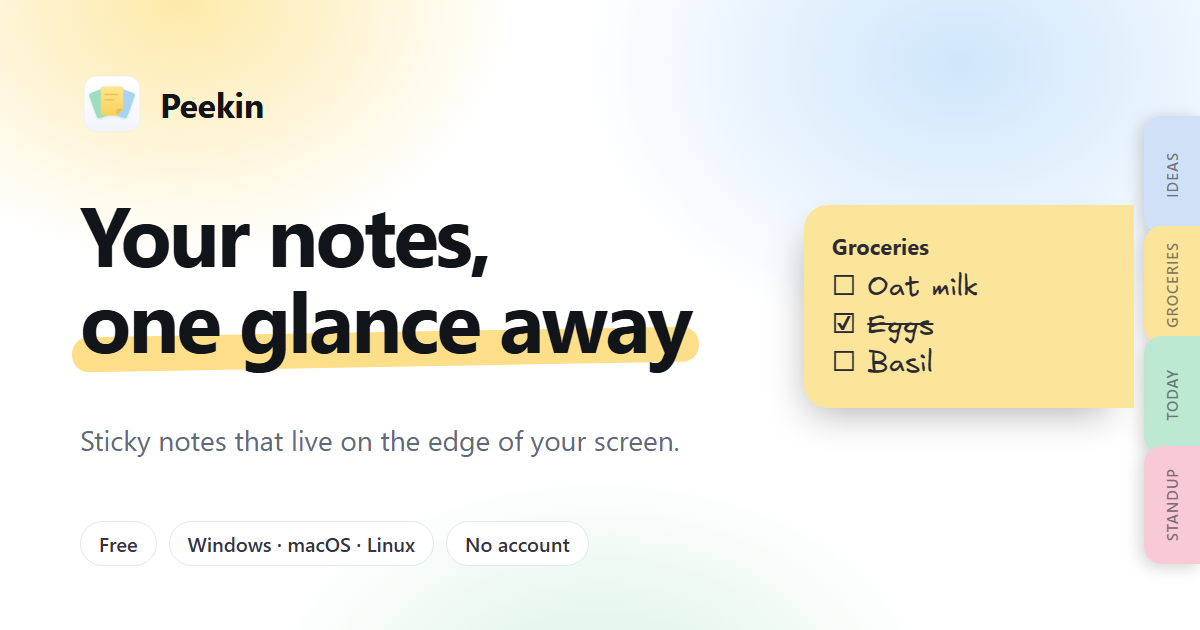
Peekin is a free sticky notes app for Windows, macOS and Linux from Qubyte Labs. Instead of opening a separate notes window, Peekin keeps every note as a slim tab along the edge of your screen, sitting above whatever application you are working in. Rest the pointer on a tab and the note slides out so you can read it; move the pointer away and it tucks back in. Click a tab to open the note and write. The product's stated purpose is simple: your notes, one glance away, so you can get back to work without switching windows.
The problem Peekin addresses is stated plainly in its own tagline, never lose a note behind your windows again. Desktop notes tend to disappear the moment another window covers them, and checking a note usually means leaving the task at hand, finding the right window and then finding your way back. Peekin's answer is to move notes to the screen edge, a strip that stays visible above every app, and to make the interaction as small as a hover or a keystroke. The site stresses that nothing is placed on top of your work: the tabs are slim, and the note itself only slides out while you are looking at it.
The core interaction is a three-step workflow the site lays out directly. First, each note lives on the edge as a tab above whatever app you are in. Second, resting on a tab makes the note slide out, and moving away tucks it back in, which the site calls peeking without switching windows. Third, clicking a tab opens the note so you can write and then carry on. For capturing something before it is gone, Ctrl+Alt+N opens a quick note from any app, you type, press Enter to save, and the note is already on the edge. Ctrl+Alt+A opens the All notes window, and Ctrl+Alt+H hides or shows the tabs.
Peekin also lets you tie a note to a specific application. You can attach a note to up to five apps, with VS Code, Chrome and Excel given as examples, and the note shows up only while one of those apps is in front. The site says this works with 170+ apps. Reminders are supported as well: a reminder can fire once, daily, on weekdays, weekly or monthly, and when one comes due the note slides out of the edge together with a system notification, so a due item does not stay hidden behind other windows.
Checklists are built in, and the tab itself shows progress as you tick items off, so you can watch the list shrink without opening anything. The Today note starts clean every morning and carries over whatever you did not finish the day before. Appearance is configurable, with eight paper colours and four fonts ranging from handwritten through normal and rounded to typewriter. The Product Hunt listing adds that a note can be pinned on top. Notes can be exported as JSON or Markdown from the All notes window, and copying the Peekin folder is how you move your notes to another computer.
The product's approach is local-first rather than cloud-first. There is no account to create and nothing to sign up for: you install it and start writing. Peekin works fully offline and, according to the site, sends no notes, analytics or telemetry; its only network request is a daily check for a new version against its public releases. Notes are stored on your own computer in a single plain JSON file at Documents/Peekin/notes.json, with the last good copy kept beside it as notes.json.bak, so a backup always sits next to your working file. Updates install when you choose to, every update is signature-checked, and updates never touch your notes. Installation is quick: on Windows you can install from the Microsoft Store, and on Linux a terminal script picks apt, dnf or AppImage based on your distribution automatically.
The outcomes Peekin promises follow from that design. Because a note is one hover away, you can read a reminder or check a checklist without leaving the application you are working in, so small bits of information stop turning into context switches. Because the deck of tabs follows you as you switch apps, and a note can be tied to specific applications, the notes that matter for a task surface while that task is in front and stay out of the way otherwise. Because everything is stored locally in one file you own, backing up or moving your notes is a matter of copying a folder or exporting JSON or Markdown rather than depending on a service.
The examples on the site show how this plays out in practice. A developer working in VS Code can keep a Before merging checklist tied to that editor, with items such as run the test suite, update the changelog, remove debug logs and ask Ana for a review, and the tab fills as each item is ticked. Everyday lists such as groceries or weekend ideas sit on the edge until needed. Travel details for a Lisbon trip, including flight numbers and seat, can be kept on a tab and read without leaving the booking page. A standup note with a reminder for 10:30 slides out when it is due, and a quick note to call the dentist can be jotted from inside any app with Ctrl+Alt+N and pressed Enter to save.
Peekin is aimed at people who work in many windows at once and want notes that stay in sight without managing another account or service. It runs on Windows 10 and 11, macOS 10.15 or later on both Apple Silicon and Intel, and Linux on x86_64 as a .deb, .rpm or AppImage, and it can also be installed from the Microsoft Store on Windows. It is free to download and use, with no account, no subscription and no ads. Updates are silent and it keeps itself up to date.
Taken together, Peekin's value proposition is a narrow one delivered consistently: notes that live on the edge of the screen, open with a hover, capture with a keystroke and stay on your own computer. The free price, the lack of an account and the offline design mean there is little between installing it and writing your first note, and the tabs remain one glance away for as long as you need them.
Publisher
A
admin
Launch Date2026-11-18
Platformdesktop
Pricingfree