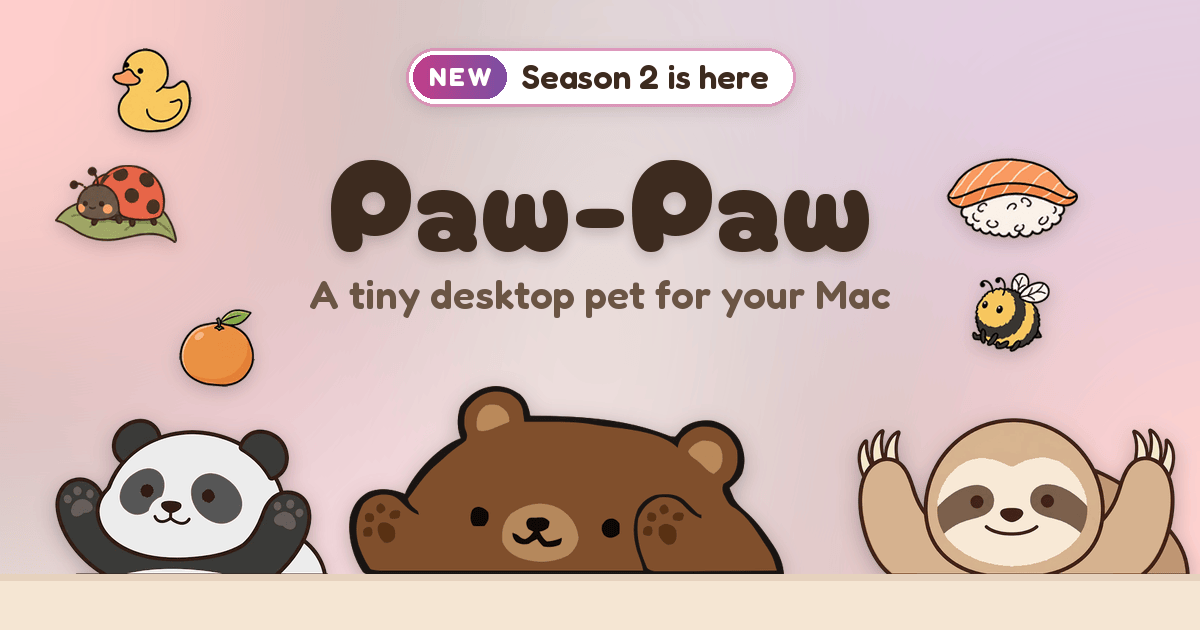
Paw-Paw is a free desktop pet for macOS that places a small illustrated animal in the corner of your screen, where it reacts as you type and click and naps when you pause. The product is positioned as a cute little companion that stays out of your way and makes coding, writing and working a bit cozier, and according to the official site it runs on any MacBook, iMac or Mac mini with macOS 13 or later. Paw-Paw is free with no ads, no subscription and no account required. Both seasons, with all of their Paw-Paws and items, are included at no extra charge and unlock as you play, with one optional paid artist collection available inside the app.
The site describes a desktop pet as a small animated character that lives on your screen alongside your other windows, like a tiny companion that keeps you company while you work or study. Paw-Paw is built around exactly that idea rather than around tasks or documents: it does not manage your work, it sits beside it. By reacting to typing and clicking, the pet turns ordinary keyboard activity into progress, so long stretches of coding, writing or studying gain a small, visible reward loop. The makers describe their goal as making work a bit cozier and emphasize that the pet stays out of your way, with no ads, no nonsense and no account needed.
Paw-Paw's core interaction is reactive: the pet notices when you type and click and responds on screen. Type fast enough and your Paw-Paw catches On Fire, a state that doubles XP while you keep up the rhythm. Progress is tracked as levels per season track, and the site shows examples such as Season 1 at level 12 with a 0/50 XP bar and a Season 2 track at level 15 with 2× XP. When you pause, the pet naps, illustrated on the site with a zzZ state. Clicking your Paw-Paw makes it talk, offering little cheers for the next small step; one example line shown on the site reads, "Ewe can do it, and I'm not being sheepish about it." Typing, clicking and working are also how you earn random item drops.
Paw-Paw is organized into seasons. You start with a choice between Shiba or Sheep, and each season grows on its own track as you type and click, so progress in one season is separate from the other. Clicking any Paw-Paw brings it to your corner. Season 1 holds the original Paw-Paws, while Season 2 introduces many new ones, beginning with Sheep. The site stresses that every Paw-Paw in both seasons is free to discover, and that new Season 2 Paw-Paws and items can arrive without needing an update.
Items are the collectible layer on top of the pets. The site states that typing, clicking and working earn random item drops, with more than 100 free items to find, ranging from common sprouts to legendary frog princes, and every item fits every Paw-Paw. To try one on, you click an item or drag it onto your Paw-Paw in the corner, and clicking it again takes it off. In Season 2, gifts arrive as one of three gift balls — pink, purple or orange — and you can wear what is inside straight from the reveal or choose to pick again. The Library's Items page lets you filter by category, search by name and see which season each item came from, using category and origin badges on each item card.
Season 2 introduced a brand-new Library window that gathers every Paw-Paw, item and achievement in one place, with a page for each season. The Library now opens on Home, and a short tour shows you around after setup. From a season or collection page you can choose which track earns XP, so you decide where your typing effort goes. The Library also added Open All, which opens a pile of gifts at once, plus a Feedback & bugs entry for sending notes straight from the app. Updates download in the background, and signing in on a new Mac brings your progress along in one step.
Paw-Paw can be adjusted to fit your screen setup. In Settings you pick a size — Small, Medium or Large — and you can turn on Mirror Mode. Right-clicking your Paw-Paw, or its Dock icon, opens a menu where you can switch Paw-Paws and items or set its opacity. The pet sits next to the Dock in the bottom-right corner of the screen and moves to the bottom-left in Mirror Mode; you can drag it anywhere, and Reset Position puts it back. Paw-Paw also has its own Dock icon whose right-click menu mirrors the pet menu, offering Open Library, Change Paw-Paw, Click-Through and more.
Achievements give the collection another goal: the app pops up notifications such as "Achievement discovered, First Spark" and "Achievement discovered, New Look" as you reach milestones. Alongside these, the site mentions secret Paw-Paw and item pairings to find in the app
Paw-Paw is a native macOS app that is downloaded directly, with no App Store and no sign-up required; the download is signed with Apple Developer ID and notarized by Apple. To notice typing and clicking, the app needs macOS Accessibility access, and the site is explicit about what that access does: it counts key presses and clicks, never what you type, and never logs or transmits typed text. The setup guide explains how to grant the permission. Paw-Paw checks its CDN for updates, syncs your progress only if you sign in, and sends usage analytics or crash diagnostics only if you opt in. Accounts are optional and are used only if you want to buy a collection or keep your progress in sync.
Pricing is simple: Paw-Paw is free, with no ads or subscription, and both seasons with all of their Paw-Paws and items are included and unlocked as you play. The one optional extra is the Illustrain Collection, Paw-Paw's first artist collection, illustrated by Illustrain: 5 Paw-Paws and 57 items on a level track of their own, bought inside the app for USD 2.99 one time. After purchase you select Earn XP Here on its page to level up the track and unlock its Paw-Paws and items one by one. The app is macOS only for now — a native app for macOS 13 Ventura or later, including macOS 14 Sonoma, macOS 15 Sequoia, macOS 26 Tahoe and macOS 27 — with a universal binary that runs on Apple silicon and Intel Macs, from a MacBook Air to an iMac or Mac Studio. A Windows version is planned for later in 2026, alongside Season 3, multiplayer and a winter holiday special.
The benefits are deliberately small and light. Paw-Paw gives a long work or study session a companion to keep you company, and it converts ordinary typing and clicking into visible progress such as XP, levels, On Fire streaks and item drops. Because the pet is always on screen but never in the way, it adds a layer of playfulness to work without demanding attention. Cheering speech bubbles and achievements reinforce small steps rather than big milestones, which suits the product's stated aim of making coding, writing and working a bit cozier.
Concrete uses follow directly from how the app behaves. A developer writing code can keep Paw-Paw in the corner and watch it react with each keystroke, building speed to trigger On Fire and double XP. A writer drafting a document gets the same response loop, with the pet napping during thinking pauses. A student studying through a long session can click the pet for encouragement and collect item drops as a light break. Collectors can focus a session on one season or on the Illustrain Collection by choosing which track earns XP, or use Open All to reveal a batch of gifts. And someone with more than one Mac can sign in to carry progress across machines.
At its core, Paw-Paw is a free, native, privacy-respecting macOS desktop pet that makes typing feel a little less lonely. Dozens of free Paw-Paws across two seasons, more than 100 free items, achievements, secret pairings and a single optional USD 2.99 artist collection add up to a small, cheerful companion that lives beside your Dock and grows as you work.
Publisher
A
admin
Launch Date2026-10-09
Platformdesktop
Pricingfreemium
Tech Stack
#Native macOS app#Universal binary (Apple silicon and Intel)#Apple Developer ID signed and notarized