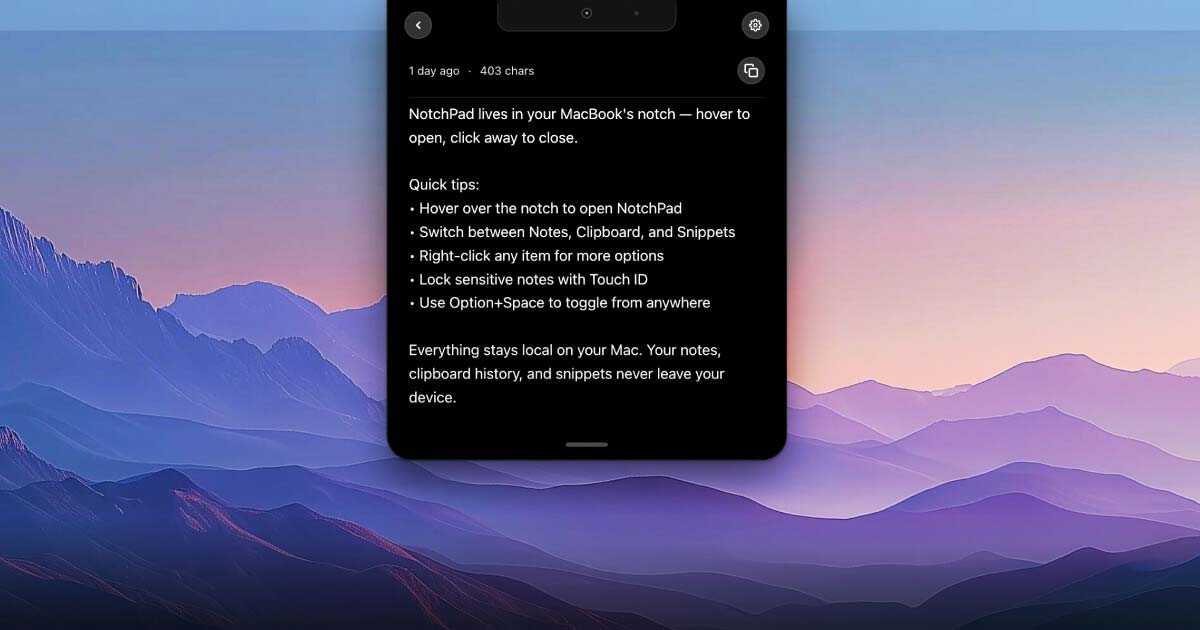
NotchPad turns your MacBook's notch into a secure notepad, clipboard manager, and snippets tool with AES-256 encryption and Touch ID support. It provides quick access to notes, clipboard history, and reusable snippets without interrupting your workflow.
NotchPad is a MacBook notch notes app that transforms your Mac's display cutout into a versatile notepad, clipboard manager, and snippets tool. It is specifically designed for text-heavy workers—developers, writers, presenters, and professionals—who need fast access to their frequently used content. The core value is eliminating context switching: users can write rich notes, access clipboard history, and paste reusable snippets without ever opening a separate application. All data stays local on your Mac, and sensitive text from password managers is automatically encrypted with AES-256-GCM, unlocked only with Touch ID. By leveraging the notch area on MacBooks or a simple keyboard shortcut on other Mac models, NotchPad becomes an always-ready productivity hub.
Traditional notes applications often require leaving your current task to open a full window, navigate folders, or search through files. NotchPad solves this pain point by making notes, clipboard history, and snippets instantly available from the MacBook notch. Users no longer lose copied text when switching applications or forget important snippets because they are automatically saved and searchable. This is especially critical for tasks like coding, where a misplaced terminal command can waste minutes, or presenting, where looking away to find notes breaks audience engagement. NotchPad's hover-to-open interaction is designed to minimize disruption while keeping essential text at your fingertips. Additionally, the Ghost Privacy feature ensures that sensitive notes remain visible only to you, even during screen sharing or recording. The result is a seamless workflow where text management becomes an invisible background task rather than a constant interruption.
NotchPad’s Rich Notes feature allows users to capture thoughts, images, tables, checklists, and reference text directly in the notch without opening a full notes application. The editor includes typography controls, pinning, search, and a fast response interface that makes note creation effortless. For Macs with Apple Intelligence, the AI Notes capability provides rewriting, proofreading, summarizing, translating, title generation, table creation, and content organization. This means a user can quickly draft a note, then have the AI polish it without switching to another tool. Both features work entirely on-device to preserve privacy. Whether you are brainstorming project ideas, compiling research, or creating to-do lists, Rich and AI Notes provide a streamlined, notch-integrated way to manage text that fits naturally into your existing workflow.
Publisher
A
admin
Launch Date2026-03-08
Platformdesktop
Pricingpaid