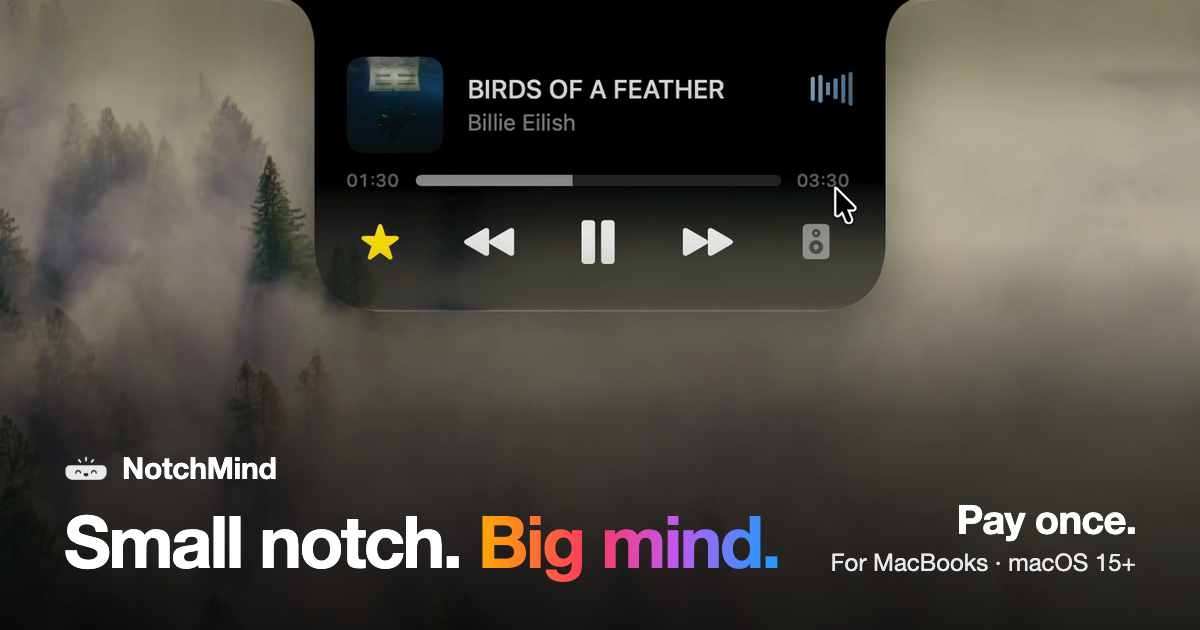
NotchMind is a native macOS app that turns the MacBook notch into a working hub for the things you reach for all day. Move your pointer to the top of the screen and the notch opens, revealing music controls, a file tray, clipboard history, timers, downloads and the small system updates that normally interrupt your work. It is built for MacBooks with a notch running macOS 15 or later, and it is sold as a one-time purchase rather than a subscription.
Most Mac apps live in the menu bar, in the Dock or in a window you have to find and switch to. Each of those places takes you away from what you are doing: checking a download means opening the browser, skipping a track means hunting for the music app, and copying something twice can wipe the first item forever. NotchMind's answer is placement rather than raw power. The notch already sits at the top of the screen where your eyes go, and it is already framed by the hardware, so NotchMind treats it as a place to park the information you glance at rather than a place to work. The result is that music, files, clipboard history, timers and system updates appear where you are already looking and then get out of the way.
NotchMind's media and file tools cover the actions people repeat constantly. The music player lets you see what is playing, skip a track, pause, read lyrics and switch speakers without leaving the front app, and a companion tool puts now playing and lyrics on your lock screen. Camera Mirror is there to check yourself before a call. On the file side, the File Tray lets you drag a file to the top of the screen and park it in the notch, then drag it out anywhere later; AirDrop lets you drop a file on the notch to send it in one move. Downloads fill the notch with progress while a file downloads, so you know when it is done without opening your browser. The File Converter changes files in place between PNG, JPEG, HEIC, PDF, ZIP and more, all on your Mac, and screenshots and recordings can be grabbed, dragged or deleted from the notch.
The clipboard tools are the part NotchMind treats as more than a list. Clipboard history keeps up to 500 things you copied, each one click away from being pasted again. Clipboard actions go further by recognising what you copied: copy a color and NotchMind offers tools to preview and convert it, copy JSON and it can be formatted in one click, and links, emails, paths and commands are recognised too. Secret Guard watches for a copied password or API key, keeps it on your Mac and clears it in a tap on a red 'Possible secret copied' card. All of this runs locally on the machine, with no account to create.
The daily-life tools cover the small, frequent events of a working day: a timer set on a ruler that keeps counting down at the top of the screen, reminders typed in natural shorthand such as 'in 30m', your next meeting from the calendar, and weather for today and the next few days in °C or °F. Banners from Slack, WhatsApp, Chrome and other apps appear in the notch, messages and mail show the sender's name, and a beta Inbox ranks the emails most likely to need a reply on your Mac. The Mac-status tools mirror the same idea: volume and brightness changes show in the notch instead of over your work, battery charging and low-battery alerts appear there, AirPods and Bluetooth headphones show up with their battery the moment they connect, drives appear so you can eject them, and live graphs show CPU and memory usage. Focus changes, Wi-Fi status and VPN connections are covered as well.
For makers, NotchMind includes developer tools that format JSON and encode Base64 and URLs, generate UUIDs and work with colors and timestamps; an AI usage panel showing tokens used by Codex and Claude Code today and this month; a Revenue panel pulling Dodo Payments sales; and Site traffic from Plausible or Umami. Every license includes all 28 tools, and you can switch off the ones you do not need. The overall approach is a single hover target: point at the top of the screen and the notch opens with whatever tools you have enabled, then closes again when your pointer leaves.
NotchMind's approach is placement plus local processing. There is no account to create, and clipboard actions, Secret Guard checks and text recognition in images run on your Mac. The optional Smart Mode is off by default; if you turn it on, short text snippets are classified by NotchMind's server using TypeSafe Jev, while files and screenshots are never uploaded. The notch itself is configurable across four finishes — Black, Semi, Liquid Glass and Glass Dark — so it can refract your wallpaper the way the rest of macOS does or stay solid black like the notch itself.
The benefit is fewer context switches and fewer interruptions. Instead of opening a browser to watch a download, a music app to skip a track, or a clipboard manager to find something you copied an hour ago, you hover at the top of the screen and the answer is already there. Transient system events such as plugging in power, connecting AirPods or changing the volume surface briefly in the notch and then disappear, so they are noticed without covering your work. Because clipboard history, Secret Guard and file conversion stay on the Mac, sensitive material such as passwords and API keys does not have to travel. And because it is a one-time purchase with no account and nothing that renews, the cost and the commitment stay fixed.
Concrete workflows come straight out of the tools. While working in a full-screen app you hover the notch to skip a track, switch speakers or read lyrics without leaving the window. You drag a folder to the top of the screen to park it in the File Tray or AirDrop it in one move, then pull it back out when you need it. You set a 15-minute timer on the ruler and it counts down above your work. You copy a color, a block of JSON or a URL and the notch offers the right action for what it recognised; you copy an API key and Secret Guard clears it. You keep an eye on a download filling the notch instead of a browser tab, and you let the notch tell you that your AirPods connected at 10 percent battery or that a drive called Photos Backup is ready to eject. For makers, the notch doubles as a small dashboard showing Codex and Claude Code token usage, Dodo Payments revenue and Plausible or Umami site traffic.
NotchMind is aimed at people who work on Apple silicon MacBooks with a notch and want their everyday information in one glanceable place: Mac users who keep music and files moving all day, clipboard-heavy workers, and makers who want developer tools and small dashboards nearby. It supports Macs with Apple silicon running macOS 15 or later; Intel Macs are not supported. Pricing is a one-time purchase with no subscription. The launch price was US$5.99 for two Macs for the first 50 customers with the code LAUNCH50 already applied at checkout, after which it became US$15.99, with plans from US$9.99 one time and options for 1, 2 or 5 Macs. One license works on two Macs at the same time, every 1.x update is included, there is a 14-day money-back window, and your key and the download appear the moment you have paid. Dodo Payments handles the purchase and emails the key and receipt, and the integrations mentioned for data include Dodo Payments, Plausible and Umami.
NotchMind's case is simple: the notch is a piece of hardware you already look at, and this app fills it with the music, files, clipboard history, timers, downloads and system details you would otherwise chase across apps. It is a native macOS app, local-first where it matters, configurable in four finishes, and paid for once rather than rented. Everything you reach for, one hover away, is the whole idea.
Publisher
A
admin
Launch Date2026-10-02
Platformdesktop
Pricingpaid