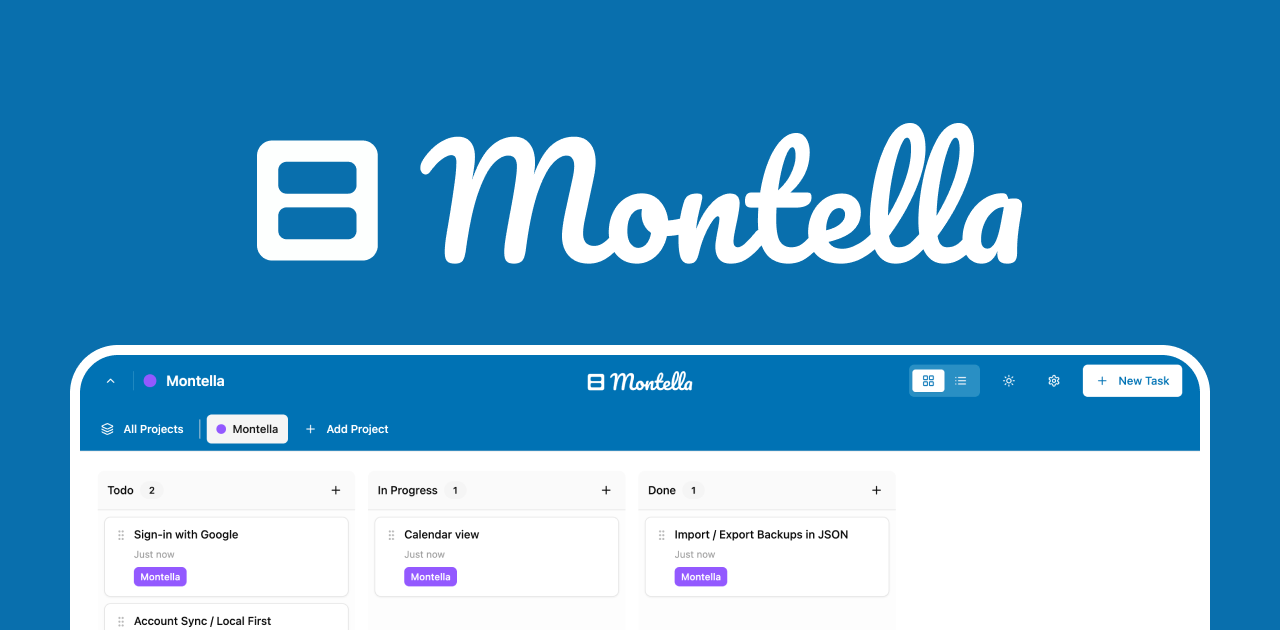
Montella is a free, lightweight Kanban board that lives in your browser's new tab page, offering an instant and private way to manage tasks without switching between apps. As a new tab kanban board, it replaces the empty page with your priority board, making every browsing session intentional. Designed for anyone who wants to keep work, personal projects, and daily errands organized in one place, Montella treats every part of life as a project worth structuring. Its core value lies in reducing friction: you don't need to open a separate application or remember to check a list, because your tasks appear whenever you open a tab. This seamless integration turns the browser into a command center for productivity.
The pain point Montella solves is the common struggle of scattered to-do lists across multiple apps, sticky notes, and emails. Users often lose track of tasks because they are buried in different tools or require intentional navigation to access. Montella eliminates this by centralizing task management directly in the new tab, where browsing starts. Additionally, privacy concerns and the need for offline access are critical for many users who don't want their data uploaded to a cloud server. By storing everything in the browser's local storage, Montella ensures zero data leaves the device. This matters for sensitive personal or work information, giving users control over their data without sacrificing functionality.
The 'Life is a Project' feature allows users to create separate boards for different areas of their life, such as work tasks, home chores, health goals, and hobbies. Each board functions as an independent Kanban board with custom columns to reflect workflow stages like 'To Do', 'In Progress', and 'Done'. This segmentation is useful because it prevents mixing unrelated tasks and provides a clear overview of each domain. For example, a user might have a 'Career Growth' board with columns for applying to jobs, preparing interviews, and skill development. By keeping work and personal boards separate yet accessible from the same new tab, users can quickly switch contexts without losing focus. This feature directly addresses the need for organized life management, treating every project with equal importance.
The 'Zoom In, Zoom Out' capability introduces nested projects, enabling users to drill down from broad categories to specific actions. A top-level project like 'Health' can contain sub-projects for 'Exercise Routine', 'Meal Planning', and 'Doctor Appointments', each with its own board. This hierarchy allows users to see the big picture—for instance, a five-year plan—or focus on today's tasks simply by expanding or collapsing levels. The drag-and-drop interface makes reorganizing project hierarchy intuitive, letting users adjust priorities on the fly. This is beneficial for long-term planning because it provides both macro and micro views of progress. Instead of managing entirely separate systems for daily tasks and strategic goals, Montella unifies them in a single, scalable structure.
admin
Cross-project task linking, described as 'One Task, Many Homes', allows a single task to appear in multiple boards. For instance, a 'Learn Spanish' task can be linked to both 'Career Growth' and 'Travel Plans' projects. When the task is updated in one board, it syncs across all linked locations because it's the same underlying entity. This prevents duplication and ensures consistency. Additionally, Montella includes a one-click JSON backup feature, enabling users to export their entire life plan as a single file and restore it anytime. This offline backup ensures data safety without relying on cloud services. The combination of cross-linking and easy backup gives users confidence that their tasks are interconnected and recoverable, addressing complex workflows where tasks span multiple areas.
Montella operates by integrating directly into the Chrome browser as a new tab extension. After installation, every new tab displays the Kanban board, with no sign-up or account creation required. Data is stored exclusively in the browser's local storage, ensuring privacy and offline functionality. Users can customize columns to match their workflow, switch between board, list, and calendar views to visualize tasks differently, and drag and drop tasks to update status. The extension works entirely offline, so tasks remain accessible even without internet. This approach eliminates the need to log into a web app or sync with external servers, making it ideal for users who prefer minimal setup and maximum data control. The workflow is simple: install, start organizing, and every new tab reinforces your priorities.
Concrete use cases abound. A freelancer managing multiple clients can create separate boards for each client and use nested projects for individual projects, linking relevant tasks across boards. Outcome: a unified view of deadlines without mixing clients. A student can have boards for coursework, extracurriculars, and job applications, using the calendar view to track exam dates and submission deadlines. Outcome: reduced anxiety and better time management. For personal life, someone planning a wedding can create a board with nested projects for venue, catering, and guest list, linking tasks like 'finalize menu' to both 'catering' and 'budget' boards. Outcome: no detail overlooked. In each scenario, Montella's offline and private nature means users can organize sensitive information without concern.
Montella targets Chrome users who value productivity and privacy, including professionals, students, freelancers, and life organizers. It is built on browser local storage and works as a Chrome extension, requiring no additional software or accounts. The product is entirely free, with no premium tiers or hidden limitations—all features, including nested projects, cross-linking, multiple views, and JSON backups, are available from the start. The tech stack is client-side only, with zero server dependencies, ensuring fast performance. Montella's approach treats every area of life as a project worth organizing, turning the new tab from a passive start page into an active productivity tool. In summary, Montella delivers a private, offline, and feature-rich Kanban experience that fits seamlessly into daily browsing, making it a standout choice for anyone seeking a lightweight yet powerful task management solution.
Chrome users who want an immediate, private task management tool that lives in the new tab. Ideal for professionals managing multiple work projects, students balancing coursework and extracurriculars, freelancers overseeing client work and personal life, and life planners organizing goals such as health, travel, and home. Also suited for privacy-conscious individuals who prefer offline data storage and no mandatory sign-up. Montella serves anyone who values a lightweight Kanban system that integrates into daily browsing without disrupting their flow.