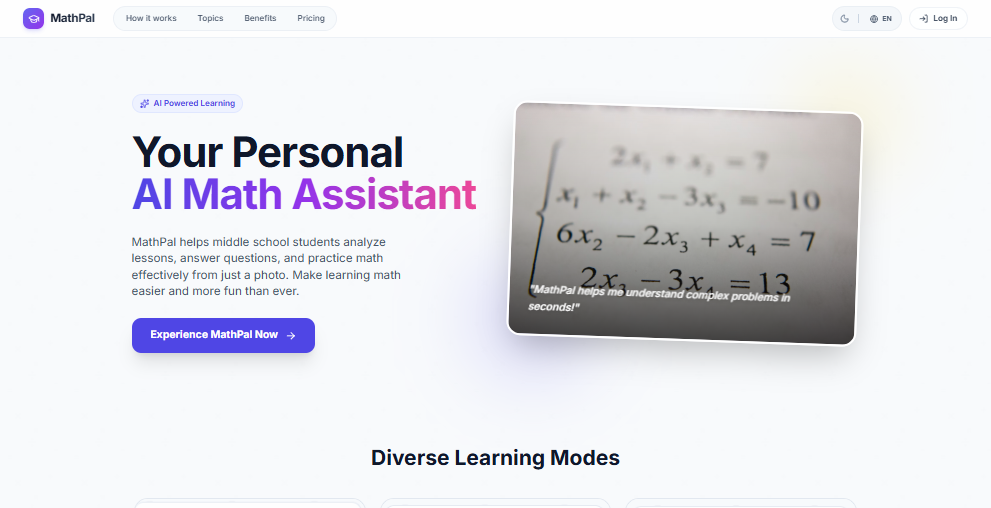
MathPal is an AI math tutor designed for learners from primary school through university, offering a complete solution for understanding mathematics from just a photo. With over 2,800 active learners and a 4.8 out of 5 rating, its core value lies in bridging the gap between getting an answer and truly comprehending the underlying concepts. By simply snapping a picture of a textbook, notebook, or exam paper using its advanced OCR technology, students receive not only the correct answer but a full step-by-step explanation tailored to their curriculum and level. The solution is enriched with three layers of context—formulas rendered in LaTeX, key mathematical concepts, and color-coded tips and warnings—ensuring that the lesson sticks, not just the answer. MathPal transforms passive problem-solving into active learning, making math more accessible and engaging for students who struggle with traditional methods like copying from a friend or using a basic calculator.
The primary pain point that MathPal solves is the disconnect between homework apps that merely provide final answers and the deep understanding students need to succeed in exams and future courses. Most solutions give a student the answer without teaching them why it works, leading to memorization without retention. MathPal addresses this by ensuring every solved problem is enriched with formulas, main concepts, and four types of color-coded tips—Recognize, Shortcut, Watch Out, and Common Mistake—that help students avoid errors and apply shortcuts correctly. Each solution is also curriculum-aligned, adapting to whatever level the learner is at. This is especially critical for middle and high school students building foundational skills, as well as university students tackling advanced topics like calculus and statistics. Without this context, students waste time on ineffective practice and end up unprepared for tests. MathPal’s approach ensures that every study session builds genuine mathematical intuition, turning a quick fix into lasting knowledge.
MathPal’s core feature is its ability to turn a photo of any math problem into a complete learning experience. When a user snaps a picture from a textbook, notebook, or exam paper, the built-in optical character recognition (OCR) engine reads both printed text and handwritten formulas in seconds. The AI then produces a step-by-step solution that breaks down each stage of the problem, from understanding the question to choosing the right operation and performing the calculation. This reasoning is adapted to the student’s curriculum, so the approach mirrors what they learn in class. For example, a division word problem is solved by identifying key phrases like “share equally,” then applying the inverse relationship with multiplication. This feature turns a static image into an interactive tutorial, helping students not only get the answer but learn the problem-solving process for future similar questions.
admin
Advisory Mode is MathPal’s exclusive feature that takes learning beyond the answer. Instead of immediately providing a solution, the AI engages the student with Socratic-style guiding questions, prompting them to think through the problem independently. For instance, when solving a quadratic equation, it might ask, "Before I explain—what do you think happens geometrically when Δ = 0?" This encourages students to reason and discover the answer themselves, which research shows leads to retention that is ten times longer than simply copying a solution. Advisory Mode is one of six learning modes available, and it is particularly effective for students who want to build deep conceptual understanding. It is available in the Premium plan and is described as a learning experience no other math AI offers. This feature transforms problem-solving into a dialogue, making the student an active participant in their own learning rather than a passive recipient of information.
MathPal’s Knowledge Radar provides a personalized map of a student’s mathematical strengths and weaknesses, updated automatically after every study session. The radar breaks down performance by major topics such as Algebra, Geometry, Statistics, Arithmetic, Equations, and Inequalities, showing a visual percentage score for each area. This helps learners stop guessing what to review before exams and focus precisely on the topics that need improvement. Complementing the radar is the Learning History timeline, which auto-saves every solved problem and makes it searchable. Students can revisit how they solved a problem from last week, reinforcing retention. Uploads are auto-classified by layout—whether it’s a theory page or a problem set—so the right view is presented. Together, these tools give students and parents a clear, data-driven picture of progress over time, eliminating the need for manual tracking.
MathPal’s workflow follows a simple three-step process: Photo it, Solve it, Understand it. First, the user snaps a photo of a problem from a textbook, notebook, or exam paper, and the OCR engine reads handwriting and formulas in seconds. Second, the AI generates a step-by-step solution that includes reasoning, the formulas used, main concepts, and tips. Third, the student moves beyond the answer by exploring the underlying concepts, reviewing LaTeX-rendered formulas, and practicing similar problems. Within the platform, six learning modes support different goals: Advisory Mode for guided discovery, Concept for definitions and theorems, Formula for deep dives into origins and conditions, Practice with auto-generated exercises at three difficulty levels, Q&A Chat for contextual conversation, and Free Chat for open math questions. Usage is managed by an "energy" system that resets weekly or monthly depending on the plan, ensuring equitable access. This structured approach ensures that every interaction leads to genuine understanding.
Real users from diverse backgrounds have achieved meaningful results with MathPal. Minh K., a middle school student, raised his grade from 7.0 to 9.5 in three months by using Advisory Mode to think through problems rather than copying answers. Thao N., a university engineering major, credits step-by-step explanations for finally making derivatives click and acing her calculus midterm. Parents report significant savings, with one sharing that MathPal replaced a $120-per-month private tutor while improving their daughter’s motivation to study nightly. Working professionals like Huong L. have used MathPal to prepare for quant interview rounds, going from zero to solving probability problems in two weeks. High school senior Linh T. scored 780 on SAT Math II by leveraging the three-level practice mode to pinpoint exactly what needed drilling. These outcomes demonstrate that MathPal works for a wide range of learners and goals, from catching up to getting ahead.
MathPal serves a broad spectrum of learners—from primary school students just beginning with arithmetic, to high schoolers prepping for the SAT, to university students tackling calculus and statistics, and even working professionals refreshing quantitative skills. The tool is available as a web app that works in any browser, a dedicated iOS app, and a Chrome extension that solves math on any webpage including PDFs and Google Classroom. Pricing is flexible: a free trial with basic access, the Pro plan at $9.99 monthly or $89.99 yearly for unlimited practice and history, and the Premium one-time payment of $189 which includes first-year free upgrades and optional yearly updates thereafter. All plans come with a 7-day refund policy and 24/7 support. In summary, MathPal is the AI math tutor that turns a photo into a complete learning experience, ensuring every student understands math deeply rather than just getting the answer.
MathPal is designed for primary school, middle school, high school, and university students who need help understanding math concepts beyond just getting answers. It also serves parents seeking an affordable alternative to private tutoring, working professionals preparing for quantitative interviews or certifications, and self-learners revisiting math foundations. Specifically, it benefits students in grades 4-12, college students in calculus, statistics, and algebra courses, and adults studying for the SAT, GRE, or GMAT. The Chrome extension makes it ideal for remote learners using platforms like Google Classroom, while the iOS app supports on-the-go practice. Teachers may also use MathPal to supplement instruction or provide extra practice for students at different levels.