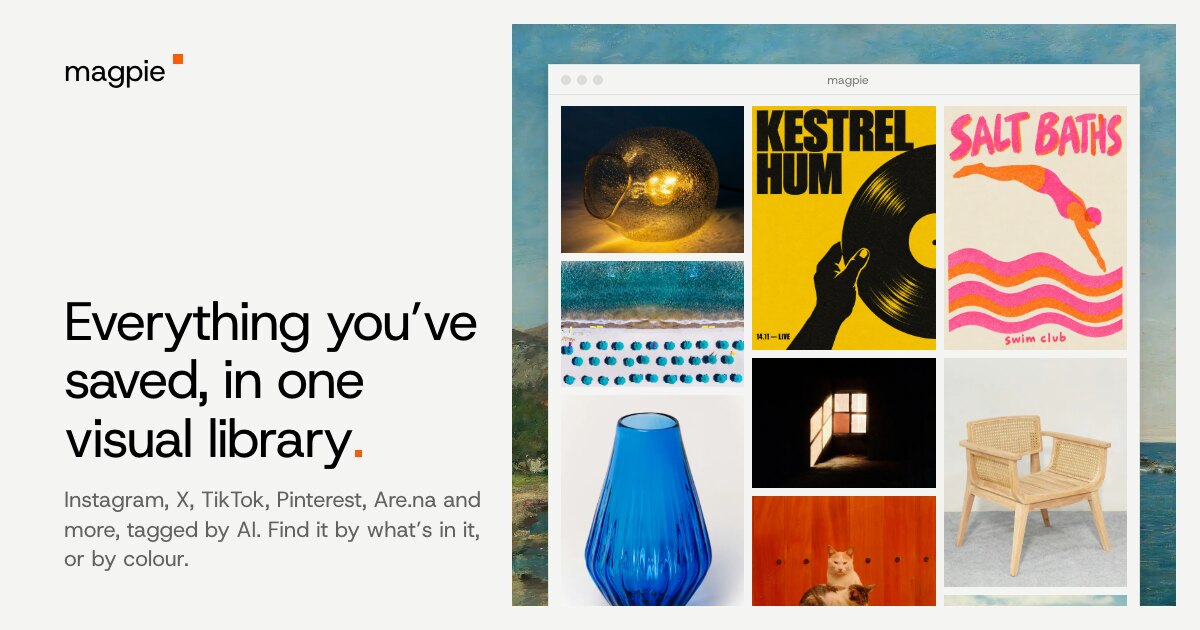
magpie is a visual library for everything you save online. It pulls your saves from Instagram, X, TikTok, Reddit, Pinterest, Cosmos, Are.na, GitHub, YouTube, Dribbble, Behance and your browser's bookmarks into a single place, then uses AI to tag them so you can find them by what's in them, or by colour. Its stated purpose is simple and direct: everything you've saved, in one visual library, so that the references you collect while browsing can actually be found again later instead of disappearing into separate apps and feeds.
The problem magpie is built around is one most people who collect visual references know well. Saves end up scattered across many platforms, each with its own bookmarking gesture and its own search that rarely works on images. What you saved to Instagram lives in Instagram, what you pinned lives in Pinterest, what you bookmarked in your browser is buried in a bookmarks list, and none of those places can answer a question like "that photo of somewhere by the sea." On top of that, posts get deleted, accounts go private and content vanishes, which means the references people rely on for work can quietly disappear. magpie addresses both halves of that problem: it consolidates the sources and it keeps the save even when the post is gone.
At the centre of the product is the unified library. The site describes saving from Instagram, X, TikTok, Reddit, Pinterest, Cosmos, Are.na, GitHub and your browser's bookmarks, with Chrome, Safari and Firefox represented alongside those sources, and the Product Hunt listing summarises it as saving from Instagram, X, TikTok, Pinterest, YouTube, Reddit, Dribbble, Behance, Are.na and the web. Rather than visiting each network to remember what you liked there, the library presents everything as a single visual collection. In the sample library shown on the site, that collection holds 265 saves consisting largely of design references: identity work, packaging, posters, typography specimens, photography and motion pieces, each labelled with the domain it came from.
AI tagging is what makes that single collection usable. Every save is tagged by AI so that you can find saves by what's in them, rather than by whatever caption or title the original post happened to have. The site demonstrates this with a search for somewhere by the sea, which surfaces seaside imagery, and with a view of the saves that are mostly one of its blues, showing how colour functions as a first-class way to filter a library. Colour search is described as a way to find saves by colour, and it is presented next to meaning-based search as a paired way of navigating a large visual collection.
A second search layer is the bar that sits over the library, labelled "Find, or ask for references." It can be reached with ⌘K, and the site notes that you can paste a link anywhere to add something new. Beyond plain lookup, the bar accepts a request in natural language: the demo types in references for a calm hardware launch. In response, magpie picks six saves from the library, gives a reason for each pick, and makes a project of them. That turns a passive archive into something you can interrogate, where the library proposes material from what you have already saved and explains why each piece fits the brief you typed.
Browsing the library itself is supported by several views. The interface shown on the site includes Rows, Cells, Grid and Canvas as ways of arranging the same set of saves, with a control for zooming the grid in and out. Individual saves can be opened: the demo shows a video save opening and playing inside the library, and an Instagram collection of posters and prints being viewed as a group. Because saves are kept even when the original post is gone, the copy in the library remains available after the source disappears, which is the core archival promise of the product.
The overall approach combines capture, automatic organisation and retrieval. Capture happens by pasting a link anywhere or by bringing in saves from your connected sources, including your browser's bookmarks. Organisation happens automatically through AI tagging, so nothing depends on you filing things correctly at the moment you save them. Retrieval then happens through three routes that the content demonstrates: searching by meaning, searching by colour, and asking for references in plain language and receiving a curated project with reasons attached. The result is a library that behaves like a visual memory rather than a folder tree.
The stated benefits follow from those mechanics. You get one place for everything you save instead of many; you can find an image by describing it or by its colour rather than trying to recall its caption; and your saves survive deletion of the original post. For people whose work depends on accumulated visual references, the demo's calm hardware launch request illustrates the practical payoff: instead of scrolling back through months of saves, you type the brief and receive six relevant pieces with an explanation of why each one is there, already grouped into a project you can work from.
Concrete use cases visible in the content include searching a library for somewhere by the sea; opening and playing a saved video directly in the library; filtering to the saves that are mostly a particular blue; browsing an Instagram collection of posters and prints as a set; and asking for references for a calm hardware launch, where magpie assembles six annotated saves into a project. The sample library itself is full of design material such as brand identities, packaging, type specimens, campaign films and photography, which reflects the kind of reference gathering the product is demonstrated with.
magpie is available as a Mac download and through the web, where you can start for free. The Product Hunt listing files it under Chrome Extensions, Design Tools and Productivity, and the site's source list spans social and visual platforms alongside browser bookmarks. Its natural audience is people who collect and reuse visual references, particularly designers working with identity, packaging, typography, photography and motion, who need their saved inspiration to be searchable, colour-aware and permanent.
The takeaway is straightforward: magpie turns scattered saves into one visual library that is tagged by AI, searchable by meaning and colour, answerable in plain language, and kept even when the post is gone.
Publisher
A
admin
Launch Date2026-11-02
Platformweb
Pricingfree