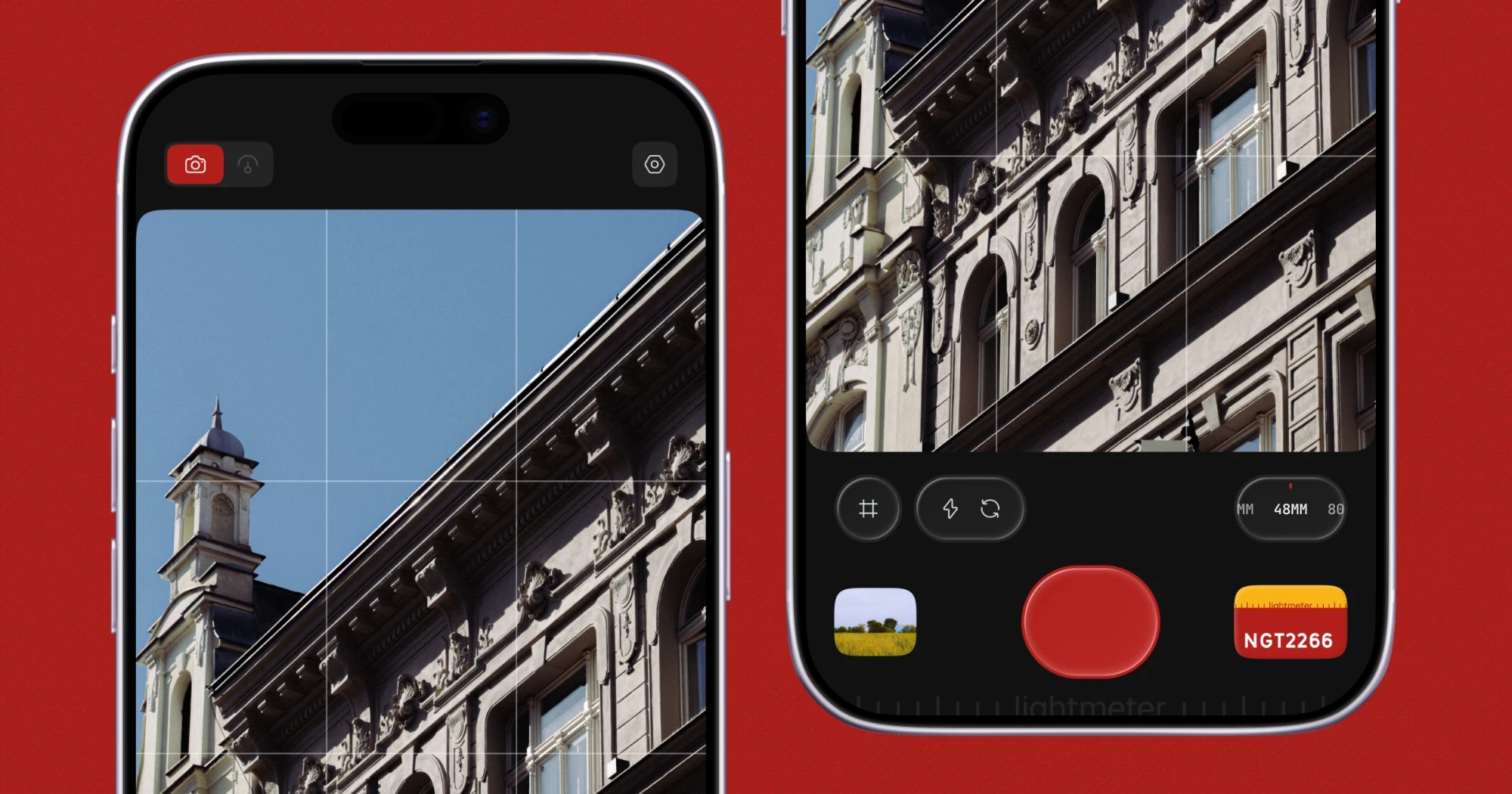
Lightmeter is an iOS app that describes itself as a pocket film camera designed for everyday moments. It fills two roles at once: it is a real light meter when you carry film, and it is a film camera when you do not. The app captures natural and raw photos with authentic film looks, and it is built for people who want the character of film in their everyday pictures without having a film camera in hand for every moment. Its film looks are built on true RAW capture, so grain, halation and color behave like film rather than a filter sitting on top of a flat photo. Lightmeter is distributed for iOS through the App Store, and the website includes a QR code that links directly to the App Store listing. The product is published by Aakash Goel and shares updates through the handle @lightmeterx.
The problem Lightmeter addresses comes from the divided habits of film photographers. When you are carrying film, you need a dependable way to read the light before you expose a frame. When you are not carrying film, you still want photographs that look like film rather than clinical, heavily processed phone images. Lightmeter takes a clear position against the common mobile approach: it states that it uses zero-AI processing and no HDR. Instead of generating or guessing detail, it works from true RAW capture and applies film looks whose grain, halation and color are designed to behave the way film behaves. The result is aimed at photographers who care about analog character, natural color and authentic grain, and who want one iPhone app that covers both sides of that habit: metering light for film, and shooting with film character when they are not carrying a film camera.
The first role Lightmeter describes for itself is metering. The app is described as a real light meter when you carry film, which positions it as a companion for analog shooting rather than purely a photo filter app. The site's own keyword list frames it as a light meter app, an iPhone light meter and a reflected light meter, and it also references an exposure calculator and the sunny 16 approach that film photographers know well. That vocabulary places Lightmeter in the world of exposure decisions made before a shot: the app is meant to be with you when you are thinking about light for a film camera rather than only when you are composing a phone photo. Having metering and shooting in the same app means you do not need to install a separate meter tool for analog work and a separate camera app for everything else.
The second role is the film camera itself, delivered through a library of film looks inspired by real film stocks and artists. The website names twelve looks: NGT2266, Ink E6, Classic 64, Cine 50, Dusk, Daybreak, Bloom, Ember, Retro 400, Mono X400, Mono 3200 and Mono P400. The naming gives away the range: the Mono looks point at black-and-white film behavior, while the remaining looks span color emulsions and distinct moods such as Dusk, Daybreak, Bloom and Ember. Because these looks are applied to true RAW capture, the grain, halation and color in each one are designed to behave like film itself rather than a filter laid over a flat photo. A black-and-white facade, an iced coffee on a cafe table, a barista under pendant lights, glaciers between Himalayan ridges, a breaking wave and a cyclist passing flowering trees are among the everyday and travel subjects shown shot on Lightmeter, which underlines that the app is aimed at ordinary moments rather than studio production.
Processing is where Lightmeter draws its sharpest line. The product states that it applies zero-AI processing and no HDR, delivering natural colors and authentic grains. The website makes the difference visible with a side-by-side comparison labeled Shot on lightmeter against Raw, no lightmeter, using the same dawn hill path scene. That comparison exists to show what the film look adds over an ungraded frame straight off the sensor. By refusing AI processing and HDR, the app avoids the synthetic look that comes from invented detail and aggressive tone mapping, and instead relies on RAW data plus film modelling for grain, halation and color. For photographers who want images that read as natural and film-like, this is the core promise: the look is baked into how the photo is captured and developed, not bolted on afterwards.
Privacy is treated as a feature in its own right. Lightmeter states that it is private by design, with no signup required. The app has no tracking, no ads, and collects no data, and the site adds that nothing leaves your phone. That combination matters for a camera app, because photos are personal. There is no account to create before you can shoot, no advertising profile built from your behavior, and no upload of your images to a server for processing. The website repeats the phrase private by design alongside the App Store download prompt, making it one of the two headline ideas of the product page alongside the film look itself.
Taken together, the approach is deliberately narrow and technical. Lightmeter does not try to reconstruct a scene with AI or lift shadows with HDR. It captures true RAW and builds film looks on top of that capture, so grain, halation and color are modelled rather than simulated as a single flat filter. It pairs that with a light meter mode for people who carry actual film, and it removes the usual account, tracking and server round trips from the equation. The method, in the product's own terms, is zero-AI, no HDR, true RAW, authentic grain, real film-inspired looks, and a private app with no signup.
The benefits follow directly from those choices. Photographers get natural colors and authentic grain rather than the processed look that AI and HDR pipelines tend to produce. They get film looks that are inspired by real film stocks and artists, so the range covers color and monochrome moods in a single app. They get one tool that serves both analog habits: a light meter when film is in the bag, and a film camera when it is not. And they get that without creating an account, without advertising, without tracking, and with the assurance that nothing leaves their phone. For people who shoot everyday moments but still want the feel of film, that combination removes both the gear requirement and the privacy trade-off.
The use cases are defined by the two modes the app describes. Carrying film and needing to read light for an exposure is the metering case. Walking around without a film camera and wanting film character in the pictures is the shooting case, and the site's collage of ordinary scenes shows what that looks like in practice: architecture, cafe tables, a barista at work, landscapes from the air, a wave, a cyclist. Black-and-white work is covered by the Mono X400, Mono 3200 and Mono P400 looks, while color moods are covered by looks such as Dusk, Daybreak, Bloom, Ember, Cine 50 and Classic 64. The Shot on lightmeter versus Raw, no lightmeter comparison gives a fourth scenario for anyone deciding whether a given photo benefits from the film look or should stay as a straight RAW frame off the sensor.
Lightmeter is an iOS product. It is offered as a download for iOS through the App Store, linked from the website with a QR code, and it is categorized on Product Hunt under iOS, Photography, and Photo & Video. The site is published by Aakash Goel, and the app's public handle is @lightmeterx. The website's keyword set places the product in film photography and analog photography territory, referencing terms such as film camera app, film simulation for iPhone, exposure calculator, 35mm, sunny 16 and reflected light meter. No pricing or plan details are stated on the page, and no account or signup is required to use the app.
Lightmeter's primary value proposition is straightforward: it is a pocket film camera in your phone that also serves as a real light meter for the film you actually carry. With true RAW capture, zero-AI processing, no HDR, film looks inspired by real film stocks and artists, authentic grain, natural colors, and a private-by-design app that asks for no signup and keeps everything on your device, it targets photographers who want the character of film in everyday pictures without the processing artifacts and privacy costs of typical mobile camera apps.
Publisher
A
admin
Launch Date2026-09-24
Platformmobile
Pricingfree
Tech Stack
#Next.js