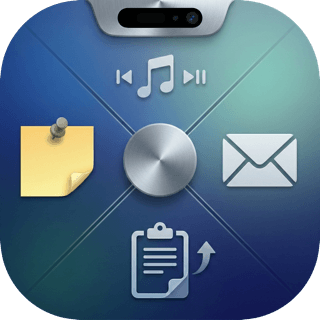
Itchy is a free macOS notch app that transforms your Mac's notch into a productivity hub with 12 built-in modules. It offers customizable modules including Pomodoro timer, Now Playing, Calendar, Mail, Live Activities, clipboard history, storage, and notes.
Itchy is a free macOS notch app that transforms the often-unused space above your screen into a powerful productivity hub. Designed for Mac users who crave efficiency, Itchy replaces the empty notch with a customizable dock of handy tools. Its core value lies in providing instant access to essential functions without cluttering your desktop or using extra windows. By leveraging 12 built-in Nook modules, users can monitor tasks, control media, check calendar events, and more directly from the menu bar notch. This app is ideal for professionals, developers, and anyone who wants to maximize every pixel of their Mac display.
The problem Itchy solves is the wasted potential of the Mac notch—an area typically ignored or hidden. Users often need to constantly switch between apps or open new windows to manage common tasks like checking the time, seeing notifications, or controlling music. This friction disrupts workflow and reduces focus. Itchy eliminates this by providing a unified, always-accessible toolbar that sits right in the notch. Whether you're deep in code, presenting a slideshow, or writing a report, having quick access to tools like Pomodoro timer, clipboard history, or calendar events can significantly cut down on context switching and boost overall productivity.
Itchy's first major feature group is its 12 built-in modules. These include Prompter for reading scripts while presenting, Now Playing for controlling music with album art, Calendar for quick event previews, and Mail for inbox glances. There's also Bluetooth Devices to monitor battery levels, Clipboard History for instant paste from a stored list, Storage for saving files in the notch, and Notes for sticky notes. The Pomodoro Timer helps maintain focus, Live Activities provide real-time task updates, Weather shows current conditions, and Quick Toggles control screen brightness, mute, volume, and microphone. Each module can be enabled or disabled independently, and you can reorder them from settings to match your most-used tools.
The second major feature group is the ItchySDK, which allows developers to create custom Nook modules. By downloading the SDK from GitHub, writing a Swift module that imports Itchy, and compiling it into a macOS .bundle, users can extend Itchy with their own plugins. These can function as new Nook modules or as custom menu and content tabs. The SDK documentation explains what a .bundle is, why it appears as a single file in Finder, and how to build one from Terminal. This opens up endless possibilities for integrating with personal workflows, internal tools, or third-party APIs while keeping sensitive data self-hosted and private.
Publisher
A
admin
Launch Date2026-03-05
Platformdesktop
Pricingfree
Tech Stack
#Swift#SwiftUI
Domain Authority
Ahrefs DR5/100