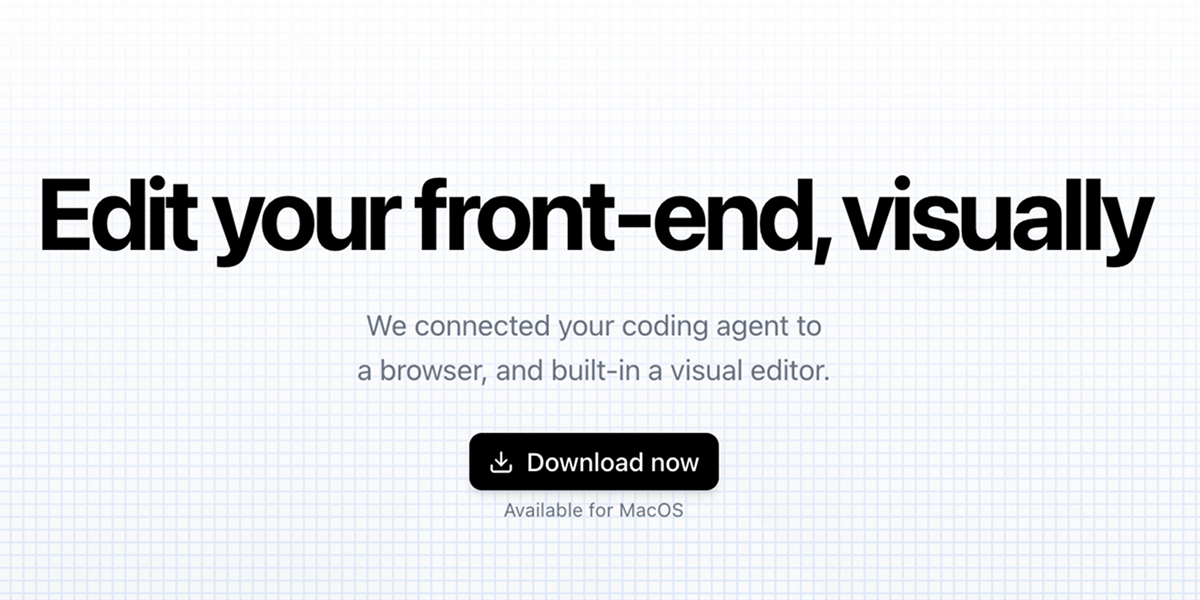
Inspector is a visual front-end editor created to seamlessly connect human-interactive design with AI coding agents such as Claude Code, Codex, and Cursor. This local application bridges the gap between visual manipulation and code editing, empowering developers, designers, and AI enthusiasts to iterate on React, Next.js, and Vite applications directly within their codebase. By offering a live browser interface that mirrors the final product, Inspector enables users to select any UI element, instantly locate its corresponding code, and make precise adjustments without leaving the visual environment. The core value of Inspector lies in transforming how teams approach front-end development: instead of toggling between design tools, IDEs, and agent prompts, they can now visually edit their application while the AI agent handles the underlying code. This integration drastically reduces context switching and accelerates the feedback loop.
The primary pain point Inspector solves is the inherent disconnect between visual design intent and code implementation. Traditional workflows require developers to manually interpret mockups, find the correct component file, and edit the code to match the desired visual change. AI coding agents, while powerful, lack a direct visual understanding of the running application; they generate code based on textual prompts that often miss subtle styling or layout nuances. Inspector eliminates this friction by providing a live, interactive preview where every element is linked to its source code. When a user clicks on a component, the tool reveals the exact line and file, giving both the human and the AI agent context-rich information. This makes it possible to rapidly iterate on user interfaces, fix pixel alignment, update content, or restructure layouts with confidence that the changes will reflect accurately.
The Visual Editor is Inspector's primary feature and works by allowing users to interact with their running app in a browser built into the tool. Elements can be moved via drag-and-drop, text can be edited inline, and comments can be left for the AI agent. Each action, when applied, writes the corresponding code change directly into the local project files. This eliminates the need to manually search for the right JSX block or CSS rule, significantly speeding up layout and content adjustments. The benefit is especially pronounced for React applications, where component structures can be deep. Developers can rearrange sections, update button labels, or adjust spacing in seconds, all while the AI agent observes and assists with more complex logic. The Visual Editor transforms the front-end coding experience from a text-based abstraction to a direct manipulation environment.
admin
Inspector offers two tightly integrated features: Click to Add Visual Context and Page-Aware Screenshots. The first allows users to click any UI element and have Inspector reveal its exact line of code in the associated React component. This feature provides immediate, accurate context for both the developer and the connected AI agent. Instead of describing an element in natural language, the agent receives a precise pointer to the source. The second feature, Page-Aware Screenshots, captures screenshots that automatically snap to the boundaries of selected UI elements. These screenshots are pixel-perfect and can be fed directly to an AI coding agent, ensuring the agent understands the visual state without ambiguity. Together, these tools create a powerful workflow for debugging and iterating: click to get code context, capture a snapshot for the agent, and then instruct the agent to make changes based on precise visual and code references.
Beyond visual editing, Inspector supports direct integration with three major AI coding agents: Claude Code, Codex, and Cursor. Users can connect their agent accounts within the Inspector interface, enabling the agent to receive context from the visual selections and screenshots. All operations are performed completely locally: Inspector connects to any local codebase, processes visual edits on the device, and never sends proprietary code to external servers. Chat histories are stored locally, and no training occurs on user data. Additionally, Inspector offers built-in GitHub integration, allowing users to create branches, commit changes, and publish pull requests without leaving the tool. This end-to-end workflow from visual edit to version control streamlines collaboration, especially in teams that rely on code reviews and continuous integration. The local-first approach also appeals to organizations with strict data privacy requirements.
The overall workflow of Inspector is straightforward and designed to get users productive immediately. After downloading the macOS application, users select a local project folder or start from a template. The app launches a live preview of the front-end inside its own browser environment. From there, they can connect their AI coding agent of choice—Claude Code, Codex, or Cursor—and begin interacting visually. Any element on the screen is clickable: selecting it opens the corresponding code in the integrated editor view. Users can then drag to reposition, double-click to edit text, or click a button to capture a page-aware screenshot. Each modification is applied in real time to the local codebase, mirroring the changes as if they were written manually. The entire experience positions Inspector as a visual layer over the code, making front-end development more accessible and intuitive while retaining full control over the underlying source files.
Concrete use cases for Inspector span design-to-code handoff, rapid prototyping refinement, and AI-assisted debugging. Designers without deep coding skills can use Inspector to adjust spacing, colors, and text directly in a production codebase, then commit their changes via GitHub—bridging the gap between design and engineering. Developers using "vibe-coding" tools like Lovable, Figma Make, or Bolt can export the generated code and open the project in Inspector to visually polish the UI without re-entering the agent. Teams collaborating with AI agents benefit from the page-aware screenshots: a product manager can capture a specific state of the UI and send it to the AI agent along with instructions, ensuring accurate edits. The outcome is faster iteration cycles, fewer back-and-forth clarifications, and a more inclusive development process where non-coders can contribute to front-end changes directly.
Inspector is designed primarily for front-end developers, UI designers, and AI agent power users who work with React, Next.js, and Vite projects. It runs on macOS (with Windows support on the waitlist) and is available as a free download. The tool complements popular AI coding assistants and integrates with Git-based workflows through its GitHub connection. It is particularly valuable for teams using AI to generate or modify front-end code, as it provides the visual feedback loop missing from pure text-based agent interactions. Whether you are a solo developer experimenting with AI agents or a design team pushing visual changes to a production React app, Inspector eliminates the disconnect between what you see and what the code actually represents. By combining a visual front-end editor with AI agent connectivity and local-first privacy, Inspector empowers users to ship better interfaces faster.
Inspector is designed for front-end developers, UI/UX designers, and AI coding enthusiasts who work with React, Next.js, or Vite applications. It benefits solo developers exploring AI-assisted coding, design teams that need a direct bridge to production code, and product teams using vibe-coding tools like Lovable, Bolt, and Figma Make. It also serves technical product managers who want to capture visual context for AI agents, and agencies that iterate quickly on client front-ends. Engineers comfortable with Claude Code, Codex, or Cursor will find Inspector's visual layer enhances their agent's effectiveness. The tool targets modern web development workflows that emphasize rapid iteration, local privacy, and visual feedback.