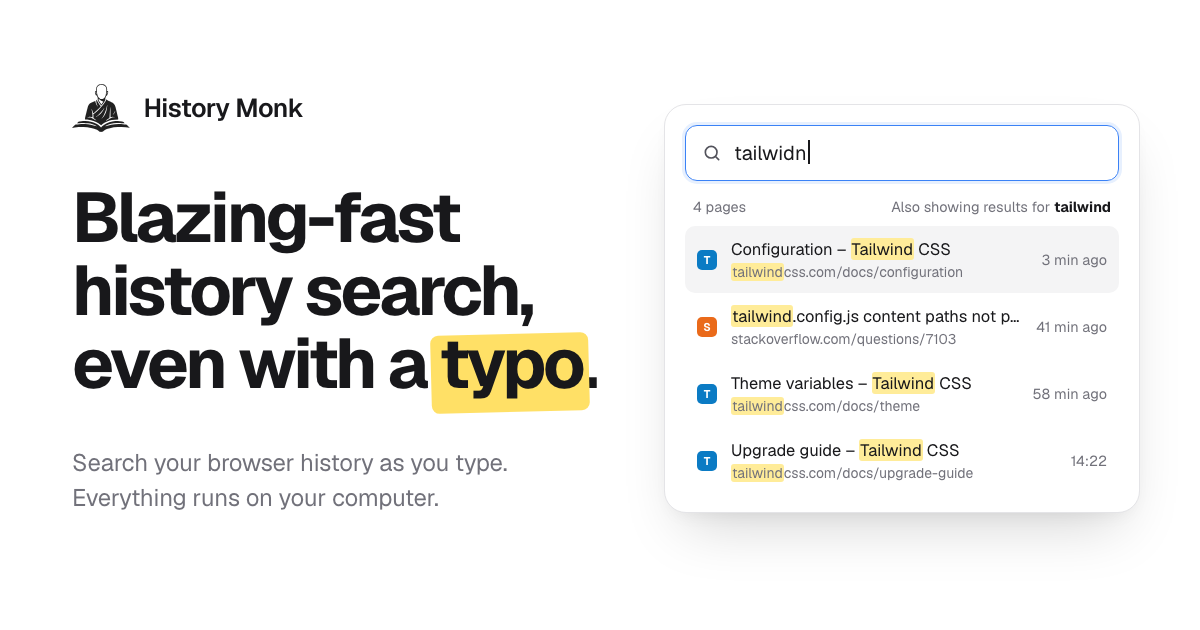
History Monk is a replacement for your browser's built-in history page. Instead of scrolling through days of browsing history, you type a few letters and the page you want shows up. It is aimed at anyone who has remembered visiting a page but cannot find it again, and it handles the full life of that record: searching it, filtering it, exporting it and clearing out the clutter. According to the website, History Monk is searchable 80 milliseconds after it opens, it replaces the browser's history page in Chrome, Edge and Opera, and in Firefox you open it from the toolbar button or with Alt+Shift+H. Everything runs on your own computer.
Browsers record everything you look at but give you very little control over that record. The default history view is a long chronological list that is painful to scan, and it accumulates search result pages, sign-in screens, shortened links and pages you clicked exactly once. Most people never clean it because cleaning it would take hours. The website frames the problem plainly: no more scrolling through days of browsing history. It also points out that browsers cannot restore deleted history, for any extension, which is why History Monk pairs bulk deletion with confirmation steps and a protected-sites list. Privacy is the second problem: browsing history is sensitive, so Search, Analytics and Cleanup are run locally.
Search is the core of the product. You type part of a title or the name of a site and matching pages appear while you type, with results updating for every letter, no Enter key and no waiting for a page to load. Spelling mistakes are corrected from the words in your own browsing history, so typing "plannig" still finds the planning doc. Power filters narrow the list further: site:github.com restricts results to one site, -site:youtube.com excludes one, title:invoice matches the page title only, url:/pull/ matches the address only, after:yesterday and before:17:30 restrict by date and time of day, and visits:>10 finds pages opened more than ten times. A regular expression can be combined with any of these filters, sort:new orders by best match, newest or most visited, and selected: shows only the rows you ticked. The site counts more than eleven power filters. Terms can be mixed in any order, quotes match an exact phrase, and the site states that 100,000 pages can be searched with no lag.
Recently closed keeps every tab and window you close, newest first, next to your browsing history. The last tab you closed sits on top, you can type a word to filter the closed tabs, and clicking one opens it again. In Chrome, the Devices view lists the tabs open on your other signed-in devices — phone, tablet and laptop — grouped by device and newest first, with the time each tab was last used, searchable by title or address and openable right there. The website notes this uses the Chrome sync you already have, needs no extra account, and that Firefox does not share other devices' tabs with extensions. Sites is where bulk deletion happens: tick one site or fifty, using shift-click for a range or Ctrl+A for every site, and press Delete to remove every page from those sites, including older visits you cannot see on screen. You can also right-click any page or link and choose "Delete all history of this site". Deleting a site always asks first, and sites on your protected list can never be removed.
Export turns what you have found into a file. Search or filter first, then export just those results, or a whole Cleanup group. CSV opens in Excel and Google Sheets, JSON is ready for your own scripts, and the HTML file is a searchable, sortable page you can keep offline. Every export keeps the same five columns — title, URL, site, last visited and visit count — and the file is created in your browser and saved to Downloads, with nothing uploaded. By group is another way to organise history: each search and the pages you opened from it stay together in one card, covering Google, Bing, DuckDuckGo, YouTube and dozens more with no setup. A group card can reopen the whole search with "Open N pages", which brings every page back in a new tab group, or delete a search and its pages in two clicks, leaving pages you also visited at other times untouched.
Cleanup sorts history into 24 groups of removable pages, such as search result pages, duplicate pages, sign-in and callback pages, links with tracking parameters, shortened links, pages visited once and never again, untitled or failed pages, AI chat conversations, cart and checkout pages and webmail and calendar pages. You can look inside a group before anything is deleted, every delete waits for a second click to confirm, protected sites are never touched, and there are one-click deletes for the last hour, day or week. Timeline shows your history one day at a time, newest first, starting a new session after 30 minutes of quiet and displaying the gap for how long you were away. Analytics adds a weekday-by-hour heatmap, a focus score, streaks, rising and fading sites and the terms you search for most, and clicking any cell opens those pages. A weekly digest card summarises the last seven days — pages, top sites, your busiest hour and late-night share — and can be copied as an image or text. Keyboard shortcuts such as Alt+Shift+H to open History Monk from any tab, / to jump to search, arrow keys to move, Enter to open and Ctrl+Enter to open in the background keep your hands on the keys.
History Monk's approach is local-first. It reads your browsing history through the browser's history API and searches it inside the extension page, so Search, Analytics and Cleanup all run on your computer and your browsing history never leaves your device. There are no content scripts, so it never runs inside the pages you visit; it only does work while its history page is open, which is why the site says it will not slow down your browser. In Chrome and Edge, site icons come from the browser's icon cache, so showing results makes no web requests. There is no account to sign up for and no third-party trackers or analytics. The only network requests it makes are to verify a licence key and to look up the current price. Hidden sites can be kept out of search, Sites, Analytics and Cleanup without touching the underlying history, and protected sites can never be deleted from any view.
The payoff is speed and control over a dataset you already own. Search is ready 80 ms after the page opens and refreshes on every keystroke, so finding a page takes seconds instead of minutes. Typo correction removes the need to remember exact titles, and the filter language turns a flat list into something you can interrogate by site, date, title, URL, visit count or pattern. Bulk delete clears a whole site's history in one action, and Cleanup removes large blocks of junk in a chosen time range while still showing you exactly what will go. Export gives you a portable, reusable record of any slice of your history. Timeline and Analytics show where your time actually goes, and because everything is local with no account, using the product does not create a new privacy problem of its own.
Concrete workflows come straight from the product's own examples. You remember the Lisbon flight you looked at yesterday, type a couple of letters, and the page is back. You close a tab by mistake and reopen it from the top of Recently closed. You are shopping for a surprise, so you tick that site under Sites or right-click the page and delete all of its history in one go. You want a record of your pull request pages, so you search site:github.com pull and download CSV, JSON or HTML. Your history has filled up with search result pages, duplicate pages and sign-in screens, so Cleanup shows you the 24 groups, you review a group such as the 1,204 search result pages, and delete them after a confirming click. You start reading something on your phone, open the Devices view on your laptop, and pick it up there. Or you simply open the weekly digest to see pages, top sites, your busiest hour and your late-night share.
History Monk is distributed as a browser extension for Chrome, Edge, Opera and Firefox 140 and later. In Chrome, Edge and Opera it replaces the built-in history page, so the History menu and its shortcut open History Monk; in Firefox you reach it from the toolbar button or with Alt+Shift+H. It searches as far back as your browser keeps history — Chrome keeps about 90 days — loading the most recent 100,000 pages in the range you pick, with the first 2,000 searchable before the rest finish loading. It is free for 7 days with no account, and after the trial it keeps working for 3 opens a day; a licence removes the limit and enables deleting from Cleanup. It ships with 28 themes drawn from official palettes, including Nord, Dracula, Catppuccin, Solarized and Rosé Pine, and eight languages: English, Español, Français, Deutsch, Português, 日本語, 简体中文 and हिन्दी. You can also set a 12- or 24-hour clock, date order, row density and text size.
In short, History Monk takes the browser's least useful built-in page and turns it into a fast, private tool for finding, filtering, exporting and clearing your browsing history. It searches as you type and forgives typos, it recovers closed tabs and shows tabs from your other devices, it deletes a whole site's history in one action, and it groups the junk into reviewable cleanup categories. Nothing is uploaded, there is no account, and the only network requests are for licence verification and price lookup — which is exactly what a tool built on this much personal data should look like.
Publisher
A
admin
Launch Date2026-10-11
Platformweb
Pricingfreemium