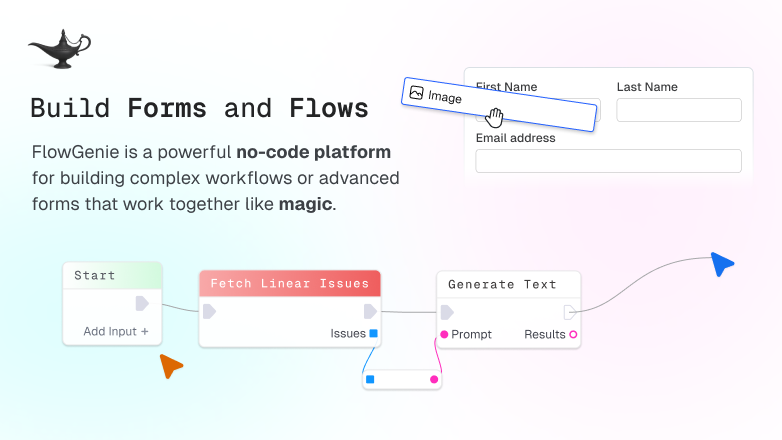
FlowGenie is a no-code platform for building forms and workflows using a visual, node-based flow editor. Build flows you can schedule, trigger externally, or run from form submissions.
FlowGenie is a no-code form and workflow builder that lets individuals and teams visually program complex logic directly in the browser. It is a web-based platform for designing, debugging, and deploying flows and forms through a blueprint-style editor where the flow itself becomes the code. Instead of wrestling with traditional programming languages or rigid automation tools, users compose behavior with inspectable nodes, branches, loops, variables, and nested flows. The core value of FlowGenie is to make sophisticated automation accessible and collaborative: build real logic without black boxes, publish it as REST endpoints or scheduled tasks, attach it to dynamic forms, and work on it together in real time. It serves product managers, developers, operations teams, and no-code builders alike.
Traditional workflow automation often forces a choice between inflexible no-code builders that hide logic in opaque modules and code-heavy approaches that demand constant engineering involvement. When something breaks, a team typically resorts to screen sharing or lengthy email threads to explain a flow, wasting time and risking errors. FlowGenie solves this by making every step of the logic visible and composable in a shared visual editor. Because the flow is the code, there are no hidden automations to debug; teammates see the exact same branching and variable assignments, jump in together, and fix issues instantly. This transparency removes the friction of coordinating logic changes across roles, allowing faster iteration and a single source of truth for any automation.
The first major feature group is the visual flow editor itself. It presents a node-based canvas where you drop action nodes, wire them together, and configure conditions, loops, variable assignments, and sub-flows. Every branch and transformation is explicit; you can inspect data at any point in the flow. This design means users can build complex, real-world automations—like processing webhook payloads, orchestrating multi-step approvals, or transforming data between APIs—without digging through code. The editor’s composability encourages reuse: once you create a reliable nested flow for a common task, you can embed it inside larger parent flows, keeping your workspace organized and your logic deterministic.
A second critical capability is the ability to run flows from anywhere. FlowGenie lets you expose any flow as a REST endpoint with a single toggle, generating a URL that external services can call. You can also set a flow to trigger on a cron-like schedule or launch it ad-hoc from the workspace. This flexibility means that a flow you built and tested in the visual editor instantly becomes an API that your other apps, webhooks, or cron jobs can consume. Teams use this to create serverless backends for form handling, scheduled data syncs between SaaS tools, or quick integration glue without provisioning a separate backend service.
Publisher
A
admin
Launch Date2026-01-19
Platformweb
Pricingfreemium
Domain Authority
Ahrefs DR16/100