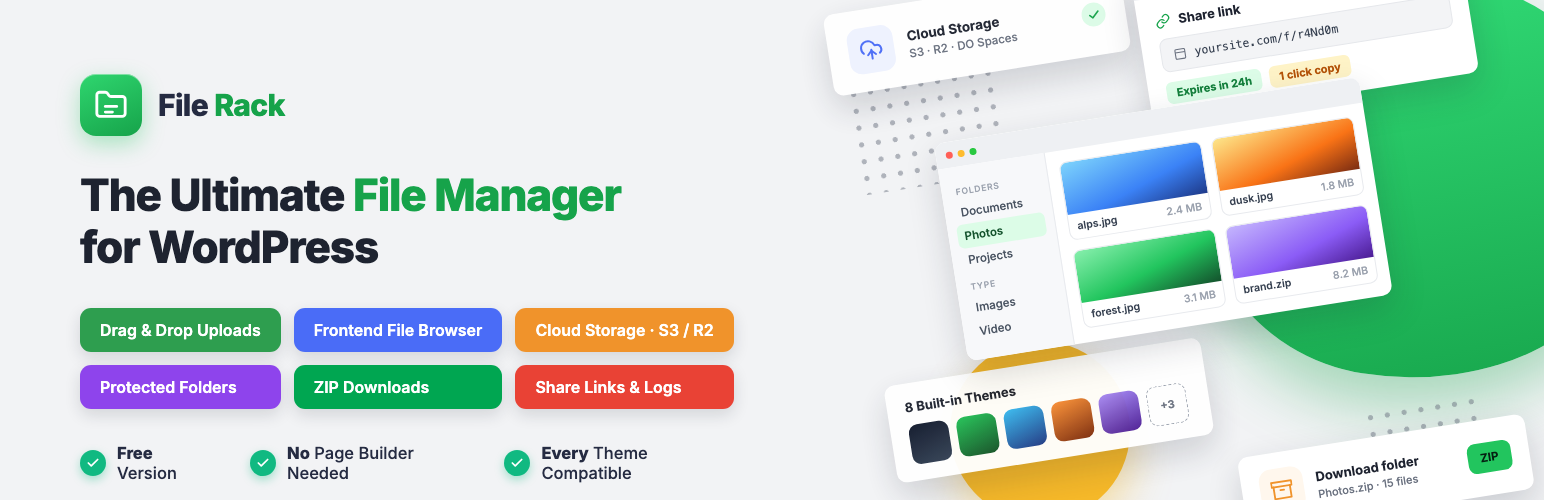
File Rack is a WordPress plugin that combines an explorer-style admin file manager with a branded, searchable frontend downloads hub. It is built for site owners who need a proper home for their files rather than an ever-growing Media Library. From a single dashboard you create folders, drag in uploads, move and rename files, and download whole folders as ZIP archives. Then, with one shortcode or block, you publish a read-only file browser on any page of your site so visitors can browse folders, preview files and download what they need. No FTP access, no custom code and no page builder are required, and the plugin is described as compatible with any theme or page builder.
The plugin addresses three problems the site lists explicitly. First, you can't find anything: with thousands of uploads and no folders there is no real structure, and every new file makes the pile harder to search. Second, there is no client-ready download page: sending a Google Drive link undercuts your brand and gives you zero control over access or presentation. Third, sharing isn't safe: public file URLs never expire, can't be limited and can't be revoked, which the site calls a liability for client work. File Rack responds with an explorer view, a one-shortcode downloads page and, in Pro, expiring and limited share links.
The admin experience is built to feel like a desktop file manager rather than a settings page. You create folders, drag in uploads, multi-select files, move them, rename them and download them without leaving the dashboard. The plugin handles upload conflicts by letting you choose to skip, replace or keep both files, and it can import existing assets straight from the WordPress Media Library. Files are organized with breadcrumbs, sortable columns, grid and list views and unlimited nested folders, so you can drill into a structure the same way you would on your computer. Whole folders can be downloaded as a single ZIP archive with one click.
On the front end, File Rack publishes a read-only file browser that visitors can use to open folders, follow breadcrumbs, filter by media type and preview files inline. It is embedded with the [frontend_file_explorer] shortcode or the File Rack block, and an attribute lets you start the browser at any folder, for example [frontend_file_explorer folder="/course-materials"]. It works in Gutenberg, Elementor, widgets, the classic editor and any shortcode-ready area. Media-type filters cover images, documents, archives and more, and the inline preview modal opens images, PDFs, video and audio without leaving the page. Navigation is AJAX-powered and public access is read-only, and the browser loads only on pages where it is embedded.
Branding is handled with eight built-in themes and thirteen icon packs, which follow your theme's colors so the downloads page does not look like a generic file list. Pro adds custom folder icons and colors on top of the built-in styling. The plugin is described as working with every theme and any page builder, and it is translation-ready.
Security is on by default. The plugin uses nonce-verified AJAX and capability checks, includes path-traversal protection and blocks executable file types out of the box. Public visitors can only browse, preview, download and copy links; uploading, editing, renaming and deleting require a logged-in user with the upload_files capability.
Storage is kept separate from content. Files live in wp-content/uploads/downloads rather than the Media Library, so your downloads library stays independent from the assets your posts use. Pro adds cloud storage: you can mount AWS S3, Cloudflare R2 or DigitalOcean Spaces and browse, rename, move and delete remote files right from WordPress, managing remote files like local ones.
Pro also adds access control. Protected folders can be locked with a password, require a WordPress login, or be restricted to specific user roles, which the site positions as ideal for client portals and members-only downloads. Protected file access blocks direct file URLs and serves every download through the plugin, so folder rules and link limits are actually enforced rather than relying on an honor system.
Secure share links are the core of the Pro sharing story. You send a unique link that carries an expiry from one hour to thirty days, download limits including one-time downloads, an optional password and live usage stats, and you can revoke it instantly. Download logs record every download with the visitor, file and timestamp so you can see which resources are actually being used. Recursive search searches the entire folder tree from the current folder, so visitors find a file no matter how deeply it is nested.
Overall, File Rack separates file management from file delivery. Administration happens in the WordPress dashboard, where you build the folder structure and upload content. Delivery happens on the front end through a shortcode or block that renders a read-only browser for visitors. Pro extends both sides: storage can live in your own cloud bucket, and access to folders and files can be governed by passwords, logins, roles and expiring links that you control.
The stated outcomes map directly to the jobs the plugin is built for: finding a file fast with an explorer view and recursive search, publishing a downloads page with one shortcode or block instead of custom code or an embedded Drive folder, sharing files safely with expiring and limited links, controlling who downloads through password, login or role rules, and looking on-brand with eight themes and thirteen icon packs. On the front end, AJAX navigation, instant previews and one-click downloads keep the experience smooth without page reloads.
The site names four concrete use cases. Course creators deliver workbooks, videos and course materials from a branded downloads area with password-protected folders for enrolled students. Agencies and freelancers give each client a private portal for deliverables, contracts and assets instead of Drive links or ad-hoc file sharing. Membership sites restrict downloads by role or login and log every access as a practical file-delivery layer alongside their membership plugin. WooCommerce stores publish manuals, spec sheets, invoices and product downloads without cluttering the Media Library or exposing raw URLs.
File Rack is aimed at WordPress site owners, course creators, agencies, freelancers, membership sites and WooCommerce stores. It is WordPress 6.x ready, requires PHP 7.4 or later, works with any theme or page builder, is multisite compatible and is translation-ready. The free version is available on WordPress.org under GPLv2+ at $0 forever and includes the admin explorer, unlimited nested folders, drag-and-drop uploads, the frontend browser with previews, eight themes, thirteen icon packs and one-click ZIP downloads. Pro is available monthly at $3.99, annually with 29% savings, or as a one-time lifetime license at $89.99, with secure checkout by Freemius and a 14-day money-back guarantee. File Rack is the new name for Frontend File Explorer, and the free plugin remains available on WordPress.org.
In short, File Rack gives WordPress files a proper home: an explorer-style manager for admins and a branded, secure, one-shortcode downloads hub for visitors, with Pro adding cloud storage, protected access, download logs and controllable share links.
Publisher
A
admin
Launch Date2026-11-27
Platformweb
Pricingfreemium
Tech Stack
#PHP#WordPress