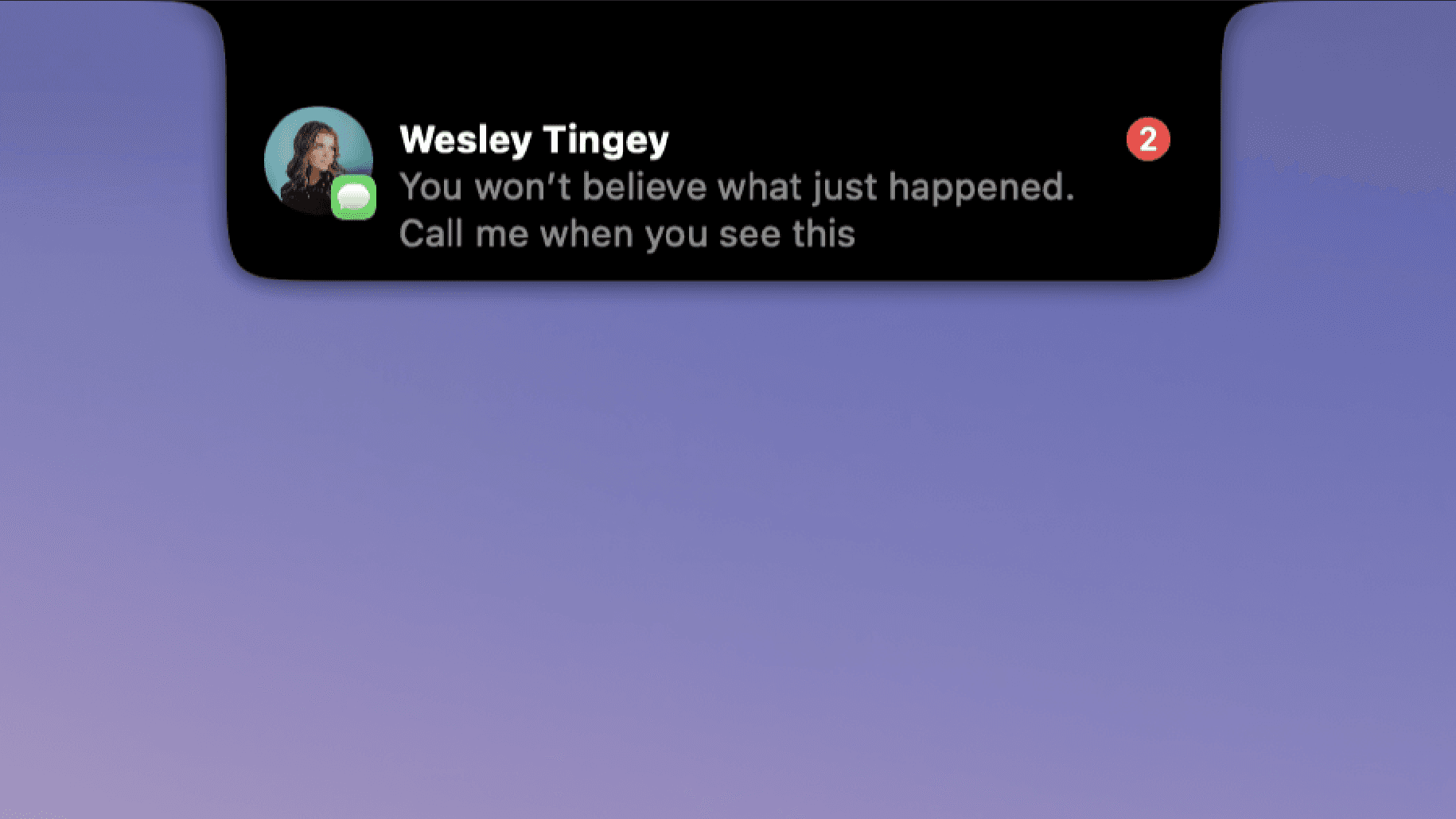
DynamicLake 2.0 is a Mac application that brings a Dynamic Island style experience to the Mac desktop. Its website describes it simply as "Dynamic Island for Mac", and its Product Hunt listing calls it "Dynamic Island for Mac with 3rd Live Activities and more". The product's own description lists plugins, notifications, drag and drop, a converter, calls, AirDrop and a timer among the things it offers. The site states that it is "Inspired by Apple Dynamic Island" and that it follows a "Liquid Glass Design - Inspired by Apple Liquid glass". It is intended for Mac users who want a compact, interactive presence on their screen that surfaces notifications and small everyday utilities in one place, rather than scattering them across separate apps and windows.
The concept behind DynamicLake comes from Apple's Dynamic Island, the interactive element Apple introduced on iPhone that turns a small area at the top of the display into a live, changing surface for activities and alerts. DynamicLake translates that idea to the Mac. On Product Hunt the product is filed under the topics Mac, Menu Bar Apps and Apple, which places it in the family of small Mac utilities that live persistently on the desktop or in the menu bar area so they are always within reach. The appeal of such tools is that they reduce the friction of switching contexts: instead of hunting through windows or opening a separate application, users can glance at a single spot and interact with what is happening right there.
Live Activities and notifications are central to the product. The Product Hunt tagline highlights "3rd Live Activities", indicating that third-party Live Activities are part of what DynamicLake displays, and the official description lists notifications as one of its main capabilities. The website's FAQ devotes specific questions to this area, including "How does Dynamic Lake Pro handle my notifications?" and "Will there be new features added to DynamicLake Pro?", which shows that notification handling is treated as a core part of the Pro experience. For a Mac user, having notifications presented in a single, consistent, island-style surface means the most relevant updates stay visible and actionable without covering the work in progress.
Beyond notifications, DynamicLake bundles a set of small everyday tools. The product description names plugins, drag and drop, a converter and a timer. A converter and a timer are the kind of utilities that are frequently needed for a few seconds at a time and then abandoned, so placing them inside an always-accessible island removes the need to open a dedicated app or a web page for each one. Drag and drop suggests that items can be moved onto the island directly as part of the workflow, and plugins indicate that the surface can be extended with additional pieces of functionality. The tagline's "and more" leaves room for further tools within the same interface.
Communication and file transfer features also appear in the description: calls and AirDrop. Calls listed alongside the other capabilities implies that call information or call handling is surfaced through the same Dynamic Island interface, keeping it visible while the user continues working. AirDrop being included points to dragging files onto the island to send them, or receiving them, through Apple's own transfer mechanism. The FAQ also references "DynaMusix" in the question "Does DynaMusix support all music apps?", which indicates a music-related component associated with the product. Visually, the site states the design is a Liquid Glass design inspired by Apple Liquid Glass, giving the interface a translucent, modern look that sits alongside macOS.
Overall, DynamicLake works as a persistent, interactive layer on the Mac that is modelled on Apple's Dynamic Island. Rather than being a single-purpose utility, it acts as a container: Live Activities, notifications, a converter, a timer, calls, AirDrop and plugins all flow through the same island-shaped surface, and the Liquid Glass styling keeps it visually integrated with the system. The website's FAQ shows that the team thinks about the practical details of running the app day to day, covering which macOS versions are supported, whether it works on non-notch MacBooks, whether it supports external displays, and whether it is compatible with the BetterDisplay app. There are also questions about updating the app to the latest version and what to do when a bug is encountered.
The benefits follow from that design. Placing frequently needed information and mini-tools in one persistent spot reduces app switching and keeps the user's attention on the task at hand. Notifications and Live Activities remain glanceable instead of interrupting with full-screen or modal interruptions. Small jobs such as converting a value or starting a timer no longer require leaving the current window. Communication cues for calls and file transfers arrive in the same place. Because it is inspired by Apple's own Dynamic Island and Liquid Glass design language, the experience feels familiar to anyone who uses an iPhone, while remaining a native-feeling part of the Mac desktop.
Concrete situations the product is suited to include monitoring ongoing Live Activities while working in other applications, keeping notifications under control in a single island surface, running a quick conversion without opening another tool, timing a short task, managing calls so that call information stays visible during work, and sending or receiving files through AirDrop from the same interface. The FAQ also raises external displays and non-notch MacBooks, which correspond to the common setups where users would want the island to remain usable: a MacBook with an external monitor, or a Mac model that does not have a notch at the top of its built-in display. The music-app question tied to DynaMusix points to another scenario, listening to music while working.
On requirements and practicalities, the FAQ covers which macOS versions are supported and whether DynamicLake works on non-notch MacBooks, so compatibility with a range of Mac hardware is part of the pitch. It also asks about external display support and BetterDisplay compatibility. The app appears to be a paid product with a Pro tier: the FAQ asks whether DynamicLake can be tried before purchasing, whether payment can be made with PayPal, and how DynamicLake Pro can be activated on multiple devices. New features are also signalled, with the site asking whether more will be added to DynamicLake Pro. Language support is another documented question. On the technical side, the site notes that the software uses code of FFmpeg licensed under LGPLv3.0. The site carries a 2025 copyright for Aviorrok, and the FAQ also clarifies that AppleLake or Dynamiclake.net are not the same as DynamicLake.
In summary, DynamicLake 2.0 takes the Dynamic Island idea that Apple popularised on iPhone and carries it to the Mac, combining third-party Live Activities, notifications, plugins, drag and drop, a converter, calls, AirDrop and a timer into one Liquid Glass-styled surface. For Mac users who want their alerts, activities and small utilities in a single always-available place, it offers a focused, Apple-inspired way to keep that information close at hand.
Publisher
A
admin
Launch Date2026-09-16
Platformdesktop
Pricingpaid
Tech Stack
#FFmpeg