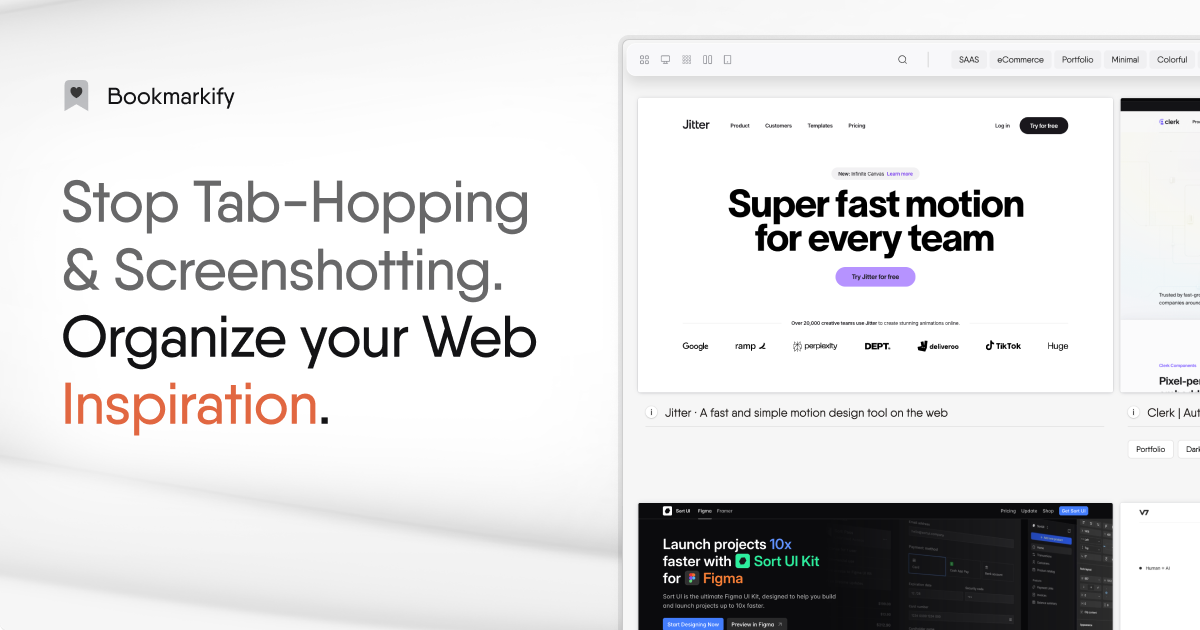
Bookmarkify is a visual bookmark manager designed specifically for web designers, UX designers, and creative professionals who need more than a list of links. It transforms the way you save and revisit websites by capturing full-page, interactive previews that stay alive — letting you browse, extract design details, and arrange them on an infinite canvas. As a visual bookmark manager, it replaces cluttered browser tabs and static screenshots with a living library of inspiration that you can actually use. Whether you are gathering design inspiration, building competitor analyses, or collaborating with a team, Bookmarkify ensures that every saved website remains accessible, searchable, and actionable. Its core value lies in making your bookmarks visually rich and instantly usable, turning everyday browsing into a curated resource that elevates your creative work.
Designers and creatives constantly save interesting websites, but traditional browser bookmarks offer no visual context — just a text list of titles that become impossible to navigate over time. Important inspiration gets buried among hundreds of clutter links, and the creative spark is lost when you cannot quickly recall what made a site compelling. This pain point directly impacts productivity: designers waste minutes digging through tabs or scrolling through old messages to find a reference, while marketers miss opportunities to study competitor layouts. Bookmarkify solves this by providing instant visual previews, organized tags, and powerful search so that every saved site is immediately recognizable and accessible. No more screenshots scattered across folders or forgotten links; the tool brings order and clarity to your web inspiration, freeing you to focus on creating rather than hunting for lost resources.
A standout feature is the ability to save websites as interactive live previews that function without opening a new browser tab. From the extension, you can click on any bookmark to see the full page rendered within the dashboard, allowing you to browse content, navigate links, and even test responsive layouts across desktop, tablet, and mobile views. Bookmarkify offers seven distinct view modes — grid, fullscreen, triple, long, mobile, moodboard, and canvas — each tailored to different workflows. The grid view is perfect for scanning multiple sites at a glance, while the long view shows the entire page scroll. This variety ensures you always see your saved websites in the most relevant format, whether for detailed analysis or broad inspiration. The ability to instantly preview without leaving the dashboard saves significant time and keeps you in a creative flow.
admin
Organizing a growing library of web inspiration is effortless with Bookmarkify's comprehensive tagging, folder, filter, and search system. You can assign custom tags and folders to each bookmark as you save it, then quickly narrow down your collection by filtering by tag, view mode, or date saved. The search function scans both titles and visual content descriptions, making it easy to locate a specific reference even if you don't remember its name. This organizational structure is crucial for professionals who maintain large libraries across multiple projects. For teams, shared workspaces allow collaborative tagging with team-specific colors and labels, ensuring consistent categorization. Combined with the ability to sort by various criteria, these tools turn a potentially chaotic collection into a well-indexed resource. The result is a bookmark manager that scales with your needs, whether you have dozens or thousands of saved websites.
Bookmarkify integrates AI-powered design analysis, branded as Giga AI, that automatically extracts fonts and color palettes from any saved website. With a single click, you can identify typography families, exact hex codes, and contrast schemes used in the page, saving hours of manual inspection. This feature is invaluable for designers who need to replicate styles or understand visual hierarchies. Additionally, the infinite canvas provides an unlimited workspace where you can arrange bookmarks visually, sketch notes, and create moodboards by dragging and dropping sites side by side. The canvas supports both images and videos saved directly from web pages via right-click. Combined with the moodboard view mode, these tools enable creative teams to brainstorm and present ideas visually without switching to separate design apps. The canvas and AI analysis together make Bookmarkify a powerful hub for design research and inspiration.
Bookmarkify's workflow is simple and integrated into existing browsing habits. Install the Chrome or Firefox extension, then save any website with one click — it instantly captures a full-page snapshot with interactive capabilities. All saved sites appear in your Bookmarkify dashboard, where you can organize them using tags, folders, and filters. From there, you can preview each site in various view modes, extract design elements with AI, or arrange them on the infinite canvas. Sharing collections is straightforward: generate a unique URL to send to clients or teammates. For teams, Bookmarkify Collab adds shared workspaces where members can save, comment, and tag together in real time. This end-to-end approach replaces the disjointed process of bookmarking, screenshotting, and note-taking with a single, unified platform. The result is a seamless methodology for capturing, organizing, and leveraging web inspiration across any project.
Concrete use cases demonstrate Bookmarkify's versatility. A web designer collecting daily inspiration can save hundreds of sites, tag them by style or component (e.g., 'hero sections,' 'dark mode'), and later filter to find the perfect reference for a new project. A marketing team conducting competitive analysis can capture competitor landing pages, extract their color palettes and fonts using AI, then arrange them on a canvas to compare strategies side by side. An agency managing multiple client brands uses team workspaces to organize references per client, add comments, and present moodboards directly from the platform. A UX researcher saves interaction patterns, previews them across mobile and desktop to check responsive design, and annotates findings on the canvas. In each scenario, Bookmarkify reduces the time spent searching for inspiration and increases the quality of research, enabling faster, more informed creative decisions.
Bookmarkify is built for web designers, UI/UX designers, creative directors, marketers, product founders, and researchers — anyone who regularly saves web content for reference or inspiration. It is available as a free Chrome extension and as a Firefox extension, with a web dashboard accessible on any browser. The Basic plan offers free access with 12 bookmarks and 3 view modes, enough to evaluate the tool. Pro costs $8 per month and unlocks unlimited bookmarks, all seven view modes, AI design analysis, dark mode, and import/export. Pro Team is $2.90 per seat per month and includes team collaboration features like shared workspaces, comments, and tagging. The platform supports both individual and collaborative use, scaling from solo designers to agency teams. Ultimately, Bookmarkify redefines bookmark management by making every saved website a live, actionable asset, empowering creatives to turn casual browsing into a structured, collaborative design resource.
Bookmarkify is designed for web designers, UI/UX designers, and creative directors who need a visual way to manage web inspiration. It also serves marketers conducting competitor research, product founders gathering market intelligence, and researchers analyzing user interfaces. Agencies and design teams benefit from collaborative workspaces with shared tagging and commenting. Additionally, hobbyists and freelance creatives who collect visual references for projects find value in the free plan.