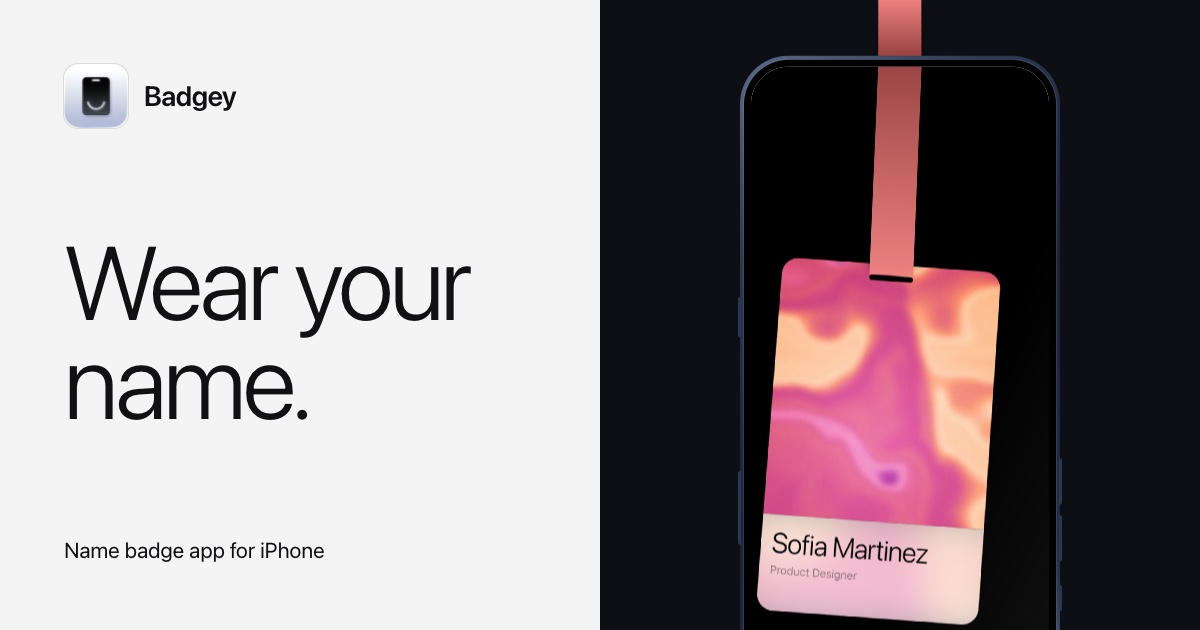
Badgey is a name badge app for iPhone that turns the phone itself into the badge you wear. Instead of printing a card and clipping it on, you create a badge inside the app with a photo, your name, your role and a lanyard colour, then wear the phone. On a lanyard the badge turns to face the people you meet; in a chest pocket it shrinks so your name stays on show above the edge. The app is built for the moments where you introduce yourself over and over — work, conferences and meetups — and it is aimed at anyone who wants their name and role visible without a printed badge, from speakers and organisers to designers, engineers, volunteers and travel writers.
The badge you wear to an event usually starts as a printed card: one name, one role, made for a single day. It is designed for one conference, one meetup or one workplace visit, and once the day is over it is usually thrown away. Badgey starts from a different premise — the screen you already carry in your pocket can show your name, your role and a photo, and it can be re-used for every occasion. Because the badge lives on the iPhone, changing a role, swapping a photo or choosing another lanyard colour takes seconds, and separate badges can be kept for work, conferences and meetups rather than re-writing a paper card by hand for each one.
The central gesture of Badgey is the lanyard flip. You clip your phone to a lanyard and turn it upside down, and the badge turns to face the room so the people you meet read your name and role rather than looking at the back of your phone. On a lanyard the badge also swings as you move, so the card behaves like the printed badge it replaces. The same badge works in a chest pocket: there the app shrinks the layout so your name stays on show above the edge of the pocket, which means you can keep both hands free and still be identifiable without clipping anything on.
Badgey is built around the idea of a badge for every occasion. Work, conferences and meetups each get their own badge, and you swipe between them on the phone. Each badge carries a photo, a name and a role — for example an iOS engineer and speaker, a product designer, an organiser, a volunteer or a travel writer — so the same phone can present a different identity depending on where you are. Switching badges is a swipe rather than a reprint, which makes it practical to arrive at a meetup in the evening with a different badge than the one you wore at work that morning.
The editing model is deliberately direct: photo, name, role and lanyard colour are edited right on the card. You see the badge as you change it, so the result on screen is the result you wear, with no separate settings screen standing between you and the finished badge. Photos such as abstract colour swirls, an aerial view of waves breaking on a sandy beach, or a pink and peach swirl sit on the card, and a blurred backdrop of the same photo appears behind the name and role, giving the badge depth without hiding the text.
Sharing is handled by the QR button. Tap it and the badge flips over to show a QR code for your link, so someone you have just met can scan it instead of typing a URL. The badge therefore does two jobs at once: it tells people who you are at a glance, and it hands over a way to stay in touch when the conversation ends. Flipping the card over for the QR code keeps the same physical object in play rather than asking you to open a separate app mid-conversation.
Badgey's overall approach is to treat the iPhone as a wearable display rather than a document. The badge responds to how the phone is being worn — turned upside down on a lanyard, or sitting in a chest pocket — and stops being a static card. Five designs are available, and Live badges can use animations such as Aurora, a northern lights animation. The app also publishes a promo code offer for Aurora: a free code is sent to your inbox, one code per email while they last, and the address is only used to send it.
The benefits follow from that approach. Your name and role stay visible in the situations where they matter, without printing, handwriting or re-ordering a card. Because the badge is edited on the card itself, keeping it current is quick, and because several badges live in the app, one phone covers work, conferences and meetups. The QR flip removes the awkward step of spelling out a link, and the blurred photo backdrop keeps the badge readable while still carrying a personal image.
Concrete uses line up with the roles shown in the app. A speaker at a conference can wear a badge showing name, role and photo, flip it for a QR code when someone asks for a link, and stop the badge swinging if the movement is distracting. An organiser can keep a separate badge for the event, a volunteer can wear one in a chest pocket while working, and a designer or travel writer can switch to a badge that matches the context — the app's examples run from an iOS engineer and speaker to a product designer, an organiser, a volunteer and a travel writer.
Badgey is an iPhone app, distributed through the App Store, and it is made by Marco Lüthi. The app has a privacy policy and a support page, and its FAQ covers what the app actually does, how it knows the phone is on a lanyard, how it knows it is in a pocket, whether the swing can be stopped, whether you can have more than one badge, how the QR code works, whether the screen turns off while you wear it, and whether an account is needed. Pricing details are not stated on the page; the App Store listing is the place to download it.
The takeaway is straightforward: Badgey turns a phone you already carry into a name badge that faces the room on a lanyard, stays readable in a chest pocket, and shares your link with a QR flip. Multiple badges, on-card editing, five designs and live animations make it a practical alternative to the printed card for work, conferences and meetups.
Publisher
A
admin
Launch Date2026-10-26
Platformmobile
Pricingfree