VVTerm is a native SSH client for Apple devices, purpose-built for iPhone, iPad, and Mac. As a terminal app, it enables secure remote server management with an interface that feels at home on Apple platforms. The app is designed for solo developers managing side projects and production stacks, homelab enthusiasts who check containers and update machines, and technical users who prefer a clean SSH workflow integrated with iCloud and Keychain. Its core value lies in combining fast Ghostty-powered terminal rendering, automatic iCloud sync for server metadata, and Apple Keychain security for credentials, all within a free-to-start model that respects user privacy and simplicity. VVTerm eliminates the need to juggle multiple tools by supporting SSH, Mosh, Tailscale SSH, and Cloudflare Tunnel SSH, making it a versatile and powerful client for any remote work scenario.
Many SSH clients for Apple devices fall short by being either too complex, lacking native iOS support, or failing to securely sync server configurations across devices. VVTerm addresses this by providing a focused terminal app that works seamlessly on iPhone, iPad, and Mac without requiring a separate control plane. Users often struggle with managing multiple server credentials across devices, dealing with outdated terminal emulators, or needing to install additional tools for modern transports like Mosh or Tailscale SSH. VVTerm solves these pain points by offering a native application that leverages Apple's ecosystem: iCloud sync keeps server metadata in sync without manual effort, Keychain stores passwords and SSH keys securely, and the built-in support for multiple connection protocols eliminates the need for separate clients. This matters because remote server management should be as simple and native as the devices users carry daily, reducing friction and increasing productivity for everything from simple updates to complex AI inference workflows.
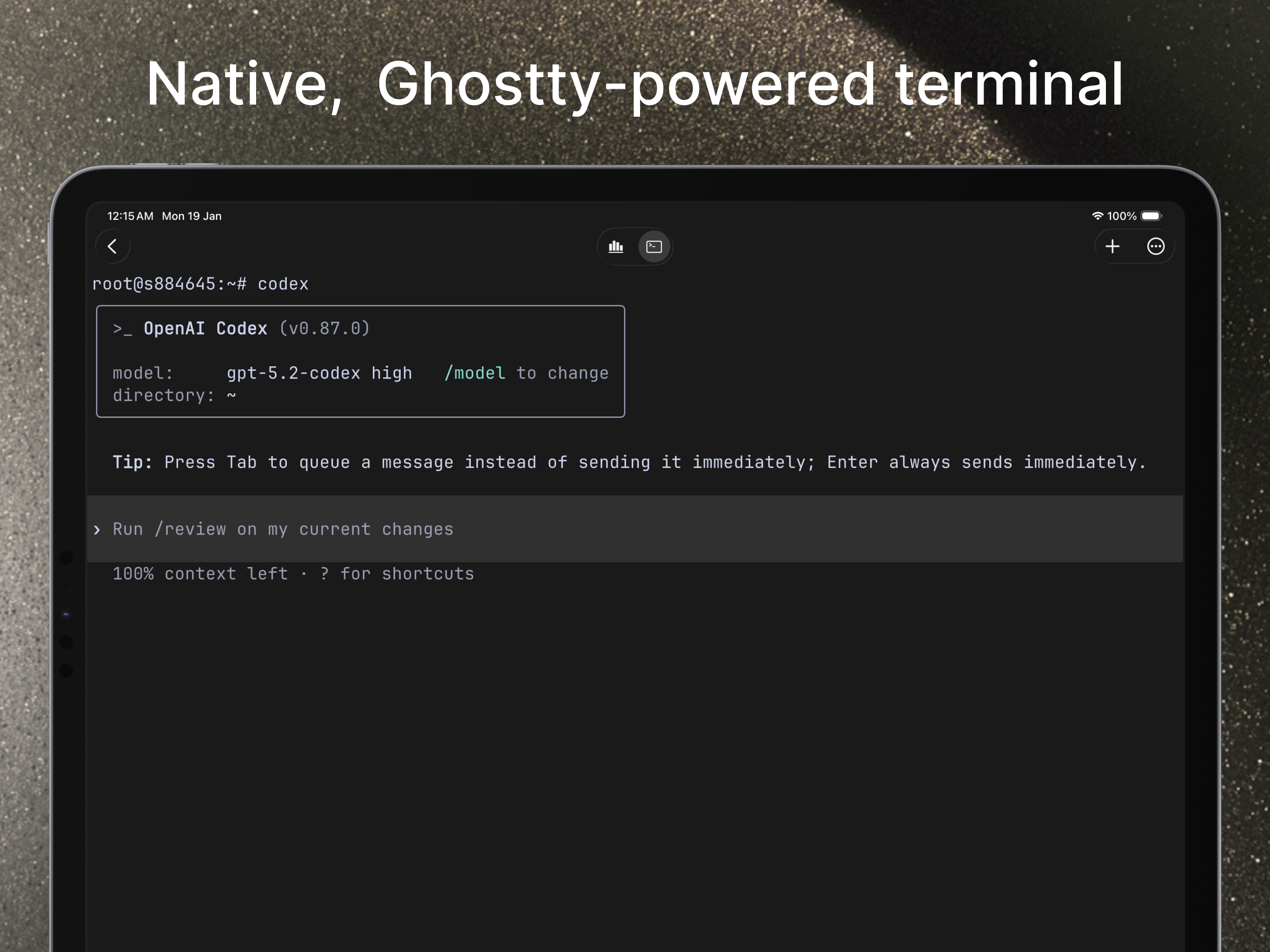
The first major feature group is the Ghostty-powered terminal rendering and multi-protocol support. VVTerm uses libghostty, the same rendering engine from the Ghostty terminal, to deliver fast, accurate terminal emulation with correct behavior for modern shells. This GPU-accelerated rendering ensures that remote sessions feel responsive and smooth, even over high-latency connections. In addition to standard SSH, VVTerm supports Mosh for intermittent connectivity, Tailscale SSH for zero-config secure connections within Tailscale networks, and Cloudflare Tunnel SSH for accessing servers behind Cloudflare tunnels. This flexibility allows users to connect their way without juggling separate tools. The voice-to-command feature further enhances the experience by enabling spoken commands, which is especially useful when typing is inconvenient, such as on an iPhone or iPad without a physical keyboard. Together, these capabilities make remote terminal work faster and simpler on Apple devices.
admin
The second major feature group is the built-in SFTP file browser and inline file preview/editing. VVTerm includes a native SFTP files view that allows users to browse remote folders without switching to a separate SFTP application. From this interface, users can upload and download files, create directories, rename, move, or delete items, and inspect POSIX permissions. A standout capability is the ability to preview text, image, and video files inline, as well as edit supported text files directly within the app. This eliminates the need to download files just to view them or to open a separate editor for quick changes. For server administrators who frequently need to check configuration files, logs, or media assets, this feature streamlines the workflow by keeping everything within the terminal app. The file browser also works seamlessly with the rest of the app, allowing users to jump from a terminal session to file management without losing context.
The third feature group is the organizational capabilities including workspaces, environments, and iCloud sync. VVTerm allows users to organize servers into workspaces and define custom environments for different contexts, such as development, staging, and production. This structure keeps solo infrastructure manageable without the overhead of team-oriented platforms. The free plan includes one workspace, three servers, and one connection tab, while the Pro plan unlocks unlimited workspaces, servers, simultaneous connections, and custom environments. Server metadata (configurations, names, environments) syncs via iCloud across all Apple devices signed into the same Apple ID. Credentials, however, remain protected in Apple Keychain and can optionally sync via iCloud Keychain when enabled. This separation ensures that sensitive data is stored securely while still allowing convenient access across devices. The app also supports multiple tabs, making it easy to work on several servers simultaneously.
VVTerm functions as a native SSH client that integrates deeply with Apple's ecosystem. The workflow begins by adding a server connection using standard SSH, Mosh, Tailscale SSH, or Cloudflare Tunnel SSH. Credentials can be stored in Apple Keychain, allowing automatic authentication on subsequent connections. Once connected, the Ghostty-powered terminal provides a responsive, accurate remote session. Users can manage multiple tabs, each connecting to different servers, and switch between workspaces to keep projects organized. The built-in SFTP file browser is accessible from within any session, enabling file operations without leaving the app. The iCloud sync happens automatically in the background, ensuring that server metadata is up to date on all devices. For users on the free plan, the app provides a generous starting point, while Pro and Lifetime options remove scaling limits. The entire experience is designed to feel native on Apple platforms, with interface elements that respect iOS and macOS conventions.
Concrete use cases for VVTerm include a solo developer managing multiple side projects and client production stacks. They can quickly SSH into each server from a single app, use Mosh for unstable Wi-Fi connections, and transfer files via the SFTP browser without opening another tool. Another scenario is a homelab user who needs to check Docker containers, update Linux machines, or jump between services like Plex and Home Assistant from their iPhone or iPad. VVTerm's iCloud sync ensures the server list is available on whichever device they grab. For professionals working with remote AI and server workflows, VVTerm allows them to check on GPU boxes, run inference on remote hosts, or interact with tools like Codex or Claude Code while away from their desk. The outcome is a streamlined workflow that saves time, reduces context switching, and provides secure, reliable access to servers regardless of location or device.
VVTerm is built for solo developers, homelab enthusiasts, Apple-first technical users, and professionals managing remote AI and server infrastructure. It requires iOS 16+ on iPhone and iPad, or macOS 13+ Ventura on Apple Silicon Macs (Intel Macs are not supported). The tech stack leverages native Apple frameworks for iCloud sync, Keychain, and UI, combined with the Ghostty terminal engine for rendering. The app is open source with a free forever tier for personal use, a Pro subscription ($6.49 monthly or $24.99 yearly) that unlocks unlimited workspaces, servers, connections, and custom environments, and a lifetime purchase ($49.99) that includes all future updates. Refunds are handled by Apple. VVTerm's key takeaway is that it provides a clean, powerful, and affordable SSH client that respects the Apple ecosystem—no bloated control planes, just a focused terminal app for those who manage real machines.
VVTerm is designed for solo developers managing side projects and small production stacks, homelab enthusiasts who need to check containers and update machines from their Apple devices, technical users who prefer native Apple UX on iPhone, iPad, and Mac, and professionals handling remote AI and server workflows such as interacting with Codex, Claude Code, and GPU boxes. It suits anyone who needs a focused, modern SSH client without the overhead of a team-platform control plane.