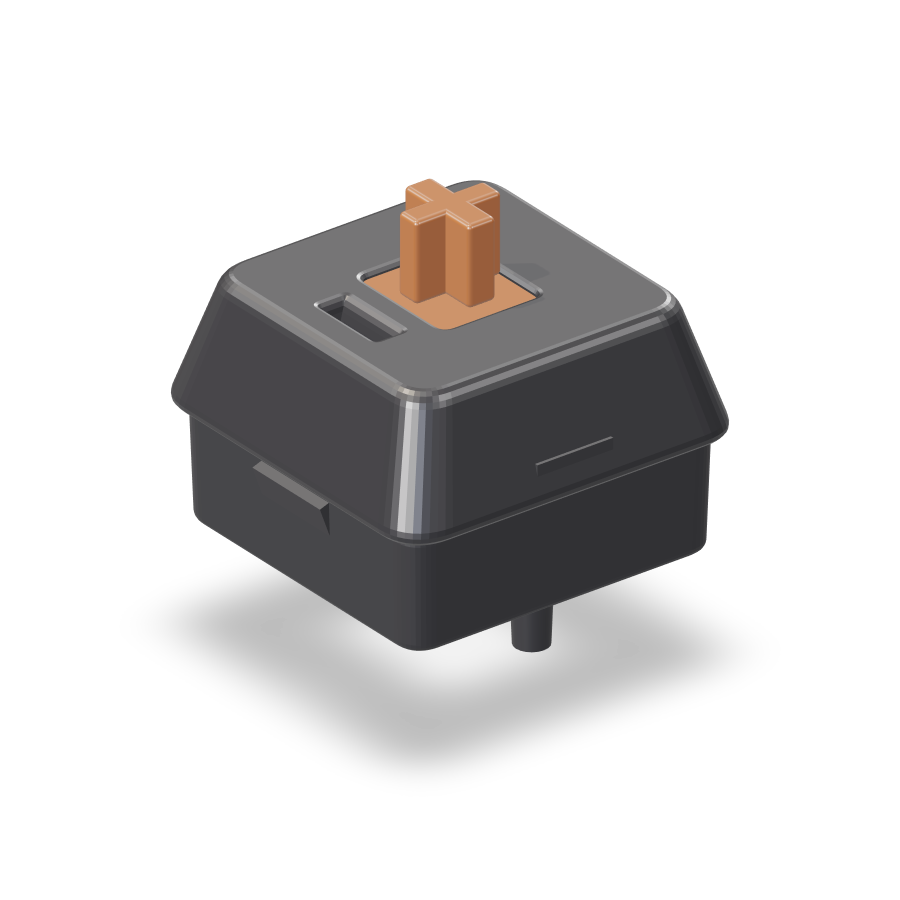
Switch Lab is a browser-based tool for pressing, hearing and comparing mechanical keyboard switches before you buy them. Instead of a spec sheet or a video, you get a 3D keyboard you can interact with: lift the keycaps, look at the switch underneath, swap it for another model and press it to hear the real recorded sound. The library covers 100 popular switches, from MX Red, MX Brown and MX Blue to Oil King and silent switches. Switch Lab is built for anyone shopping for a mechanical keyboard or a set of switches who wants to know how a switch will sound and feel on their own desk before spending money on it.
Buying mechanical keyboard switches is a guessing game. Specs and YouTube videos don't tell you how a switch will sound and feel on your own desk — that framing comes straight from the product itself, and it captures the problem precisely. A switch listing might state its type, its weight and its actuation point, but those numbers do not translate into the sound a key makes when you bottom it out, or the way the spring pushes back under your finger. Videos recorded on someone else's keyboard, desk and microphone only get you part of the way. Switch Lab closes that gap by letting you press a switch, hear its recorded sound and compare it with others in the same session, so the decision rests on what you actually experience rather than on a specification sheet.
Switch Lab starts by explaining what is actually inside a keyboard. Under every keycap your finger touches hides a switch, and the switch decides most of how a key feels and sounds, so changing only the switches makes the same keyboard feel completely different. The site breaks a keyboard into four layers: the keycap — the cap you touch, which pops off and swaps out; the switch — one per key and the star that sets feel and sound; the plate — which holds the switches firmly in place; and the case — the body around it all, which adds a little resonance. Each of the 87 keys sits on an identical switch, and pulling one out reveals the stem you press, the housing around it and the spring inside — the thumbnail-sized part that decides sound and feel.
The central interaction is swapping switches and pressing them yourself. Tap a switch card and its stem really travels down while the recorded sound plays; hold the big switch and it stays pressed all the way down. Each card reports travel against a 4.0 mm scale with an orange mark at the 2.0 mm actuation point, along with loudness and force figures such as 55g for Oil King, 45g for MX Red, 55g for MX Brown, 60g for MX Blue and 50g for Milky Yellow. Cards carry a one-line feel summary — Oil King 'glides down smoothly and bottoms out with a deep thock', MX Red is smooth with no bump, MX Brown has a light bump, MX Blue clicks every press, and Milky Yellow is a soft, tidy clack — plus a type label such as linear, tactile or clicky.
Switch Lab deliberately avoids jargon. Instead of words like 'tactile' or 'actuation force', it tells you how loud a switch is, how heavy it feels and where it works best, showing four things on one screen for every switch: how it feels in one line, who it suits (first mechanical, office, heavy typing and similar), where it is cheapest, and a link to hear more. The price block lists per-switch prices from each store, cheapest first — in the site's example, $0.39 per switch from Store A at 90 pieces, $0.45 from Store B at 70 pieces and $0.52 from Store C at 35 pieces. The 'hear more' link jumps straight to real sound tests on YouTube, searching for something like 'Oil King sound test'.
Once you have found a switch you like, you plug it in and type on it yourself. Drop the switch you pulled out into the empty slot and the keycaps tap back on like a wave; from there, pressing keys on screen or typing on your own keyboard makes the 3D keyboard press along. Practice mode lets you type with the sound you picked, as if you had used the switch for a few days before buying. Sessions range from English and Korean typing to Python and JavaScript coding, and if you finish without a typo your name goes on the leaderboard.
The switch library holds 100 popular switches, from MX Red, Brown and Blue to Oil King and silent switches, and you can filter by type, weight and sound to narrow the list to candidates that fit your taste. Beyond practice, Switch Lab includes mini games — typing marathon, drum stems and metro typing — that turn time with a switch into something more playful than a spec sheet. The 3D keyboard scrolls down the page in numbered sections, moving from a general look at keyboard layers to a single switch close-up, then to pressing, comparing, plugging in and practicing, so the whole evaluation follows the same order you would follow in real life: understand, listen, compare, then try.
Colour is a separate, purely visual layer. You can pick keycap and case colours from five themes — Industrial, Ink Orange, Retro Beige, Lilac Mint and Cream Sage — while the sound stays exactly the same. This matters because the same switch can look completely different depending on the keycaps and case around it, and buyers often choose a keyboard at least partly on appearance. Letting you change the look while holding the sound constant keeps the comparison honest: when you switch from one theme to another, you know that any change in impression comes from the visuals, not from the audio.
The core approach pairs a 3D keyboard model with recordings of real switches rather than synthesised or approximated sounds. The stem animation is tied to the playback of the recording and to the travel scale, so pressing and listening happen together instead of in two separate steps. The same model is reused across features: the switch you pull out in the close-up is the switch you drop into the keyboard, the switch you type on in practice, and the switch whose card you compare in the picks list. Everything runs in the browser — no install, no sign-up — and it works on phone and desktop, so you can pull it up while shopping online or standing in front of a display.
The benefit is confidence before you spend. Instead of ordering a set of switches based on a written description and hoping, you hear a recorded sound, watch the stem travel, read a plain-language feel line, see who the switch is recommended for and check what it costs per switch across stores. Comparing several switches back to back in the same session is far easier than opening a dozen tabs of reviews and videos. Practice sessions let you live with the pick for a few minutes, and the leaderboard gives you a small reason to keep typing, which means more time hearing the switch you are considering.
Typical use cases follow the site's own flow. Someone buying their first mechanical keyboard can start with switches labelled 'first mech' and work up from there. An office worker can filter toward quiet options like Oil King, described as not loud and fine at the office. A heavy typist can look at weight and force figures. A shopper comparing stores can check the per-switch prices from Store A, B and C before ordering 70 or 90 pieces. A developer can run a Python or JavaScript session to hear the switch under coding-speed typing. And anyone who wants a quick break can open a mini game such as typing marathon, drum stems or metro typing.
Switch Lab is aimed at people shopping for mechanical keyboard switches and keyboards — first-time buyers who do not know what 'tactile' or 'actuation force' means, office workers who need something quiet, heavy typists, and anyone who cares about sound as much as specs. It requires no install and no sign-up, and works on both phone and desktop. The site also notes that 100 popular switches are available to press, spanning MX Red, Brown and Blue, Oil King and silent switches, and that each switch card includes per-switch prices from multiple stores so you can see where it is cheapest.
Switch Lab's proposition is simple: press it, hear it, then buy it. By combining a 3D keyboard, real recorded switch sounds, plain-language descriptions, per-switch price comparisons, a plug-in typing mode, practice sessions and mini games in one browser page, it turns switch shopping from a guessing game into something you can actually try. For anyone who has ever wondered how a switch would sound on their own desk, that is the whole point.
Publisher
A
admin
Launch Date2026-10-20
Platformweb
Pricingfree