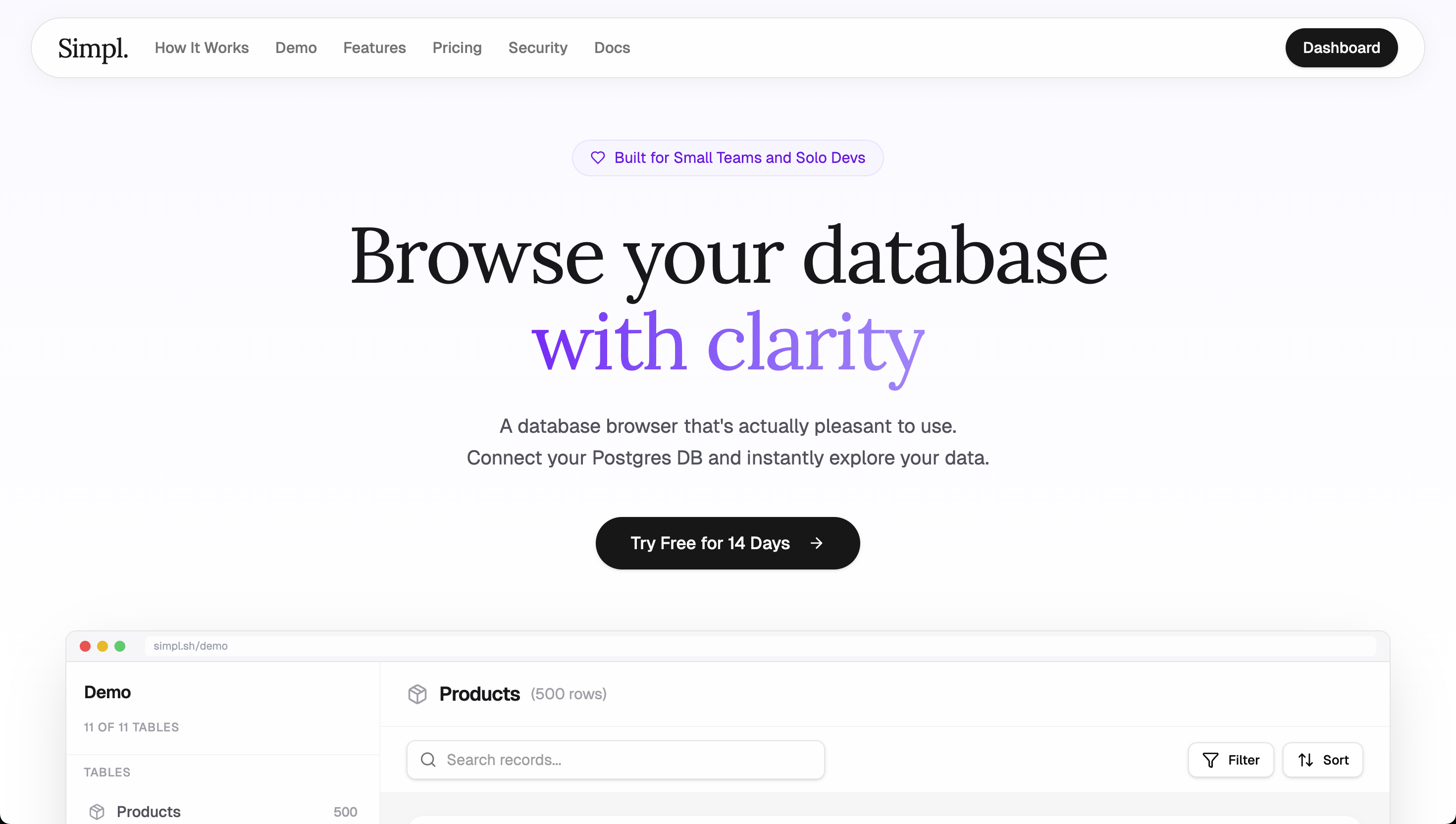
Simpl is a pleasant Postgres browser designed for developers, data analysts, and database administrators who seek a calm, opinionated way to explore real PostgreSQL databases. Instead of overwhelming users with cluttered interfaces and endless configuration options, Simpl prioritizes clarity and ease of use. Its core value proposition is transforming database browsing from a tedious chore into an intuitive discovery experience. By focusing on the essential actions—connecting, browsing, filtering, and editing—Simpl reduces cognitive overhead and lets you work with your data more efficiently. This desktop application connects directly to your Postgres instance, offering a straightforward alternative to traditional database management tools.
The concrete problem Simpl solves is the frustration and inefficiency of traditional database browsers. Most tools either are too simplistic (like basic admin panels) or too complex (like full-featured IDEs) with cluttered interfaces that make it hard to find what you need. Simpl addresses this by providing an opinionated, focused experience that lets you browse your Postgres database with clarity. Users no longer need to write SQL just to see related records—relationship navigation handles that naturally. Type-aware filters replace the need for manual query construction, while the schema diagram gives an instant visual overview of all tables and columns. These features eliminate common pain points: time wasted on setup, cognitive overload from too many options, and the tedium of repetitive SQL queries. The result is a tool that feels less like work and more like discovery.
Connect in Seconds is the first major feature. As described, you simply paste your PostgreSQL connection string, and Simpl encrypts it with AES-256 and tests the connection before saving. This means you can go from zero to browsing in under a minute. No need to configure drivers, set up ODBC, or fiddle with connection parameters. Once connected, Simpl automatically discovers your schema: it detects all tables, columns, relationships, and data types without any manual mapping. This is useful because it immediately gives you a complete picture of your database structure. You don't have to hunt for foreign key constraints or guess column types—Simpl presents them clearly. This feature dramatically reduces the time to first query and makes it easy for new team members to get up to speed with unfamiliar databases.
Simpl's Relationship Navigation lets you follow foreign keys naturally, moving from one table to related records with a single click. Instead of writing JOIN queries or manually looking up IDs, you can explore the data graph as it was intended. This simplifies understanding how tables connect and makes data traversal feel intuitive. Complementing this is Powerful Filtering: type-aware filters that adapt to the data type—text, numbers, dates, booleans, and more—allow you build complex queries without writing a single line of SQL. The filter interface shows options relevant to the column type, preventing syntax errors and guesswork. Together, these features turn database exploration into an effortless experience. You can quickly isolate specific records, drill into relationships, and uncover patterns without cognitive overhead. This is especially valuable for data analysts who need to answer questions on the fly without waiting for SQL queries.
admin
Inline Editing allows you to modify individual fields directly in the detail view, with type-specific inputs for dates, JSON, and other formats. This means you can correct data errors or update records without needing to construct UPDATE statements. The schema diagram provides an interactive visual representation of your database structure, showing all tables, columns, and relationships at a glance. It updates dynamically as you select different tables, helping you maintain a clear mental model of the schema. These features are particularly useful for database administrators who need to make quick corrections or for developers who want to visualize entity relationships before writing code. The combination of direct editing and visual overview reduces the risk of mistakes and speeds up common tasks.
Simpl's overall workflow is designed to start from a minimal setup and progress to deep data exploration. The three-step process—Connect, Discover, Start Exploring—guides users seamlessly. After connecting with a simple connection string, the tool automatically discovers the schema. Then, users can browse tables, follow relationships, and search across records using an interface that prioritizes clarity. The approach is opinionated: instead of offering hundreds of configurations, Simpl provides a streamlined set of tools that handle the most common tasks. This methodology reduces the learning curve and lets users focus on the data. Every action, from filtering to editing, is designed to feel like a natural extension of the data browser. Simpl's philosophy is that database browsing should be satisfying, not frustrating. Security is also fundamental: as a desktop app, all data stays local, with credentials encrypted using AES-256-GCM and direct connections ensuring no third-party interception.
Concrete use cases showcase Simpl's value. For example, when onboarding new developers to an existing database, they can use the schema diagram and relationship navigation to quickly grasp the structure without needing external documentation. Data analysts performing ad-hoc analysis can leverage type-aware filters to answer business questions like "Find all orders from last month with total over $500" without writing SQL. During development, a programmer can inspect the schema diagram to understand table relationships before crafting queries. Database administrators find inline editing invaluable for quick data corrections, such as fixing a typo in a user's email. Another scenario is data auditing: browsing through records with powerful filters and following foreign keys to trace data lineage, uncovering anomalies faster. The outcome across these scenarios is a significant reduction in time spent on tooling and query writing, and a corresponding increase in actual data understanding and productivity.
Simpl targets developers, data analysts, and database administrators who work with PostgreSQL databases. It is a desktop application that runs on major operating systems, offering a local-first experience where data never leaves the user's machine. The tech stack centers on PostgreSQL connections, with local encryption using AES-256-GCM for credential storage and security features like SQL injection prevention via identifier allow-listing, PostgreSQL identifier quoting, and parameterized queries. Pricing is straightforward: try it free for 14 days with no credit card required, then a single purchase grants the product forever. This one-price model aligns with Simpl's philosophy of simplicity—no subscriptions, no hidden fees. In summary, Simpl delivers a pleasant, calm, and opinionated Postgres browser that prioritizes clarity and user focus, making database exploration a satisfying and productive experience.
Simpl is designed for developers who regularly interact with PostgreSQL databases and want a more pleasant, efficient browsing experience. Data analysts benefit from the type-aware filtering and relationship navigation to answer questions without writing SQL. Database administrators find value in the schema overview, inline editing, and local security for quick corrections and audits. Product managers and technical leads who need to understand database structures for planning or troubleshooting also appreciate the clarity and minimal setup. While it serves these specific roles, anyone working with Postgres data who values a calm, opinionated interface over feature-bloated tools will find Simpl an ideal choice.