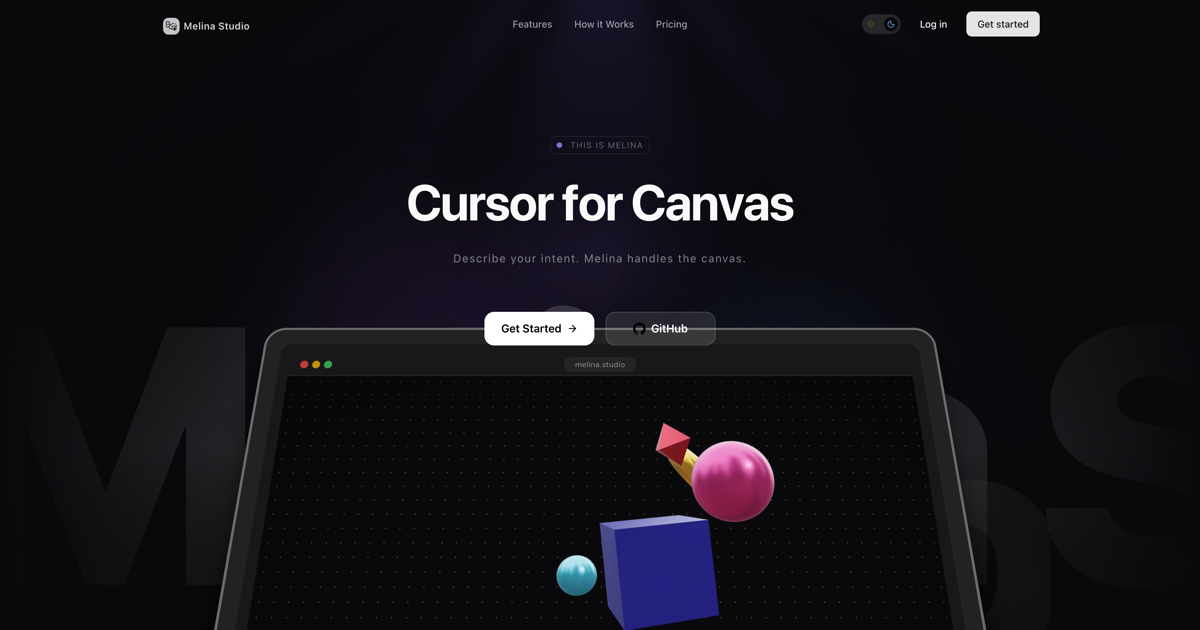
Melina Studio is an AI canvas tool that reimagines the digital whiteboard as a conversational partner. Classified as a generative design assistant, it is built for creators, designers, and thinkers who want to turn abstract ideas into concrete visuals without wrestling with complex software. The core value lies in its ability to understand the user’s intent and execute design actions directly on the canvas. By simply describing what they want to change, create, or explore, users can see their thoughts materialize in real time. This tool effectively acts as a cursor for the canvas—not a manual pointer but an intelligent agent that interprets spatial and semantic context. It lowers the barrier to visual creation, making it accessible to both seasoned designers and newcomers alike.
Traditional design tools force users to navigate layers, palettes, and toolbars, breaking creative flow and requiring technical know‑how. Melina eliminates these friction points by letting users communicate their vision naturally. Instead of manually selecting tools, dragging nodes, or adjusting sliders, users simply tell Melina what to do. This greatly reduces the time from idea to visualization. The pain point is especially acute for brainstorming sessions, where rapid iteration is essential but often hampered by interface complexity. Designers often struggle to capture a fleeting thought before it disappears; Melina’s on‑the‑fly editing preserves that creative momentum. By handling the mechanical aspects of design, it frees users to focus on what matters: the ideas themselves. The result is a fluid, intuitive creation process that mirrors conversation more than traditional design workflows.
Melina’s core interaction starts with ‘Describe Your Intent.’ Users speak or type natural language commands such as ‘add a red circle in the upper left’ or ‘change this shape to a star.’ Melina parses the instruction and applies it to the canvas. This feature works hand‑in‑hand with ‘Canvas‑Aware by Design,’ a capability that lets Melina actually see the visual elements on the board—shapes, text, colors, and their spatial relationships. Unlike basic AI assistants that only process isolated text prompts, Melina understands the full visual context. When a user says ‘move that rectangle to the right,’ Melina knows which rectangle is referenced based on position and attributes. This contextual understanding ensures that edits are precise and harmonious with the existing layout. Together, these features eliminate the need to describe coordinates or manually adjust objects, making design as simple as having a conversation.
admin
A standout capability is ‘Choose How Melina Thinks,’ which lets users switch between multiple large language models depending on the task. Melina supports Claude, GPT‑5.1, Gemini, DeepSeek, Kimi, and Llama—each offering different strengths. For creative brainstorming, Claude’s artistic insight may be preferred; for technical refinements, GPT‑5.1’s structured reasoning can be more effective. This flexibility means users are not locked into a single AI’s approach; they can select the best model for the job directly from the canvas. The switch happens instantly, and Melina continues to operate with the new model’s capabilities. This feature is particularly valuable for teams with diverse disciplines—marketers, engineers, and designers can all use the same canvas, each leveraging their preferred AI model. It also future‑proofs the tool, as new models can be added over time without disrupting the user experience.
Melina guarantees ‘Instant, Visible Changes’ every time it acts on the canvas. Edits appear immediately—no refreshing or loading screens—creating a seamless, responsive interaction. This real‑time feedback loop is crucial for iterative design, where each prompt builds on the previous result. Complementing this is ‘Designed for Focus’: the interface is intentionally minimal and adapts to the user’s system preferences, offering a calm, distraction‑free environment. No toolbars, pop‑ups, or extraneous controls compete for attention. Additionally, ‘Nothing Gets Lost’ ensures automatic saving of every change. Users can experiment freely, even undoing or exploring alternate branches, without fear of losing work. These three features together create an optimized creative flow: instant results in a quiet space with complete safety. The combination addresses the common frustrations of design tools—lag, clutter, and data loss—head‑on.
Melina’s workflow follows a simple loop: open the canvas, describe your intent, and watch Melina handle the execution. There is no preliminary setup or configuration needed. The canvas starts blank, and the user initiates a conversation—for example, ‘create a mind map about renewable energy.’ Melina interprets the request, uses its canvas‑aware understanding to generate elements, and places them appropriately. The user can then continue the dialogue, adding details or modifications. Each instruction is processed in real time, with changes appearing as soon as the model responds. The system automatically saves the state after every action, so the user never has to remember to save. If they wish to change the underlying AI model, they can do so without interrupting the session. This conversational methodology turns design into a back‑and‑forth dialogue rather than a series of manual operations. The emphasis is on natural interaction and immediate results.
Users leverage Melina for diverse scenarios. A designer prototyping a landing page says ‘create a hero section with a large headline and a call‑to‑action button on the right,’ and Melina builds it instantly. They then refine by saying ‘change the button color to green and add a shadow.’ The outcome is a rapid, iterative design that would normally require multiple tools and considerable time. A teacher planning a lesson asks Melina to ‘draw a diagram of the water cycle with labels,’ and the visual appears on the canvas—ideal for classroom materials. A remote team brainstorms product features by describing sticky notes and relationships; Melina lays out the ideas spatially. Each scenario ends with a usable artifact created in minutes, not hours. Users report increased productivity and creative satisfaction because they can stay in their flow without switching contexts. The key outcome is that complex visual ideas become accessible to anyone who can describe them.
Melina is designed for designers, product managers, educators, developers, and creative professionals who regularly need to visualize concepts quickly. The tool runs entirely in the browser, requiring no installation—it is platform‑agnostic and works on any modern system. Its technology stack is built on top of multiple AI models (Claude, GPT‑5.1, Gemini, etc.), and the interface is rendered as a lightweight canvas. Currently, Melina is free to use with no credit card required, making it accessible for individuals and small teams. There is no mention of premium tiers or limitations at this stage. The primary takeaway is that Melina Studio redefines the design assistant as a true canvas cursor—conversational, context‑aware, and instantaneous. It allows anyone to turn verbal intent into visual clarity, removing the barrier between thought and creation. For those seeking a simpler, more intuitive approach to digital design, Melina offers a compelling new paradigm.
Designers, product managers, creative professionals, educators, and developers who need a fast, intuitive way to translate ideas into visual form without manual design effort. Also suitable for remote teams seeking a collaborative canvas that understands natural language and multiple AI backends. Freelancers and small businesses can leverage its free tier to prototype and communicate concepts visually.