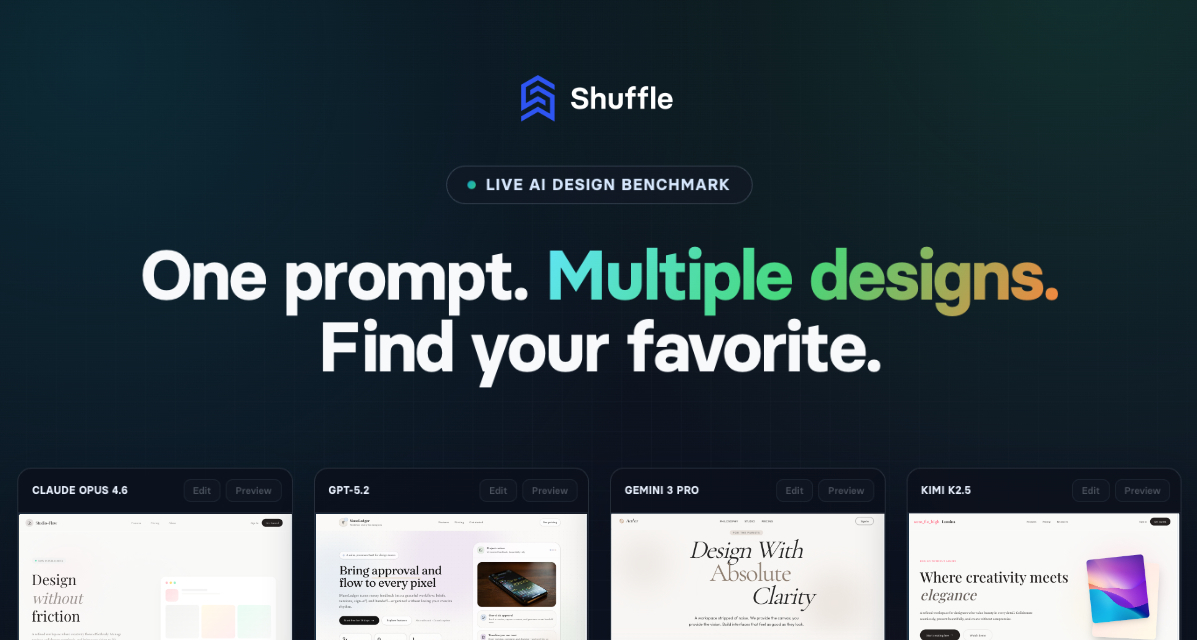
AI Design Arena, also known as the Live AI Design Benchmark, is a multi-model website generation tool built by Shuffle. It allows users to enter a single descriptive prompt and watch as multiple leading AI models—including Claude Opus 4.8, GPT 5.5, Gemini 3.5 Flash, and Gemini 3.1 Pro—generate independent website designs in parallel. The core value is eliminating the guesswork of relying on a single AI output. Instead, users get a variety of layout concepts, visual styles, and content interpretations from different models. This tool is designed for web developers, designers, and agency owners who want to quickly explore design directions without manual brainstorming or repeated prompting. The entire process is live: designs appear side by side as they are generated, enabling instant comparison and confident decision-making. AI Design Arena transforms the typical AI design workflow from a solitary generation into a competitive, choice-driven experience.
The primary pain point AI Design Arena solves is the frustration of committing to a single AI-generated design without knowing if a better option existed. Traditional AI website tools produce one output per prompt, forcing users to either accept it or regenerate repeatedly in hopes of improvement. This iterative process is time-consuming and often leads to settling for a mediocre result. With AI Design Arena, users receive multiple distinct concepts simultaneously, each from a different AI model with its own design philosophy. This diversity ensures that the user is exposed to a range of layouts, color schemes, typography choices, and content structures. The ability to compare them side by side removes the anxiety of missing a better alternative. For agencies and freelancers presenting to clients, having multiple polished options from a single brief streamlines the approval process and demonstrates creative breadth. Ultimately, the tool saves hours of manual work and reduces the risk of choosing a suboptimal design.
The first major feature group is the Prompt Builder, which provides structured controls to refine the AI’s output. Instead of a freeform text box alone, users can select from dropdowns for Website Goal (e.g., SaaS homepage, landing page, lead generation, portfolio, blog, data dashboard), Target Audience (general users, professionals, developers, designers, enterprise buyers, consumers), Visual Style (modern, minimal, clean, bold, elegant, playful, corporate, futuristic), Typography Style (sans-serif, serif, rounded, tech-style, large headings, compact text), and Color Scheme (light, dark, neutral, high contrast, pastel, monochrome). Additionally, users can specify primary and body fonts, a primary color, and configure up to three sections (hero, features, pricing, etc.) in the demo. This granular control ensures that the AI models receive a precise brief, leading to designs that closely match the user’s vision. The Prompt Builder reduces ambiguity and improves the relevance of every generated concept, making the tool accessible even for non-designers who can articulate their needs through these parameters.
admin
The second major feature is the side-by-side preview grid, which displays all AI-generated designs simultaneously. As each model—Claude Opus 4.8, GPT 5.5, Gemini 3.5 Flash, and Gemini 3.1 Pro—completes its generation, its live preview appears in a dedicated panel. Users can scroll through the full page of each design, zoom in on details, and compare layouts, color usage, typography, and content structure at a glance. This real-time comparison is the core differentiator of AI Design Arena. Instead of toggling between tabs or saving separate files, the user sees every option in one view. The interface also shows the status of each model (e.g., “Ready to start” or generating). Once all designs are ready, the user can click “Edit Project” on their favorite to open it directly in the Shuffle Editor for further customization. This feature eliminates the need for manual screenshot comps and accelerates the decision-making process significantly.
The third feature group revolves around customization and export capabilities. After selecting a winning design, users can open it in Shuffle’s visual editor, which offers a drag-and-drop interface for modifying components, colors, typography, and layout without writing code. The editor supports real-time preview across devices (desktop and mobile toggle). Once satisfied, users can export the project to production-ready code in multiple frameworks: Next.js, WordPress, Symfony, Laravel, Tailwind CSS, or plain HTML. This code is described as clean and predictable, allowing developers to integrate it into existing projects or deploy directly. Additionally, users can upload reference images, logos, or videos for the AI to include in the design, and use the “Surprise Me!” button for random prompt inspiration. The combination of AI generation, visual editing, and multi-stack export makes AI Design Arena an end-to-end solution for modern web development.
The overall workflow of AI Design Arena is a five-step process as outlined on the site: 1) Describe your website with a detailed prompt, optionally using the Prompt Builder to set goal, audience, style, and sections. 2) Multiple AI models—Claude, GPT, Gemini, and Kimi—receive the prompt simultaneously and generate independent designs in parallel. 3) Compare all designs side by side in the live preview grid. 4) Pick the winning design and open it in Shuffle’s visual editor to customize every element via drag-and-drop. 5) Export the final design as clean code to your chosen tech stack. This methodology ensures that the user is not locked into one AI’s interpretation but gains a competitive arena where the best design emerges on merit. The entire process from prompt to exportable code can be completed in minutes, far faster than traditional design iteration cycles.
Concrete use cases include crafting a SaaS homepage with clear call-to-action sections, generating multiple landing page concepts for lead generation campaigns, building a portfolio site with unique visual styles, or creating a data dashboard layout. Agencies can use AI Design Arena to present clients with three to four distinct design directions from a single brief, speeding up the feedback loop and reducing revision cycles. For personal projects, developers can quickly spin up a blog or product showcase without spending hours on layout design. The featured design examples on the site show prompts like “Design a landing page in the style of an avant-garde editorial magazine” which yielded dramatically different results from each AI model—demonstrating the creative diversity. The outcome is a faster, more confident design selection, and a polished final product that can be edited and exported to production in one seamless pipeline.
AI Design Arena targets web developers, front-end designers, startup founders, and digital agencies who need to build websites quickly without sacrificing quality. It is part of the Shuffle ecosystem, which includes the Shuffle Editor, Components Gallery, Library Creator, and Design CLI. The platform is web-based and requires no local installation. Pricing includes a free demo with limited generations, monthly and yearly subscriptions, and a lifetime license offering 1,000 multi-AI generations per month forever, plus 2.5M AI tokens for AI agents. The lifetime plan is positioned as the best value, with access to all future updates. AI Design Arena supports export to multiple tech stacks, ensuring no vendor lock-in. The tool’s primary takeaway is that it transforms single-output AI generation into a competitive, choice-rich experience, empowering users to find the perfect design faster and with more confidence.
Web developers, front-end designers, startup founders, digital agencies, freelance designers, and product managers who need to rapidly generate and compare website design concepts. The tool is ideal for those building landing pages, SaaS interfaces, portfolios, blogs, or data dashboards. It suits both technical users who want to export clean code and non-coders who prefer visual editing. Agencies benefit from presenting multiple AI-generated options to clients, while solo developers save time by iterating on diverse layouts from a single prompt.