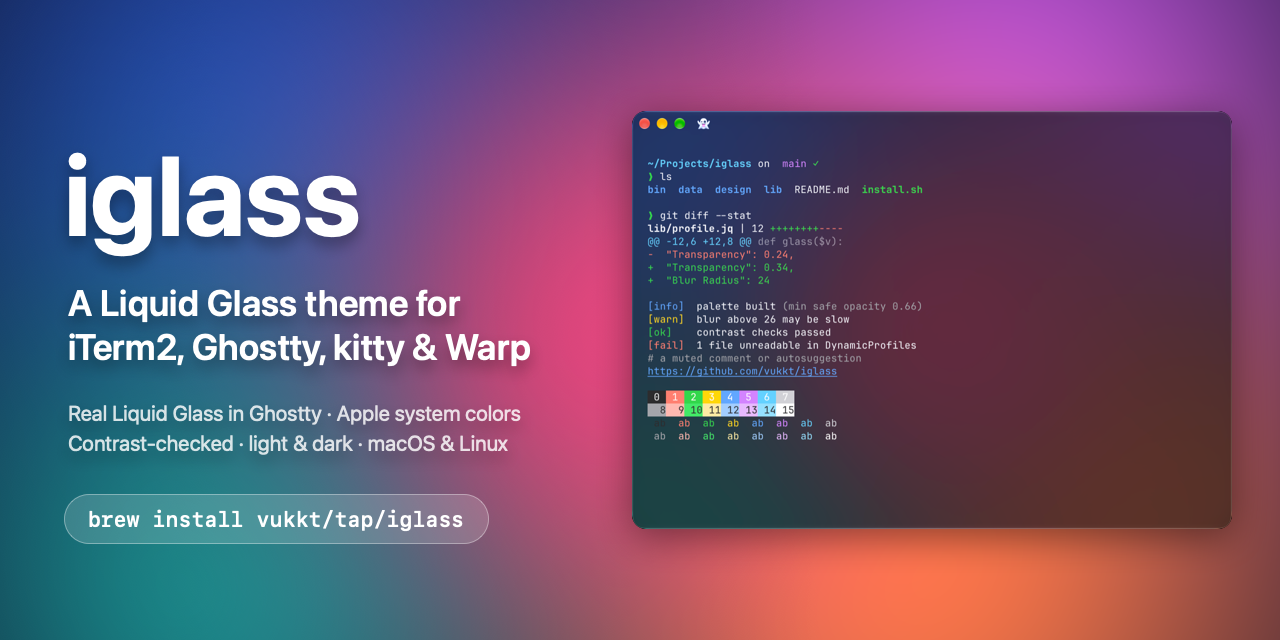
iglass is a free, open-source "Liquid Glass" theme for terminal emulators — iTerm2, Ghostty and kitty — on macOS and Linux. Its purpose is deliberately narrow: it changes how the terminal looks and nothing else. The project states plainly that "only the look changes," that your font, shortcuts and shell stay yours, and that everything iglass touches can be restored exactly. Support differs by terminal and platform. On macOS, Ghostty gets real Liquid Glass on macOS 26 and later; kitty gets kitty's own blur, the same palettes and glass levels, and a title bar that is part of the glass; iTerm2 gets transparency, blur and a tuned palette, with an optional native title bar and default profile. On Linux, Ghostty and kitty get blur on KDE Plasma, Hyprland, niri and GNOME 51.
Terminal themes usually ask for trust. A theme can quietly rewrite configuration files, change the font or keybindings, and leave a setup that is hard to unwind if you do not like the result. iglass is built around the opposite assumption: the visual change should be the only change, it should be checked before it is applied, backed up first, and undone completely when you remove it. The theme also targets a specific visual gap — terminals are typically flat, opaque panels, while the modern desktop around them is translucent and layered. iglass closes that gap on each terminal using whatever mechanism that terminal actually offers, so the result looks native instead of simulated, and it does so without taking ownership of the rest of your configuration.
The headline capability is real Liquid Glass. In Ghostty on macOS 26 or newer, iglass uses Apple's own glass material rather than an imitation, which means the translucency comes from the same visual system as the rest of the operating system. On top of that material the theme offers four levels of glass, mirroring Apple's options: Clear (50%), Frosted (the default), Tinted (18%) and Solid (opaque). Clear lets the most of your desktop show through, Frosted is the middle ground the project ships as the default, Tinted keeps more of the window background and therefore more text contrast, and Solid removes see-through entirely for anyone who wants the palette without translucency. The same palette is presented at all four levels, so moving between them changes how much shows through rather than which colors you get.
iglass also ships eight accents — the macOS accent colors — applied to the cursor, selection and links. These let the terminal match the accent you already use across macOS or deliberately contrast with it, and because the accent is scoped to those specific elements it does not disturb the rest of the palette. Light and dark are handled with separate palettes: by default they follow your system appearance, so the terminal changes with the rest of your desktop, or you can keep it dark using `--appearance dark`. kitty is explicitly described as having colors that follow light and dark mode, and its title bar is part of the glass rather than a separate chrome element.
Every color in iglass is contrast-checked, and the check is done against the window as it looks over your desktop, not against a flat background. That distinction matters for a glass theme: the background behind the terminal is your wallpaper, and it changes as windows move. Measuring legibility against the composite the user actually sees is a more honest test than checking against a solid color that never appears on screen. Safety is handled the same way. Changes are validated before they are written, existing files are backed up first, and `iglass uninstall` undoes everything byte for byte, returning the terminal to its prior state.
Getting started is a single command. On macOS and Linux you install with Homebrew via `brew install vukkt/tap/iglass`, or with a shell script fetched from the project's GitHub repository and piped to bash with `curl -fsSL https://raw.githubusercontent.com/vukkt/iglass/main/install.sh | bash`. After that you run `iglass install`, which sets up the terminal you are currently in; `iglass uninstall` reverses it. The installer is context-aware on Linux: it recognises your desktop and distribution, applies the Tinted level where there is no blur available, and shows the right install hints for distributions such as Garuda, Arch, Ubuntu and Fedora. On macOS, iTerm2 can optionally be given a native title bar and set as the default profile.
The outcome is a terminal that feels native to a glass-styled desktop — translucent window backgrounds, a glass title bar in kitty, matched accents and a light/dark palette that tracks the system — without the usual side effects of theming. Your font, shortcuts and shell configuration are untouched, the installation is backed up and reversible, and the colour choices are checked for contrast in the situation they will actually be seen. Trying iglass does not commit you to it, because the install validates before writing and the uninstall restores exactly what was there before.
Typical uses map directly to the supported terminals. A Ghostty user on macOS 26 or newer who wants the terminal to match Apple's Liquid Glass design language picks the material and a glass level and leaves the rest alone. A kitty user on macOS or Linux gets kitty's own blur plus a title bar that is part of the glass. An iTerm2 user gets transparency, blur and a tuned palette, optionally with a native title bar and a default profile. A Linux user on KDE Plasma, Hyprland, niri or GNOME 51 gets blur where the desktop supports it and Tinted where it does not. And anyone who simply wants to see how their setup would look with glass can install, judge it, and uninstall cleanly.
iglass is free and MIT-licensed, and the project asks only that users star the GitHub repository if they like it, so others can find it. It runs on macOS and Linux and integrates with three terminals — Ghostty, kitty and iTerm2 — rather than being tied to one. Distribution is through a Homebrew tap and a curl-based install script, and the documentation lives in the GitHub README. It is aimed at terminal users who care about how their environment looks but not at the cost of a configuration they have spent time building.
In short, iglass brings a Liquid Glass look to iTerm2, Ghostty and kitty across macOS and Linux, with four glass levels, eight macOS accents, light and dark palettes and contrast-checked colors. It changes only the look, backs up before writing and uninstalls byte for byte — a free, open-source way to make your terminal feel native.
Publisher
A
admin
Launch Date2026-10-22
Platformdesktop
Pricingfree