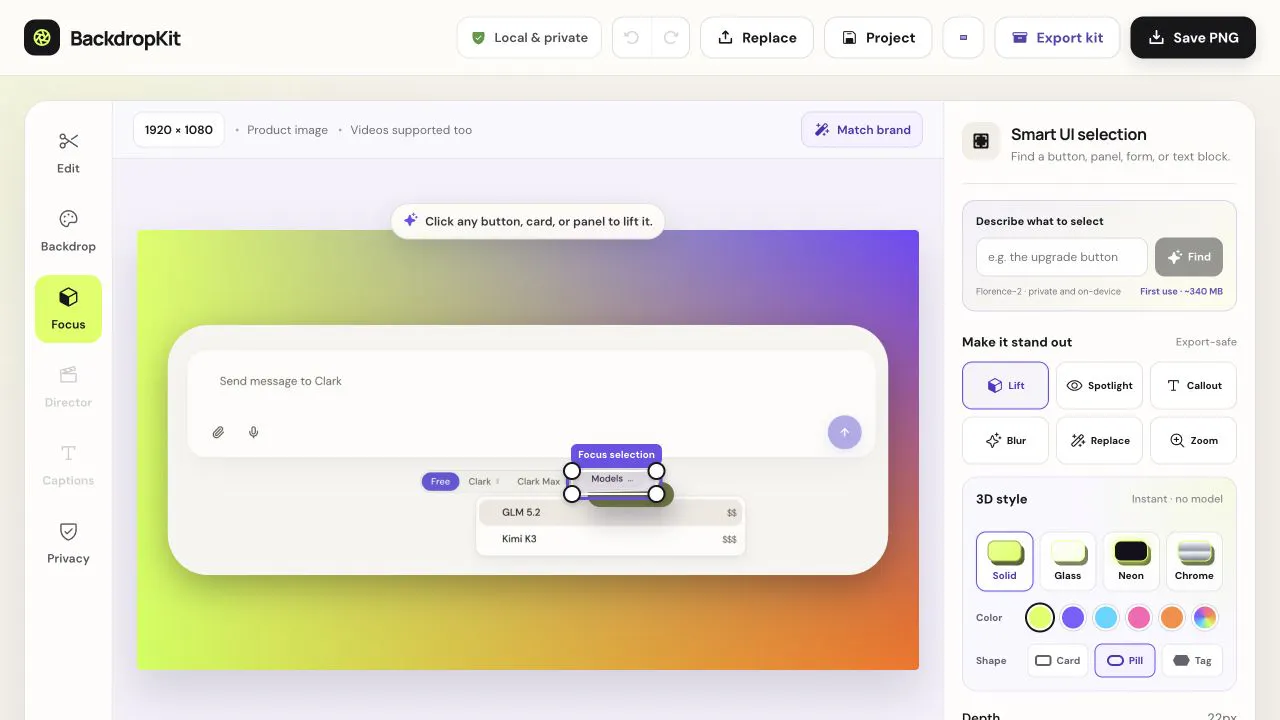
BackdropKit is a tool designed to help creators and developers produce professional-looking launch assets from raw product screenshots and demo videos. It caters to anyone needing to present their software or product visually for marketing and promotional purposes, aiming to streamline the creation of a complete launch kit.
The problem BackdropKit addresses is the time-consuming and often complex process of making product visuals ready for launch. Many creators struggle with creating visually appealing backgrounds, drawing attention to key interface elements, and ensuring sensitive information is not inadvertently exposed in screenshots or videos. This often leads to manual editing across multiple tools, increasing the effort and potential for errors.
One of the core features of BackdropKit is its ability to handle backgrounds. Users can either add their own custom backgrounds or utilize the tool's generative capabilities to create them. This allows for consistent branding and a more professional aesthetic for launch materials. Additionally, the tool enables users to spotlight and call out specific UI elements within their screenshots or videos. This feature helps to guide the viewer's attention to the most important aspects of the product, enhancing clarity and impact.
BackdropKit also provides functionality to redact sensitive text, such as personal data, client names, or confidential information, directly within the visuals. This ensures privacy and security without requiring separate editing software. The tool is capable of exporting a variety of formats essential for a launch kit. This includes high-resolution images, video files, animated GIFs, and thumbnails, all tailored to fit various platform requirements.
Beyond visual assets, BackdropKit can also generate accompanying post copy and alt text. This integrated approach saves users the effort of creating these text elements separately, ensuring consistency with the visual content and improving accessibility and SEO. The entire process runs locally within the user's browser, meaning no data is sent to external servers, ensuring complete privacy and security for all uploaded or generated content.
The product's unique approach lies in its commitment to local processing. By running entirely in the browser, BackdropKit eliminates the need for cloud uploads, ensuring that sensitive product visuals remain private. This also means the tool is free to use and does not impose watermarks on the exported assets, providing a clean and professional output.
The primary benefit for users is the significant reduction in time and effort required to create professional launch assets. By consolidating multiple editing and export functions into one tool that runs locally, BackdropKit offers a private, efficient, and cost-effective solution for product launches. Users can achieve polished visuals without compromising on privacy or incurring additional costs.
Concrete use cases for BackdropKit include preparing screenshots for app store listings, creating engaging video snippets for social media campaigns, generating GIFs to showcase interactive features, and producing thumbnails for product demo videos. It's also useful for generating consistent visual assets for website landing pages and press kits.
BackdropKit is targeted at product makers, designers, and marketers who need to create launch materials. The tool is free to use and operates entirely within the web browser, making it accessible without installation. While specific integrations or tech stack details are not provided, its local browser operation suggests a focus on web technologies.
In summary, BackdropKit empowers users to quickly and privately transform raw product visuals into complete, channel-ready launch kits, emphasizing ease of use, privacy, and professional output.
Publisher
A
admin
Launch Date2026-08-01
Platformweb
Pricingfree
Domain Authority
Ahrefs DR0/100