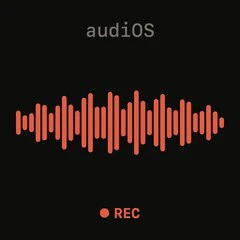
The voice-only iOS keyboard with tape-deck controls
audiOS is a voice-only iOS keyboard that replaces the standard system keyboard with a tactile tape-deck interface. Designed for iPhone users who seek a more efficient and satisfying voice input experience, this keyboard is inspired by the aesthetic of teenage engineering products. Its core value lies in combining the speed of voice transcription with physical controls that make correction and sending feel deliberate and immediate. Unlike typical voice keyboards that rely solely on touch, audiOS introduces real buttons, an unsay rocker, and a log wheel, transforming how users interact with voice input. The primary concept of a tape-deck voice keyboard encapsulates its unique blend of retro design and modern functionality.
The pain point audiOS addresses is the friction inherent in traditional typing and voice input on mobile devices. Standard keyboards require manual typing, which is slow and prone to errors, especially on small screens. Even voice keyboards often lack fine-grained control: once spoken, text cannot be easily corrected without switching to manual editing. This interruption breaks workflow and wastes time. audiOS solves this by providing a dedicated correction mechanism – the unsay rocker – allowing users to drop the last spoken phrase instantly. This capability matters because it preserves the flow of dictation, making voice input a viable primary input method for rapid note-taking, messaging, and content creation on the go.
The first major feature group centers on the Rec button and live transcription. When users tap the Rec button, the system keyboard ejects and the deck rises into the slot, signaling readiness. As the user speaks, the transcript streams in real time, word by word. This immediate feedback is crucial because it validates that speech is being captured correctly without delay. The visual streaming of text builds confidence and allows the user to monitor accuracy as they speak. Combined with the tactile click of the Rec button, this feature transforms voice dictation from a passive activity into an engaging, interactive process that feels more like operating a piece of analog equipment than a digital tool.
The second major feature group comprises the Unsay rocker and the Log wheel. If the user says something incorrectly, they simply flick the rocker to unsay the last bit – no backspacing or manual correction required. This gesture-based undo saves time and keeps hands in position for continuous dictation. The Log wheel is used to finalize and save a take: slamming it sends the transcript to the intended app and simultaneously saves it to an internal take log. This dual action eliminates the extra step of manually saving or copying text. Users can later scroll back through the log to review any previous take, ensuring that no spoken content is ever lost.
Publisher
A
admin
Launch Date2026-06-14
Pricingfree
Domain Authority
Ahrefs DR6/100