Category Focus/categories/developer-tools
Developer Tools AI Tools
Discover and compare the best developer tools AI tools and software. Browse 670+ curated tools with reviews and rankings.
Projects tracked
670
Sort mode
RECENT
Page
1
Co-Review is a code review tool that lets you read an entire repository the way you would read a pull request, with the coding agent that built the code sitting in the thread. Instead of scanning a diff and guessing at intent, you open the whole repository as a review, then comment on a single line, a function, a file or an entire folder and ask why. The agent answers from the code itself, not from its memory of an earlier chat. It is built for people who ship code written with AI agents and want to keep a real understanding of what is in their codebase. Beyond the whole-repository view, Co-Review also reviews diffs, pull requests and designs. The product comes directly from a problem its maker ran into while building with a coding agent most days. Each individual diff looked fine. Six months in, the codebase worked, but he could not tell where things lived or why they had been built that way. The code had stopped feeling like his. That gap, code that functions but is no longer understood by the person who owns it, is exactly what Co-Review targets. Reviewing a pull request the way you would normally read one gives you a line-by-line pass over a small change, but it never gives you a map of the whole system. Co-Review extends that familiar review ritual to the entire repository so the understanding stays with the person responsible for the code. The first capability is the whole-repository audit. In this mode the agent writes a guide to the repository covering the map, the vocabulary, the flows and the weak spots, with findings grouped by area. Rather than dumping a single wall of commentary, the audit organizes what it finds so you can work through the codebase area by area. Coverage tracks what you have actually read, which means the audit is not a one-shot report but a record of your own reading progress through the repository. For code that was largely generated by an agent, this turns an opaque codebase into something you can walk through systematically and finish with a real sense of how the pieces fit together. The second capability treats your own change as a PR page. Line comments, suggested edits and a single verdict come together in one place, and the agent acts on that verdict. In practice this means you review a change the way a reviewer would review a pull request, but the author on the other side is an agent that can respond and make the edits. A suggested edit is not just a note left for later; it is something the agent can carry out. The single verdict keeps the interaction decisive: rather than a long back-and-forth, you state the outcome and the agent responds to it. The third capability covers someone else's pull request. Here the agent takes the first pass, and you decide what goes back to the author. Once you have made that decision, Co-Review posts to GitHub as a real review with line comments. This keeps the human in the position of judgement while the agent handles the initial sweep of the code, and it means the output of the review lands where the author already works, as a genuine GitHub review rather than a separate document that has to be copied across. The fourth capability moves review earlier, to design before code. Co-Review produces an L1/L2/L3 plan with Mermaid diagrams, and that plan is revised from your comments before anything is built. Because the plan is diagrammed, the structure is visible rather than buried in prose, and because it is revised from your comments, the design conversation happens while changes are still cheap. Reviewing a design first means the agent builds against a plan you have already read and shaped, instead of you discovering the structure only after the code exists. Co-Review describes itself as a review tool with IDE features, and that framing explains its underlying approach. It is built on Eclipse Theia, so navigation, search, Git and language servers are the real thing rather than simplified reimplementations, and everything unrelated to reviewing has been removed. In other words, it keeps the parts of an editor that you need in order to read code properly and drops the rest, so the surface stays focused on review. The same approach carries into agent support: Co-Review is made for Claude Code with a one-plugin install and ships native packages for Pi and Oh My Pi, while any MCP agent works, including Codex, Cursor, Gemini CLI, Zed, OpenCode and Goose. Reviews live on your machine, there is no account and no telemetry, and your code goes only to the agent you chose. The benefits follow from that design. You keep authorship of agent-built code by reading it rather than merely accepting it, and you can ask why something exists at the exact place where the question arises, whether that is a line, a function, a file or a folder. The answers come from the code, so they stay accurate as the code changes rather than reflecting a stale conversation. Coverage tracking turns repository reading into something with a finish line. Reviewing your own changes, other people's PRs and designs all happen in the same tool, so the habit of review extends across the whole development cycle instead of being confined to merges. Concrete uses follow the same pattern. A developer who has spent months building with an agent can run a whole-repository audit to relearn the map, vocabulary, flows and weak spots of their own project. A developer finishing a change can open it as a PR page, leave line comments and suggested edits, and give one verdict for the agent to act on. A maintainer facing an incoming pull request can let the agent take the first pass, decide what goes back to the author, and have it posted to GitHub as a real review with line comments. A team can review an L1/L2/L3 plan with Mermaid diagrams before any code is written. And when a question comes up mid-read, commenting on the specific line, function, file or folder gets an answer grounded in the code. Co-Review is aimed at developers who build with coding agents and want to stay the author of what they ship, including users of Claude Code, Pi, Oh My Pi and any MCP-compatible agent such as Codex, Cursor, Gemini CLI, Zed, OpenCode or Goose. It is free, MIT licensed, requires no account and collects no telemetry. Installation is a single command run through the published install script, and reviews stay on your machine. The project is open source and its repository is publicly available. The takeaway is straightforward: agent-built code can work and still stop feeling like yours, and Co-Review fixes that by making the whole repository reviewable with the agent that built it. Comment on a line, a function, a file or a folder, ask why, and get an answer from the code, while diffs, PRs and designs get the same treatment.
Agent Adapter is an open-source agentic framework for Python built for enterprises, startups and vibe coders. Its core promise is simple: write a tool once as a plain Python function, then run it in any agent framework, any backend or any language, with approvals, budgets, cost and traces built in. Tools are defined with a decorator, registered in a registry, and attached to the framework of your choice. The project ships with 23 integrations, 170 runnable examples and 6,000+ tests, and is distributed under the Apache-2.0 license as a free package installable via pip or added to your AI coding agent as a skill. AI agent development is fragmented. Teams write tools for LangChain, then rewrite them for CrewAI, Google ADK or MCP, and repeat the work again when a non-Python backend needs the same capability. Agent Adapter addresses that fragmentation by keeping your tools in Python as the single source of truth while making them reachable from .NET, Java, TypeScript, Go, Rust, Ruby, PHP or any other backend over MCP or HTTP. It also adds a governance layer that agent frameworks do not provide out of the box, so every call can be subject to approvals, budgets, cost tracking, traces and audit records. The first core capability is framework portability. You define a tool once with the registry decorator and change a single line to move it to another framework. The content lists integrations with LangChain, LangGraph, CrewAI, Google ADK, OpenAI Agents SDK, Pydantic AI, LlamaIndex, MCP, Composio, Claude Agent SDK, AutoGen, AG2, Haystack, smolagents, Strands Agents, Semantic Kernel, Microsoft Agent Framework, DSPy, Agno, CAMEL-AI, OpenAI, Gemini, Anthropic, OpenAPI, A2A and AG-UI. Each integration is installed as an optional extra and wired up through an attach call that receives your registry and executor. The second capability is the executor layer, described in the documentation as L1 · EXECUTOR, where every call is checked. The executor adds approval, budgets, cost, traces and audit to tool invocations. The homepage illustrates a single call showing an approved status, a cost of $0.004 and a trace ID before the underlying function runs, such as booking tickets for the Louvre for two people. This means the same safeguards apply whether the tool is called from Python, from another framework, or from a remote backend. The third capability is cross-language access. Your tools stay in Python and are served over MCP or HTTP, so .NET, Java, TypeScript, Go, Rust, Ruby, PHP or any other backend can call them. The content shows a Python example that serves tools with an HTTP app, a C# example using the MCP C# SDK to call a tool, and a Java example using Spring AI where tools become ToolCallbacks through a streamable HTTP connection. Approvals, budgets and traces apply to every call regardless of the calling language. A fourth capability is AI IDE integration. One command, npx skills add VeloceAI/agent-adapter, adds the skill to your AI coding agent, and a copyable setup prompt is also provided. The skill and prompt work in Claude Code, Codex, Cursor, GitHub Copilot, Gemini CLI, Windsurf, Antigravity, Kiro, Cline, Roo Code and 60+ more coding agents, letting those assistants understand and scaffold Agent Adapter code. Overall, the product works as a three-layer stack. At the base, L0 · TOOLS, your code is written once as plain Python functions with the @tool decorator. Above it, L1 · EXECUTOR checks every call with approval, budgets, cost, traces and audit. At the top, L2 · ATTACH connects any framework or language, such as LangChain, CrewAI, ADK, MCP, .NET, Java or Go. A single call flows start to finish: your agent asks, Agent Adapter approves, prices and traces it, then your function runs. The benefits described are portability and safety. Because a tool is defined once, teams avoid duplicating work across frameworks and languages, and moving to another framework requires changing one line. Because the executor is always in the path, every invocation carries approvals, budgets, cost tracking and traces, giving visibility into what agents are doing and what they spend. The audit layer supports accountability, and free open-source Apache-2.0 licensing keeps adoption low-friction. Typical use cases visible in the content include defining a ticket-booking tool and attaching it to LangChain, CrewAI, OpenAI Agents, Google ADK or MCP with the same registry and executor. Another is serving a weather tool from Python and calling it from a C# application through the MCP C# SDK, or from a Java application through Spring AI streamable HTTP connections. A third is invoking tools directly from Python through the executor's run method, and a fourth is exposing tools to any MCP client via a streamable HTTP app. Teams also add the skill to their AI coding agent to get assistance while building. Agent Adapter targets enterprises, startups and vibe coders. It is a Python package installed through pip, with optional extras per framework, and the skill is added through npx. It is free and open source under Apache-2.0. The published integrations span agent frameworks including LangChain, LangGraph, CrewAI, Google ADK, OpenAI Agents SDK, Pydantic AI, LlamaIndex, MCP, Composio, Claude Agent SDK, AutoGen, AG2, Haystack, smolagents, Strands Agents, Semantic Kernel, Microsoft Agent Framework, DSPy, Agno and CAMEL-AI, plus model and protocol connectors for OpenAI, Gemini, Anthropic, OpenAPI, A2A and AG-UI. In summary, Agent Adapter's primary value is writing an agent tool once and running it anywhere, safely. It combines framework portability, cross-language reach and a built-in executor for approvals, budgets, cost and traces, all in a free and open-source package designed to keep AI agent tooling consistent across stacks.
Ribbon is a scrolling window manager for Mac. Most window managers fight clutter by shrinking things; Ribbon keeps every window at the width you gave it and lines them up side by side on one strip that runs past the edges of your display. Open another app and it joins the strip as a new column. To get around, swipe with three or four fingers (the strip follows your fingers) or use Control+Option shortcuts. It brings the niri and PaperWM way of working to macOS as a native app, with stacked and tabbed columns, preset widths, a strip per display and per Space that survives restarts, a clickable strip indicator, per-app float rules and a real settings window. Needs only the Accessibility permission, no SIP changes, no account, no telemetry. macOS 13+ on Apple silicon. One-time purchase from $9.99 with lifetime updates.
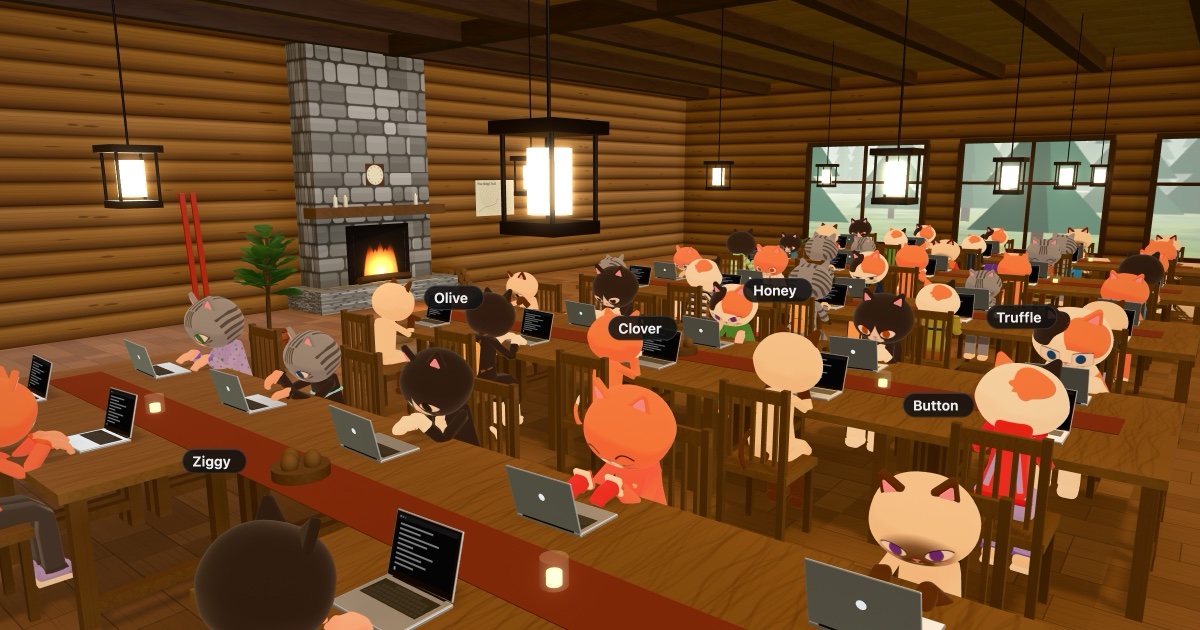
Agent Clan is a desktop workspace that turns your Claude Code and Codex agents into a 3D team living right on your screen. Instead of working with agents as lines of text, you build an agent army on your desk — a crew of characters you pick, talk to and direct with your hands. It is made for people who already use Claude Code or Codex and want to work with those agents their own way: choose an agent, tell it what to do, and see what comes back without reaching for the keyboard. Agent Clan is an independent desktop application for Mac and Windows, powered by your own AI accounts. The product is framed around a simple frustration: picking an agent, giving it a task and reading the result should not mean reaching for the keyboard, copying and pasting, or switching between apps. Handing something over should not require a detour through a clipboard, and answering an agent's permission request should not pull you out of what you are doing. Agent Clan's answer is to keep your crew over every app, waiting in the corner as little heads, so you always know who is busy, who is done and who needs you. Because gestures work in front of any app, not only inside Agent Clan, the interaction follows you wherever you are working. The first control layer is gesture. Open your hand, then make a fist and your agents appear. Pinch and pull toward an agent to choose it, then let go to select. The same language covers answering an agent: when an agent asks for permission, you pull right to allow or left to deny. Gestures are optional — mouse and keyboard work too — but they are the heart of the experience, letting you reach characters floating over any application rather than hunting for the right window. The second control layer is voice. Choose an agent and simply talk; your words become its next task, turned into text right on your computer. Voice input needs a microphone. Agent Clan states that gesture recognition and speech-to-text run on your computer, and that it does not upload camera frames or raw recordings. The transcribed text goes to your chosen agent and is handled by that service, and agent tasks still require an internet connection. Agents wait in the corner of the screen as little heads, always on top of whatever you are working in. A ring around each head shows whether it is working, done or waiting for you, so the state of the whole crew is visible at a glance. Point at a head for its result, then allow or deny without switching apps — for example, answering “Can I run npm install?” from inside another program. You can also circle anything on your screen to hand it over to an agent. Prompts do not have to be typed at all. A picture, a file or some text can be dragged onto an agent and it becomes that agent's prompt, with no copying, no pasting and no switching apps. Structure comes from groups: put agents under a leader, pick the leader to open its group, then pull again to talk to a member, or ask a leader and its crew splits the work. This turns a large set of agents into an organized team rather than a flat list of terminals. The crew is rendered in 3D. Every agent can be given its own hair, eyes, clothes and costumes, and each terminal you open becomes one more character at a desk in the room, with the whole room typing away together. With Pro there is no limit on characters; the site illustrates the idea with 50 agents in a cabin, each in a cat costume with its own eyes and name, typing as fast as they can. Pro also unlocks mods. You tell any Claude agent in your crew what you want — sparkles when a task is done, a crown on its character, something new in the room, a small panel, a colour theme or a sound — and it writes a small mod using Agent Clan's MCP tools, looks at a picture of the result, fixes what is off, and the change appears right away with no restart. Mods stay in a Workshop folder on your computer, apart from the app, so updates do not remove them, and any of them can be turned off on the Workshop page. Codex agents cannot write mods yet. Underneath, Agent Clan is an independent desktop workspace that connects the Claude Code and Codex tools on your computer to interactive characters. You use your own agent accounts, and the original providers bill their usage; AI service fees are separate from Agent Clan itself. Gesture recognition and speech-to-text are processed locally rather than uploaded. A character can also be created from a photo by asking your own Claude Code account to suggest a character made from existing parts and colours — a step the site notes is not processed entirely on your computer. The outcomes the product points to are immediacy and awareness. You can pick an agent and give it a task without touching the keyboard, see who is busy, done or waiting in a single glance, answer a permission request in place rather than switching apps, and hand over screen content by circling it or dragging a file straight onto a character. Instead of losing your place every time an agent needs you, the crew sits over every app and comes to you. Concrete workflows follow from that. A developer running several Claude Code or Codex tasks can open terminal after terminal and watch the room work while doing something else, then allow or deny each request as it comes up. Someone reviewing material in another application can circle the thing they mean and hand it to an agent, or drag a picture, file or text block onto one. A user organizing a bigger effort can put agents under a leader and let the crew split the work. A Pro user can ask an agent to restyle the workspace or add a sound, and a user with a photo can ask Claude Code to suggest a character built from existing parts and colours. Agent Clan has a Free tier and a Pro tier, and an account is required for both. Free includes one project with up to two agents, gesture control and voice input, and 3D characters and workspaces. Pro is a one-time purchase listed at US$14 during a launch price running until Nov 30, 2026 (US$19 afterwards), includes one year of updates, and adds unlimited projects and agents, mods, and everything in Free. Pro belongs to your account and can be signed in on up to 3 computers; signing in on one more prompts the app to sign out the one used longest ago. The app runs on Mac and Windows, and defaults to mouse and keyboard if you do not want to use gestures. Agent Clan's core value proposition is stated simply on its own site: pick with your hand, ask with your voice, and keep your crew over every app so you always know who is busy, who is done and who needs you. It takes agents that normally live in terminals and turns them into a visible, reachable team you can direct without a keyboard.
Wonder Dev View is an IDE for engineers who care about design, built by Wonder and introduced by co-founder and CTO Boris. It is a development environment that combines multiple Claude Code and Codex accounts, each on its own subscription, with an editable design canvas that sits right beside your code and the running app. Wonder starts with the repository you already have: you can connect GitHub or open a local project, and agents work on your machine with your team's components, conventions and tools. Its stated purpose is to be a place to shape an idea, make it work and get it into someone's hands, giving engineers more room to use their own judgment. The product responds directly to how coding agents have changed development. In the launch letter, Boris writes that agents changed how much we can build, not how much we need to understand it, and that he wanted a development tool that keeps him close to what he is making. Two things he wanted in his own IDE shaped Wonder: multiple Claude Code and Codex accounts, each on its own subscription, and an editable design canvas right beside his code and running app. He describes wanting the design loop to feel ordinary, with fewer explanations about which button you meant and more time getting the button right. The underlying stance stated on the site is that good software still needs your judgment, and that a working result is where review begins. Wonder organises work around parallel worktrees. Each task gets its own worktree, with its chats, changes, terminal and pull request together in one place, so you can explore a feature while another agent fixes a bug, or start from an existing branch. For code-only work you can stay in the full-screen coding view. On the accounts side, you can connect several Claude Code and Codex accounts, each on its own subscription, pick the account, model and effort for each chat, and optionally let both agents share saved memory. The site notes that your agent subscriptions stay separate, so multiple accounts remain distinct rather than pooled. Context and autonomy are both configurable. You can give the agent the context you would give a teammate: a file, a design, a related chat or another worktree. You then choose how much it does on its own, from asking first to letting it run. In the walkthrough shown on the site, an agent given the instruction to redesign the pricing page reads the current plans and pricing table, edits the pricing table and plans files, searches for the price formatting helper, runs the pricing tests, reports that plans now carry a yearly price, and then continues with a monthly and annual toggle plus a Save 20% badge — with a note to ask Codex to review it when done. The design canvas is the second pillar. You can attach a screen from your designer and ask the agent to build it in your repo with your existing components, or bring a screen from the repo onto the canvas and work out the details visually. You can then run the app beside the design. Selecting an element in the Preview adds it to the chat so the agent knows exactly what you mean, and you can also capture an element onto the canvas, change it there and take it back to the repo. The stated aim is that this loop feels ordinary: fewer explanations about which button you meant, and more time getting the button right. Review and shipping are built into the same surface. Because a working result is where review begins, you read the diff, run your checks and can let Codex review Claude's code, or the other way around, while you still decide what is ready. From there you open the pull request, mark it ready, address feedback or fix failing checks, with the status shown right beside the changes — the walkthrough shows a draft pull request with the changed files, a Checks panel and a View on GitHub action. On Pro you can publish the app's Preview to a link someone can open in a browser and send it with the pull request. The canvas is collaborative too, with live editing on Pro, so a designer can shape the interaction while an engineer keeps it grounded in the code. Taken together, the approach is to keep agents, code, design and review in one continuous loop anchored to your own repository. Wonder does not ask you to move your project into a new hosted environment: it connects to GitHub or opens a local project, and agents work on your machine with your team's components, conventions and tools. Each task is isolated in its own worktree with its chats, changes, terminal and pull request together, so parallel agent work stays separated by task rather than tangled in a single working copy. Design context flows in both directions — a designer's screen comes into the repo as a build instruction, or the repo comes onto an editable canvas — and the running app sits beside the design so the element you point at is unambiguous. The stated benefits follow from that loop. Engineers get a development tool that keeps them close to what they are making rather than one step removed from it. Running several agents in parallel, each on its own subscription, lets you explore a feature while another agent fixes a bug. Giving the agent a file, design, chat or worktree as context reduces the back-and-forth about what you meant. Selecting elements in the Preview rather than describing them lowers the ambiguity in design feedback. Letting one model review the diff of another adds a second pass before you decide what is ready, and the pull request, checks and status sit beside the changes so shipping is not a separate context switch. Concrete workflows described on the site include adding a refund button to an order page, where the agent finds the refund logic in the payments service, reuses an existing ConfirmButton so it matches the rest of the page, edits four files and runs a typecheck; redesigning a pricing page with a monthly and annual toggle; exploring a design like a gallery card screen on the canvas; and reviewing a diff where Codex reviews Claude's code before the pull request is marked ready. Another workflow pairs a designer shaping an interaction live on the canvas with an engineer keeping it grounded in the code, and a further one publishes a working Preview link so someone else can try the app and receive it alongside the pull request. Wonder runs on Mac and Windows and is free to start, with downloads offered for macOS. Shared canvas editing and Preview links are on Pro, while your agent subscriptions stay separate. The site lists engineers at Autentic, Deeploi, Arc, Browserbase and CodeRabbit as users. It is aimed at engineers who build with coding agents and care about design, and at teams where designers and engineers work on the same interface. Full documentation for the design features is available in the Wonder docs. The takeaway is that Wonder Dev View is a place to shape an idea, make it work and get it into someone's hands, built on the belief that agents change how much we can build but not how much we need to understand it. By putting multiple Claude Code and Codex accounts, parallel worktrees, an editable design canvas and a running app preview side by side — and closing the loop with cross-agent review and pull requests — it gives engineers more room to use their judgment from the first prompt to the pull request.
TraceX is an AI engineer for production issues, built to take a customer-reported problem from the first support message all the way to a proven root cause and a fix. When a support email, a Slack message, a Jira ticket or a question in the dashboard arrives, TraceX reads it, plans what to check, and then investigates the systems behind the issue: it queries the database read-only, reads the code and recent changes, and checks error and log tools such as Sentry, Datadog and CloudWatch. It then returns the root cause with a confidence level, what should have happened versus what actually happened, and the evidence behind every claim. From there it writes the fix as a pull request and drafts a reply for the customer. It is aimed at engineering and support teams running production software, and it is free while in private beta. The hard part of a production issue is usually not the fix but finding the cause. A customer writes that a refund has not arrived, and the explanation can be buried across a database state, a migration that renamed something weeks earlier, a code path that still filters on the old value, and a background worker that now finds nothing to process. In the example shown on the TraceX site, 34 refunds sit in a pending state created after October 21, migration 0142 renamed pending to awaiting_payout, and the refund worker still filters on pending, so it silently finds nothing to process. Sentry reports no errors at all, because nothing crashes; the worker simply has nothing to do. Tracing that by hand means jumping between a database console, a repository, a commit history and log tools, and then explaining the conclusion to a support team and to a customer. TraceX is built to do that work in one place, the way your best engineer would, and to show its work at every step so the answer can be trusted rather than guessed at. Every investigation moves through six visible steps: intake, triage, evidence, root cause, action and resolve. Intake accepts an issue from a support email, a Slack message, a Jira ticket or a question in the dashboard. TraceX then plans its checks and follows the data and the code until the cause is clear, querying PostgreSQL, MySQL or MongoDB through read-only credentials, reading the code and recent commits through the GitHub App, and checking Sentry, Datadog and CloudWatch. The result is a root cause presented with its confidence level, an expected-versus-actual comparison, and a citation for every finding pointing to the record, code or log line behind it. A second model checks the answer against that evidence, which is how TraceX keeps answers grounded in what it actually looked up rather than in plausible-sounding assumptions. From the root cause, TraceX moves to action. It writes the smallest change that fixes the cause and opens it as a pull request, with the diff reviewed and its risk level shown, along with validation steps written into the description. In the refund example, the fix changes a single filter from state="pending" to state="awaiting_payout" and is presented as low risk, with the validation step of running the refund worker against staging so that 34 refunds move to payout. TraceX also reviews your team's pull requests, giving reviews on every PR with one-click suggestions. Alongside the code fix, it drafts a reply for the customer, so the support conversation can close with an accurate answer instead of an apology and a promise to look into it. TraceX also answers questions about your systems in plain English: how many refunds are stuck, which customers were charged twice, or what changed in checkout since Monday. Answers come from your databases, code and logs rather than guesswork, each step is shown as it happens, and each claim is cited. When a longer answer is needed, TraceX produces spreadsheets, CSV and PDF exports. In the example conversation on the site, asking how many refunds are stuck returns 34 rows in the pending state, all created after migration 0142 shipped, with the query, the commits read and the verification against the evidence all displayed. This turns ad hoc production questions into documented, checkable answers that a support lead or engineer can act on immediately. For developers who prefer the terminal, the TraceX CLI brings the same capability into your repo. You sign in through your browser, link a repository with one command, and ask TraceX from your terminal with tracex -c for answers carrying the same evidence as the dashboard. It installs with one line on macOS and Linux. In a linked repository it also works in a coding mode that reads, edits and runs tests, asking for your approval before every change and command. The site shows the flow in practice: it edits app/workers/refunds.py, shows the removed and added filter lines, asks whether to apply the change, then asks whether to run pytest, and reports 12 tests passed. In a repository that is not linked, TraceX works as a coding agent that asks before every change. The design of the product is centred on trust. TraceX connects to your databases with read-only access and runs only read-only queries, so nothing in production is changed, and the site lists production writes at zero. Access is read-only and can be revoked at any time. Your records are not kept: there is no index of your code or data, answers retain what was looked up and where rather than the rows themselves, and exported files are deleted after 24 hours. You approve every change, because fixes arrive as pull requests for your review and the CLI asks before every edit and command. Enterprise sign-in covers SSO, two-factor sign-in, roles for admins, investigators and viewers, revocable sessions and a full audit log. You can also run TraceX on your own Anthropic or Gemini account, so AI usage is billed to you and never through TraceX. The outcome is that every customer issue can be traced to its root cause with evidence attached. Instead of an engineer spending time reproducing a report and correlating tools, TraceX returns a root cause, a confidence level and an expected-versus-actual comparison that a team can check line by line. Support gets a drafted reply built from the actual finding, engineering gets a reviewed pull request with validation steps, and the answer can be verified against the cited records, code and log lines. Because every finding cites its source and a second model checks the answer, the conclusion stands on evidence rather than on a model's best guess, which matters when the output is going to a customer and into production code. The product fits concrete day-to-day workflows. A support email saying a refund has not arrived starts an investigation that ends with a root cause and a reply ready to send. A teammate mentions TraceX in a Slack support thread asking why an order was charged twice, and gets the answer, with its evidence, right there in the thread. A Jira ticket about checkout timing out on Safari comes back with a comment explaining the root cause and a linked pull request. A support lead asks in plain English how many refunds are stuck and since when, and receives the rows, the commits read and the verification behind the number. A developer uses the CLI to fix the refund worker filter and run the tests. Teams also use TraceX to review the pull requests they open themselves. TraceX is in private beta with early engineering teams and is free while in beta, with 50 investigations a month during the private beta. It connects to 10 integrations — PostgreSQL, MySQL, MongoDB, GitHub, Sentry, Datadog, CloudWatch, Gmail, Slack and Jira — covering databases, code, logs and inboxes, all connected read-only. Setup is described as connecting a database and a repository and asking your first question in minutes, with an early access request and a sandbox available to try. The combination of read-only access, cited evidence, human-approved changes and the option to bring your own model keys makes it usable for teams that need to see exactly what the system looked at before they act on its conclusions. In short, TraceX's value proposition is simple: every customer issue, traced to the root cause. It reads the support email, investigates the database, logs and code read-only, proves the cause with cited evidence and confidence, writes the fix as a pull request and drafts the customer reply, while keeping production untouched and every change under your approval.
Okapi is a free GitHub App that watches the third-party APIs your app and AI agents call and opens a pull request with the fix before a breaking change hits. It is built for developers whose applications and agents depend on external APIs, where a single changed field, renamed parameter, or retired endpoint can take a production app down. Okapi describes itself as Dependabot for APIs: instead of waiting for a deprecation email or manually reading changelogs, you connect a GitHub repository and Okapi keeps your code up to date with every API it calls. The goal is simple — your app keeps working and your team stops chasing changelogs. APIs change all the time, and keeping up with every API's changelog is a hassle. Deprecation emails get lost, nobody has time set aside for the work, and no one owns it. Still, a small field change in an API response can take your whole app down — as Okapi puts it, a tiny update can bring down a big app. The problem is not that providers fail to announce changes; it is that the announcements arrive in many different places and formats, and the people responsible for a repository are busy building. Okapi exists to close that gap by watching for changes continuously so developers can focus on building rather than on maintaining connectors and reading release notes. Getting started takes one click. You connect your GitHub repository through the Okapi GitHub App, and Okapi then finds the APIs your app depends on by reading your code. It looks for the API calls the repository makes, from the big names to the niche ones that break more often, and keeps track of their changes. Installation is described as "1 click, then forget it," and the product is 100% free. Because discovery is based on the code you already have, there is no configuration list to maintain by hand and no inventory of providers to assemble: Okapi finds them in your repo for you and begins watching them. Okapi monitors each API call individually and suggests a fix before it breaks. Today it reads 1,173 API providers' own pages and tracks 841 upcoming breaking changes, according to the website. That coverage matters because deprecations and breaking changes are usually published by each provider on its own pages, in its own format, on its own schedule. By reading those pages directly, Okapi can surface an upcoming change — such as a field that will handle null values differently from a given date — and connect it back to the specific places in your code that use the affected call. The result is a continuous watch over the APIs your app depends on rather than a one-time audit. When an API call is deprecated or about to break, Okapi opens a pull request with the fix before it fails. The pull request is not a generic warning: it contains the actual change your code needs. In the Stripe example shown on the site, okapi[bot] opens a pull request titled "Update Stripe API for upcoming customer.address change", wants to merge one commit from a branch named okapi/stripe-customer-address into main, and explains in a comment that Stripe is changing how customer.address handles null values on October 15. The comment lists the effective date, the API, and the number of affected files (two), and the diff updates both files to handle the new response format. The pull request also carries release notes and a "what changed" section plus api-changes and stripe labels, so a reviewer can understand the change without hunting for context. Okapi works with any API, not only a fixed set of well-known providers. The site's examples span many languages and services: an OpenAI call updated from max_tokens to max_completion_tokens; a PubMed query changed from sort "date" to "pub_date"; a verification request that gains a verify_profile_id field; a notification URL moved to a new push endpoint; an ip-api lookup switched from HTTPS to HTTP; a Figshare download moved to the v2 API; a Mojang profile path corrected; and a Gemini configuration changed from a thinking budget to a thinking level. Each diff is small — often one or two lines — which is exactly the point: the changes that break production are frequently tiny, and they are easy to miss when nobody is watching every provider's changelog. Okapi's approach mirrors dependency automation, which is why it calls itself Dependabot for APIs. Rather than pushing commits directly, it opens a pull request for every change so a human reviews and merges it. The site states that Okapi never commits to your branches: every change comes as a pull request you review. If you do not merge the pull request, nothing changes in your code; the pull request stays open until you merge or close it. That design keeps developers in control while still removing the detective work of finding the change and the mechanical work of applying it. The stated benefits are straightforward: no more time spent maintaining connectors, and improved reliability over time. Instead of learning about a breaking change from a production incident, teams see a pull request with a fix and an explanation before the effective date. Deprecation emails that get lost no longer matter as much, because the watch is continuous and attached to the code that makes the call. Because the fix arrives as a reviewable pull request, teams can adopt it on their own schedule, inspect the reasoning, and keep their normal code review process intact. Concrete scenarios follow directly from the site's examples. A billing service that reads customer.address from Stripe can receive a pull request ahead of the October 15 null-handling change. An application calling OpenAI can be moved from max_tokens to max_completion_tokens. A literature search tool using PubMed can have its sort parameter corrected. A service calling a geolocation or media API can have a changed URL or protocol updated. Teams running AI agents that call external services can keep those agents working as providers evolve. And teams depending on niche APIs that break more often get the same monitoring as those using the largest providers. Okapi is aimed at developers whose apps and AI agents depend on third-party APIs, and at teams that do not have anyone specifically assigned to tracking provider changelogs. The access required is limited: Okapi reads your code to find the API calls it should watch, and it never commits to your branches. Removal is equally simple — uninstall the Okapi app from your GitHub settings and it stops right away. The product is 100% free, installs in one click, and works with any API, so there is no pricing tier or provider list to evaluate before trying it. In short, Okapi brings dependency-style automation to the APIs your code calls. It discovers the APIs in your repository, watches their providers for deprecations and breaking changes, and opens a pull request with the fix before the change can break your app — free, with one-click install, and with every change left for you to review.
FounderMail is email for founders who ship on Cloudflare. One click puts a Worker in your own Cloudflare account, and your domain has mail — real addresses on your own domain, for you, your team and your agents. You sign up, bring your Cloudflare account and your domains, and FounderMail does the rest: a small proxy sits in your Cloudflare account, mail comes in through it, and your replies go out the same way. Cloudflare sends and receives on your account, while FounderMail runs the mailbox behind it. The inbox lives at inbox.foundermail.app and holds every mailbox you hold in one list, personal and shared side by side, with each thread labelled by the mailbox it came to. The product is built for founders and small teams already running domains on Cloudflare who want real email without paying per seat and without forwarding to Gmail. The launch description frames FounderMail against two familiar alternatives: paying per seat for hosted email, and forwarding a domain's mail to Gmail. It also addresses a newer requirement — AI agents that need to work with mail. As the description states, you, your team and your AI agents work from the same inbox, and agents get their own access instead of your password. The site summarises the promise as "Cloudflare email without the setup or the maintenance," meaning the DNS records, the relay and the mailbox are handled for you rather than assembled by hand. FounderMail also draws a hard line: it will not install on a domain that already receives mail somewhere else. It checks, and it stops, because taking over that domain's MX records would end the existing mail. That makes the product suited to domains that are new to email or are being moved deliberately. The inbox itself is organised around a single unified view. All inboxes — every mailbox you hold — appear in one list, with personal and shared addresses side by side rather than scattered across separate accounts. Each thread is labelled with the mailbox it came to, so you can tell at a glance whether a message arrived at Ada, Team or Billing. The interface is keyboard first: j and k move between items, e archives, and ⌘K reaches everything else. The mobile inbox view shows thirteen conversations from one user's three mailboxes in one list, each tagged with its destination mailbox, which illustrates how the unified list works in practice. FounderMail is explicitly built for agents. It offers a REST API, OAuth and two MCP servers: one for mail and one for the control plane. A token issued for one is refused by the other, so access to mail does not silently become access to administration. Agent seats let you give an agent a seat on any inbox, and reading and sending are separate scopes — read-only means read-only. The site answers the question "Can an agent send as me?" directly: only if you let it. An agent given read access to a mailbox can read it and cannot send from it; give it send, and it sends from that mailbox's addresses. Agents can also be pointed at the published llms.txt at https://foundermail.app/llms.txt to discover how the service works. Shared addresses and multi-domain setups are first-class. Every address — hello@, sales@, support@ — can be held by as many people and agents as you like, so a support inbox can belong to an invited teammate and a read-only triage agent at the same time. One relay per Cloudflare account covers every domain on that account, and you can bring as many accounts as you have. Mail leaves from your domain with your own DKIM, SPF and DMARC records, so your domain's sending reputation is built on your own records rather than someone else's. The setup is described in three numbered steps. First, sign up: 14 days free, no card, so you can make an account and look around before connecting anything. Second, bring your Cloudflare account and domains, and FounderMail does the rest — the proxy in your Cloudflare account handles inbound and outbound, Cloudflare sends and receives on your account, and FounderMail runs the mailbox. Third, assign inboxes to as many people or agents as you like, each with addresses on your own domain. The requirements are explicit: your domain's DNS must be active on Cloudflare, on an account with the Workers Paid plan, because sending from your account needs it. The install proves that before it touches your domain's mail. Ownership is split in a way the site spells out. Yours: your Cloudflare account, the DNS records (MX, DKIM, SPF), the relay that sends and receives, your domain and every address on it, and your domain's sending reputation. Ours: the mailbox, stored on FounderMail's infrastructure. If you leave, you can take a copy first — every mailbox as an mbox file, from Settings → Your data in the console. If your subscription ends, FounderMail keeps your mail so you can come back or take it out, and gives you at least 30 days' notice before deleting it. The site also warns that disconnecting does not put your MX records back, so you should turn off Email Routing and publish your new records first before moving to another provider. Concrete workflows follow from the address model shown on the site. A founder can hold a personal inbox such as matthew@yourdomain.com as owner, while support@yourdomain.com is held by a teammate invited by email and simultaneously by a triage agent with a seat and read-only access. Billing addresses can be shared between an owner and another invited person. Because unlimited people, agents, mailboxes, addresses and domains are included on both plans, the same pattern scales from a single founder to a team running several domains across several Cloudflare accounts, all reachable from one inbox list. Agents that need to act on incoming mail can be granted read scope without send scope, which keeps automated triage separated from the ability to reply as the domain. On pricing, both plans start with 14 days free and no card. Founder is $20 a month with 20 GB of mail; Team is $200 a month with 200 GB of mail. People, agents, mailboxes, addresses and domains are unlimited on both. Storage is a fair-use allowance measured as the 30-day average of each day's peak; each email counts at least 10 KB, a message delivered to several mailboxes counts in each, and the Trash counts until it is emptied. FounderMail emails you at 80% and 100%, and states that your mail never stops because of it. One mailbox holds about 10 GB, and the console tells you when one is filling so you can add another. There is no service level agreement; the service is provided as it is. On data handling, FounderMail commits to processing your mail only on your instructions, keeping it confidential and secure, using only the providers its privacy notice names and telling you before adding one, notifying you without undue delay if a breach affects your mail, and deleting it when you do. FounderMail's primary value proposition is ownership without administration: real mail on the Cloudflare domains you already run, with your own DNS records and sending reputation, one inbox for every mailbox you hold, and first-class seats for AI agents whose read and send permissions are kept separate. For founders already on Cloudflare, it turns an awkward email decision into a single install.
Clocknext is monetization and billing infrastructure built specifically for AI agents and AI-native applications. It lets teams track AI usage from their product in real time, turn that usage into billable metrics with flexible pricing plans, and monitor costs, margins, and profitability at every level. The platform is aimed at AI founders along with revenue and engineering teams who need to convert tokens, completed outcomes, and countable units into revenue. Its stated goal is to make AI billing simple again: every AI interaction has to be metered, priced, and billed, and Clocknext supplies the infrastructure for that so teams do not have to assemble it themselves. The problem Clocknext addresses is the gap between counting usage and earning from it. As the company puts it, every token is easy to count, but turning it into revenue isn't. Without the right infrastructure, teams risk losing revenue, momentum, and peace of mind. Cost visibility is a large part of that risk: a model switch made in June should not surface as a surprise in September, which is why Clocknext tracks cost as it happens, against the signal that caused it. Engineering dependency is the other friction point — metering pipelines, wallet logic, and invoicing all have to be built and maintained unless a platform owns them, and pricing changes routinely get queued behind engineering work. Clocknext is designed so that pricing moves at the speed of the business rather than the deployment calendar. Pricing is assembled from primitives that can be mixed and changed without touching the code that reports usage. Credits are a token-denominated allowance drawn from a wallet as agents work. Outcomes price the completed result rather than the compute behind it. Units cover seats, repos, integrations, and anything countable. Composites combine primitives for multi-action agents and bill them as one line. In the product's own example, 100,000 credits at $0.008 come to $800.00, 47 outcomes at $12.00 come to $564.00, 12 seats at $29.00 come to $348.00, and a voice agent composite spanning four meters comes to $410.00 — all of it landing on one plan and one invoice totaling $2,122.00. Teams start with one primitive, add the rest when needed, and change the mix freely. Payment methods are equally configurable, supporting prepaid, postpaid, hybrid, and top-ups. With prepaid, customers fund a wallet before they use anything and usage draws it down in real time, so there is no chasing payment after the work is done. Hybrid combines a commitment upfront that covers expected volume with anything beyond it billed after, with both landing on the same invoice under one plan. Postpaid meters through the month and settles once at the end, fitting the purchase order and procurement cycle enterprise buyers already run. Top-ups let customers buy more credits or outcomes on their own whenever they need them, with the balance landing in their wallet straight away. Margin control sits alongside billing. Clocknext bridges the gap between provider cost and usage with margins that keep a product's bottom line healthy in real time, showing revenue against provider cost with margin as the visible band between them. A customer view surfaces cash balance, credit allowance, units consumed, revenue, provider cost, gross margin, and month-over-month movement, alongside a monthly table of revenue, provider cost, margin, and gross margin. Because margin is tracked by account, by agent, and by model, an account that falls below target is flagged — for example, a customer showing 8.2% margin against peers at 74.9% and 66.9% — and can be repriced immediately. Changes to the plan, the rate, or the credit conversion take effect on save, with no engineering involvement. Operationally, the product is built around usage signals rather than a bespoke metering pipeline. Setup runs in three steps: install the SDK, send a usage signal, and map signals to pricing. From there, pricing packages are built by mixing credits, outcomes, and units and bundling them into composites when a product needs its own price, then published to all customers live with no deploy. Engineering teams get a drop-in usage SDK and API so there is no metering pipeline to own, while wallets and invoicing are built in. Product teams can run no-code pricing experiments, ship new plans in hours, and A/B test monetization without an engineering dependency. The stated outcomes are speed and financial clarity. Clocknext reports a time to live of two days from signup to the first invoice out the door, eight hours of billing operations saved every week on reconciliation and invoicing, and a 90% increase in gross margin after pricing moved onto the platform. Teams can catch losses immediately because cost is attributed to the signal that caused it, and they can reprice without a deploy whenever a rate or conversion no longer works. For revenue teams, the value is per-agent margin analytics, self-serve credit top-ups, and revenue and provider cost in a single view, so pricing decisions can be made against profit rather than top-line numbers alone. Concrete workflows follow from those building blocks. A team launches a product with a hybrid plan, covering expected volume with a commitment and billing overage after. A voice agent with several billable actions is modeled as a composite of four meters and billed as one line item. A revenue team notices an account whose gross margin has slipped below target and reprices that offering, with the change going live on save. Customers top up credits on their own instead of waiting on an account manager. An enterprise buyer procures on postpaid terms through a purchase order while prepaid customers fund a wallet before use. Product teams test a new rate with an A/B experiment and publish the winner to all customers. Clocknext is positioned for AI-native teams globally, including AI founders and the product, engineering, and revenue functions inside those companies, and it lists Boomerang, Facilio, Superb AI, Strivelabs, and Ninjahire among the teams using it. The platform is offered with a free start and a free trial — free up to $100K USD in billed revenue — alongside a demo booking path for teams that want to see it in action. It also publishes a guide to pricing economics for AI agents, aimed at teams refining their pricing strategy. In summary, Clocknext is monetization infrastructure for AI agents that unifies metering, flexible pricing primitives, prepaid and postpaid payments, and real-time margin analytics in one system. Its primary value proposition is straightforward: meter AI usage as it happens, price it in whatever mix of credits, outcomes, and units fits the product, change that pricing without a deploy, and see margin per customer, per agent, and per model so AI billing stops being the bottleneck between usage and revenue.
Glasshand hosts real iPhones and Macs in its own data center and rents them, month to month, to AI agents. Instead of asking an agent to imagine what a phone or a desktop looks like, you give it an actual device that it can see and operate. You connect Claude Code, Codex, Cursor, OpenClaw, Hermes, or any other agent through the Glasshand API, and the agent rents an iPhone or a Mac from glasshand.com with a prompt. From there it can watch the screen and tap, type, or click exactly the way a person would. Glasshand is aimed at people who want their agents doing real work inside Apple's ecosystem: running social accounts, building and testing native apps in Xcode, or handling everyday admin that lives behind a sign-in. The page frames the core problem as realism. Glasshand runs real iPhones and Macs, "not virtual machines, emulators, or simulators," and asks why a real device is better. The answer it gives is that a rented device works just like the iPhone or Mac you use every day: it reaches Apple's ecosystem, it can carry a real phone number, and it can be locked with a password you set yourself. That matters for the kinds of tasks that break on a simulated device, such as installing apps from the App Store, receiving a verification text at a phone number, or completing sign-in and checkout flows on hardware that behaves like the phone in a customer's hand. Control happens through a dedicated controller. The agent asks the controller to show the screen, the controller looks, and the iPhone answers with what is displayed, for example the home screen. The agent then works through steps the way a person does: see the screen, open the browser, type a search, and check the result. Glasshand illustrates this with a simple goal, "Find the weather in San Francisco," where the agent reads the screen, opens the browser, types the query, and verifies the answer. Because the loop is see-then-act, the same approach carries from a one-off lookup to multi-step work inside apps, and the agent responds to what is actually on screen rather than to a fixed script. Because the hardware is genuine, the software is genuine too. Agents download real apps, including Instagram, TikTok, WhatsApp, and more, from the App Store rather than working against stripped-down replicas. An iPhone can also be given its own phone number by adding an eSIM plan with SMS, which lets the agent receive verification texts and use iMessage. That combination is what makes account-based work possible: a verification code arriving at the device's own number is exactly the step that stalls an agent running anywhere without one. Users also set a real password that locks the device, just as they would on their own phone. The third piece is account context. Users sign in to iCloud and the apps they already use, so the agent can work with calendars, contacts, messages, and files to get tasks done with the context it needs. This is the difference between an agent that can open an app and an agent that can act inside it. Glasshand also states that the setup persists: apps, files, and sign-ins stay put between tasks until the device is released. A single rented device therefore accumulates your configuration once, and every later task your agent runs starts from a device that is already signed in and already equipped. The rental lifecycle is stated plainly. Your device starts factory-reset, ready for your apps and accounts. It is not shared with other customers, it is yours alone, and you set the password. When you release it, Glasshand erases your data and restores the device to factory settings, and the controller is wiped and reset too. Sessions are not billed by the hour or the day; devices are rented month to month, and you can cancel at any time. If you cancel, your device stays available until the end of your current billing period, then your subscription ends. Getting started is designed to happen inside the agent's chat rather than in a separate console. You tell your agent to rent an iPhone or a Mac, paste the prompt Glasshand provides, and then approve and pay when the agent asks. The same flow is offered for both device types: rent an iPhone from glasshand.com and connect so the agent can see the screen, tap, and type, or rent a Mac and connect so it can see the screen, click, and type. Glasshand lists Claude Code, Codex, Cursor, OpenClaw, and Hermes as compatible, alongside any other agent that connects through the API, and a demo can be booked as well. Glasshand names three broad jobs. Running your socials means posting on Instagram, TikTok, and LinkedIn, replying to comments and DMs, finding leads, and following up, which depends on being signed in as a real account on a real app. Building and testing apps means building native apps in Xcode on a hosted Mac and testing sign-in and checkout on a real Mac or iPhone, so the flows that usually fail only in production get exercised on real hardware instead. Working with your accounts means signing in to iCloud and the apps you use so the agent can reach calendars, contacts, messages, and files. Everyday admin sits alongside these, and the site sums up a device's purpose as running social media, building and testing native apps, and handling everyday admin. The people this suits are those already directing agents and wanting them to reach places an API alone cannot: social media teams and founders posting across Instagram, TikTok, and LinkedIn; developers who need real hardware for Xcode builds and for sign-in and checkout tests; and anyone whose calendars, contacts, messages, and files live behind an iCloud sign-in. The requirement is an agent that can call the Glasshand API, such as Claude Code, Codex, Cursor, OpenClaw, Hermes, or anything else, and a willingness to rent month to month rather than by the hour or day. The proposition is narrow and concrete: your agent gets a real iPhone or Mac, hosted and maintained by Glasshand, that it controls by seeing the screen and acting on it, that keeps your apps and sign-ins between tasks, and that is erased and factory-reset when you let it go.